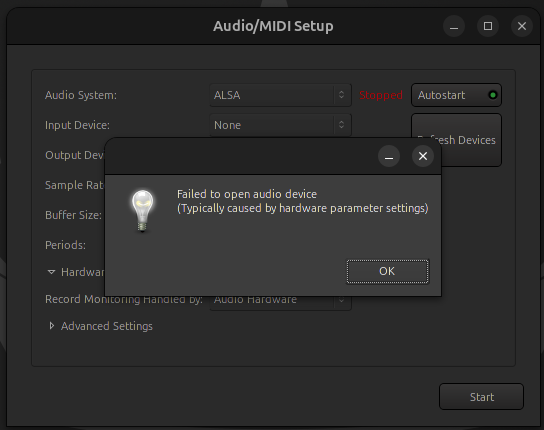
You did not move the message box down to show what output device is selected.
What audio device are you attempting to use?
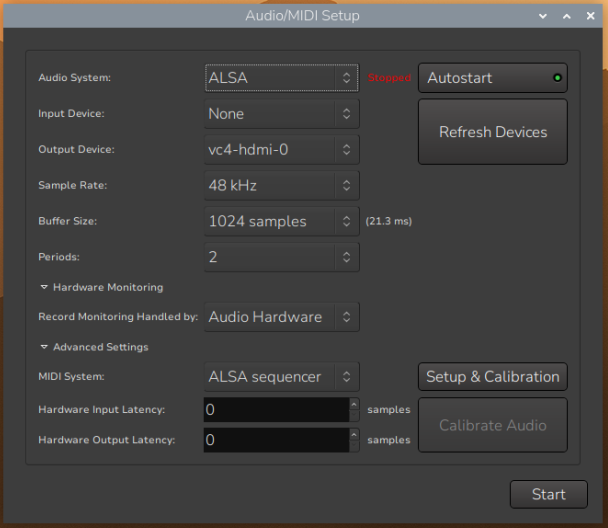
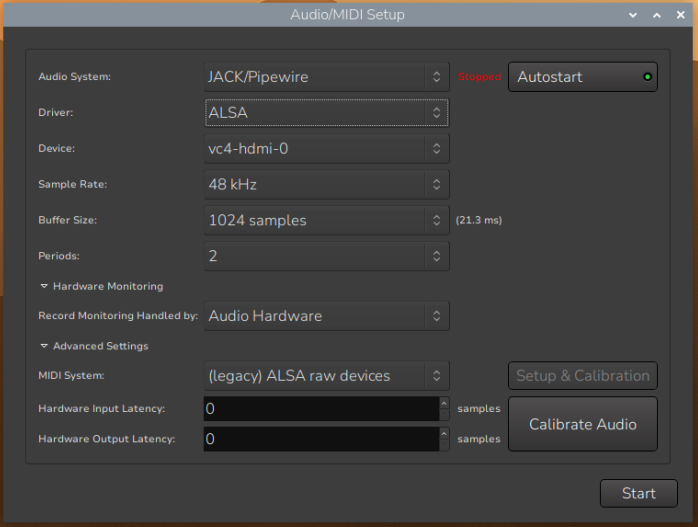
You also did not show the sample rate, buffer size, or number of periods settings, and as the message indicates “Typically caused by hardware parameter settings.”
Since you have not indicated what hardware you are attempting to use nor what parameter settings you were attempting to use it is difficult to offer help.
Pisound HAT by blokaslabs is another excellent choice that also comes with physical MIDI I/O ports, and a preconfigured RPIOS “spin” running JACK as a system service, called PatchboxOS.
These can likely be installed via apt, but they may be a little outdated compared to the official pages. The package names are “lsp-plugins-lv2”, “x42-plugins”, and “zam-plugins” in Debian-based distros.
IIRC, I was able to compile the Socalabs plugin set from source for my Raspberry Pi 5, but don’t quote me on that. I haven’t tinkered with my Pi for a while, and it isn’t something I will be able to confirm any time soon. If memory serves me, I built them natively on the Pi using the build instructions on their GitHub page and didn’t encounter any issues. Give it a go if you’re feeling it.
The suggestions by @GuntherT are the best but I’ll just add the Airwindows plugins for good measure. I also have a Pi5 running Ardour that I use as a multitrack recorder and only have the Airwindows plugs on it because of their mega lightweight nature.
Good question - sadly doesn’t seem to be an ARM version on first glance Might be worth contacting Baconpaul who maintains Consolidated and ask them if they’re up for creating an ARM version.
Was that humor? The Pi5 is a very good computer for the price, and isn’t it kinda cool that someone is attempting this. Support is a good thing, always.


 Might be worth contacting Baconpaul who maintains Consolidated and ask them if they’re up for creating an ARM version.