Sorry for the sensitive topic, I’ve been reading from previous posts how complex the implementation of OMF and AAF is. But I’d appreciate any update on the topic, if anyone has recent experience, or alternatives I am missing out.
I’d like to transfer a Premiere session (audio) into Ardour, to see if I can work on a film soundtrack here. I’m quite familiar to Ardour when building soundtracks from scratch, MIDI integration makes it more flexible than other DAWs for instance. But to import a pre-made soundtrack for audio editing or postproduction is a different thing. Film editors usually provide an OMF or AAF.
I tried to import an AAF session directly, previously exported from Premiere with embedded and separate audio, but both failed. I don’t know if I’m exporting the AAF incorrectly or the fuction in Ardour is not updated to newer AAF exports.
AATranslator seems to be the recommended way. But in their compatibility chart they mention Ardour V3 and 250US is an important amount to invest.
Did you see any error messages during the import (might need you to launch Ardour from a command line).
If you don’t see any errors, a common issue with files supplied by video editors is that they often start at very high timecode values (e.g. 10 hours) so when you first import the file, all the audio is squashed into a few pixels at the RHS of the timeline.
If @agfline drops by here, he might be able to let you have some Premiere AAF’s to test. Admittedly they’re very small but I just tried some of his samples here and they worked.
AAF is a relatively new feature in Ardour and still under active development, so we really appreciate your feedback, thank you !
Are you using the latest Ardour release ? Did you follow the steps described in Ardour documentation, under Importing AAF files ?
Can you describe exactly what happens during the import ? Does Ardour crash, or is there some other error ?
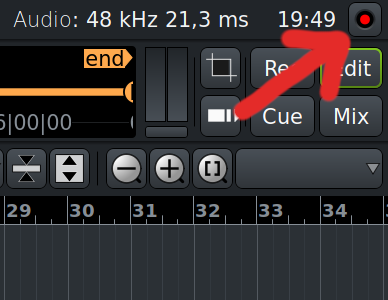
If it doesn’t crash, could you post the logs from the log window ? You’ll find the log-button in the top-right corner :
If you’re able to share the AAF file (privately if needed), I’d be happy to take a look.
They are publicly available in the libaaf repos. All Premiere files start with PR_ and are from Premiere Pro 23.5.0.0.
Sorry for the not so immediate answer.
The project I’m currently working on is not mine so I cannot share it, but I did a few tests with a very simple AAF export from Premiere (2020, 14.8). The test project is only two stereo tracks ovelaped, with clip envelopes. Using Ardour 8.12.
I noticed two problems.
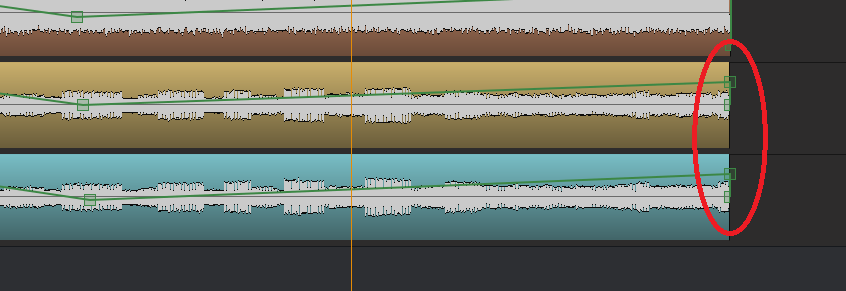
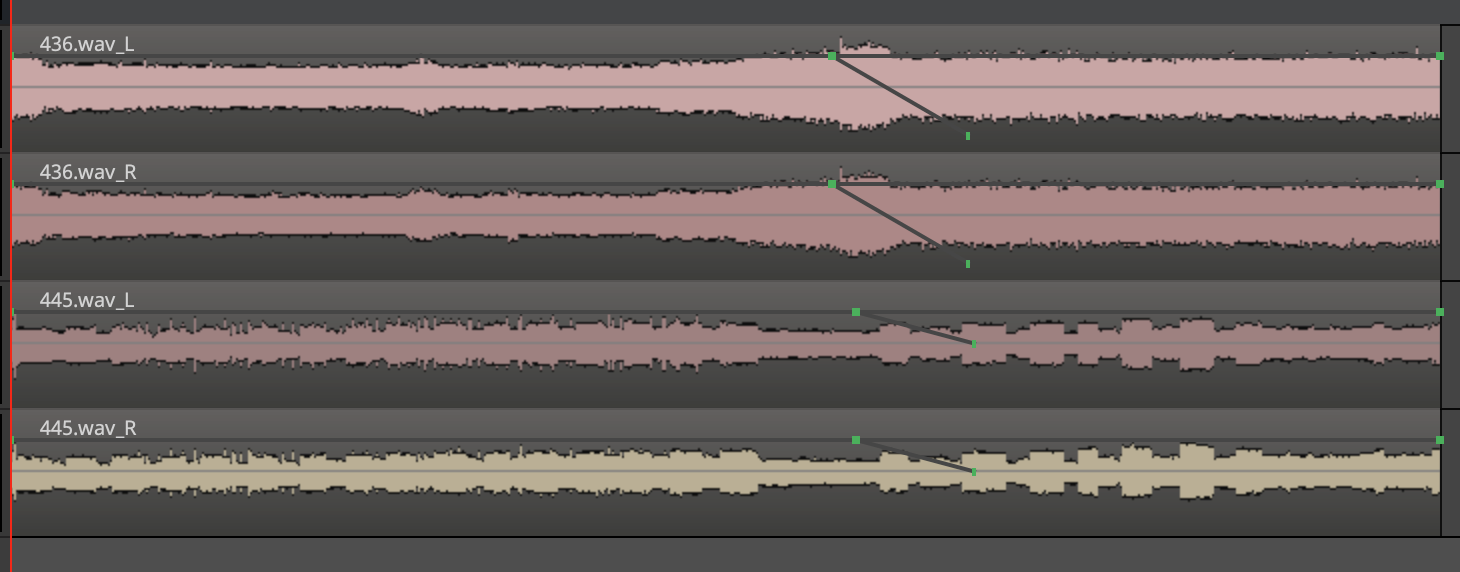
- Region gain envelopes. Ardour adds a 0dB keyframe at the end of each region, to audio clips that had volume keyframes in Premiere. I haven’t had the chance to test with Premiere 2023 as per your examples, but I share here a picture of the anomaly in Ardour. *Notice that each region came out with impossible parallel gain envelopes.
- The larger project I was trying to import and work on (embedded), the error log shows something related to FAT. It is 7.2GB, if that explains something. I don’t fancy embedded files anyways, next time I’ll ask the editor to export as separate audio files.
2025-07-29T01:18:21 [ERROR]: [libaaf] LibCFB.c:579 in cfb_getSector(): Asking for an out of range FAT sector @ index 956460290 (max FAT index is 14105344)
[libaaf] LibCFB.c:1006 in cfb_retrieveFAT(): Error retrieving FAT sector 109 (0x0000006d).
[libaaf] LibCFB.c:293 in cfb_load_file(): Could not retrieve CFB FAT.
AAF: Could not load AAF file.
- Minor, but maybe leading to confusion. When opening an AAF, Ardour creates a folder with the name of the AAF. If the AAF is exported again with the same name, Ardour won’t open it again, showing the error window instead. Until the older session folder is deleted. Detail, but it took me a while to realize why the error, thanks to the log.
AAF: Destination '/Volumes/Files/Music/testAAF_separateWAV' already exists.
Appreciate your efforts on this @agfline and the thorough reaction.
Wow, a 7.2GB AAF file is truly huge! My guess would be that your editor might’ve included some very large video files along with the audio. If you don’t need the video files, maybe let your editor know…
No video file inside really. It’s a 140min roughcut with many tracks and audio files copied entirely. Many audio tracks are 10-20min long stereo 24-bit PCM (100mb each). Documentaries these days… but probably a extreme case with a workaround–not embedding audio files.
Here is the test AAF giving crazy region keyframes, in case anyone wants to dig in. 160MB.
This bug with large files was reported on github and has already been fixed in libaaf. I have submitted a pull request to update Ardour, and I’m hoping it’ll be merged soon.
I knew it was a bit annoying, but if it’s also causing confusion, then we should definitely consider changing it. Maybe we could add an incrementing number to the session name as a suffix ? What do you think @John_E @x42 ?
Thanks a lot for sharing the file ! I’ll take time to look into it soon 
Regarding the ‘already existing’ issue, at the moment we just put up a rather unhelpful message saying “Extracting aaf failed”. The more usual way of dealing with these situations would be to put up a dialog saying that the target file (or folder) already exists and asking if the user wants to overwrite it or carry on with the import using a different name.
This was the kinda stuff we intended to fix in a future GUI update but is seems to have slipped off the radar 
I find that it would be enough if the error would be more specific. Like “An AAF session folder has been already created with this name. Delete it if you want to import the project again.” The annoyance is not to delete the folder, but loosing confidence in AAF support for not knowing what’s going on. Just a suggestion, in case it saves efforts
[quote=“chumariesco, post:5, topic:112022, username:chumariesco”]
- Region gain envelopes. Ardour adds a 0dB keyframe at the end of each region, to audio clips that had volume keyframes in Premiere. I haven’t had the chance to test with Premiere 2023 as per your examples, but I share here a picture of the anomaly in Ardour. *Notice that each region came out with impossible parallel gain envelopes.
@chumariesco - I had some spare time today so I downloaded testAAF_separateWAV.aaf here and imported it but I didn’t see those weird gain/fade lines in your screenshot (or maybe they already got fixed??)
I appreciate your taking the time to check this out @John_E.
I just imported the test again (downloaded from the dropbox link) and the problem persists in my system. I’m using the OSX (Intel) 8.12 version under Catalina, could this maybe be a distribution-related issue?
I tried also with a beta 9 version, but that one doesn’t import any region keyframes at all (yet?).
I guess it might be. I’m running on Windows here but I tried with a very recent Ardour build and also with a version from last year (Ardour 8.6) but I didn’t see the problem at all here.
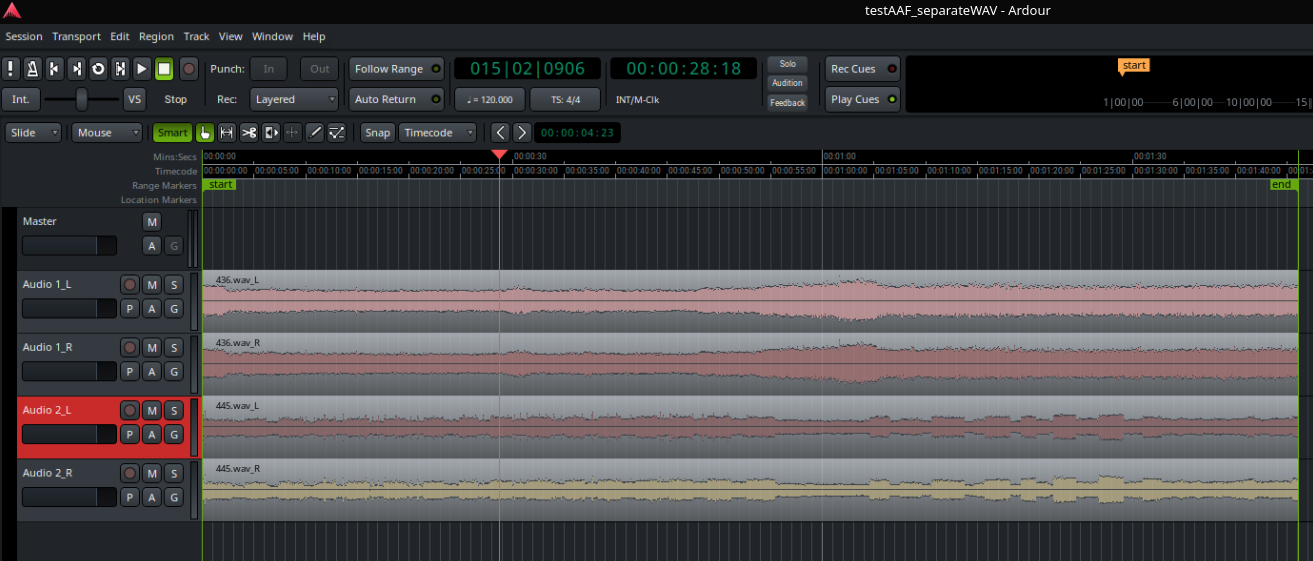
I’m on Linux and opened the AAF as it was (Don’t know if I was supposed to tinker with anything specifically). I got no keyframes, no automations:
Also, Ardour 8.12.
This gets even stranger… I’ve an Intel Mac Pro here running an older version of MacOS (Mojave) so I booted it up, installed Mixbus11 and imported testAAF_separateWAV - and guess what… that doesn’t show the problem either  So it’s looking like this might be specific to the OP’s machine.
@chumairesco - do you have some other computer you could try this on? I’m not massively familiar with @agfline’s code but I took a quick look through it and couldn’t see anywhere where those keyframes would be getting imported
Hopefully you and he might be able to clarify this for us. Another possibility is that this only affects Catalina. It wouldn’t be the first time that a problem showed up in one version of MacOS but didn’t affect the others…
I just realized that to see the keyframes we need to activate the “Internal Edit Mode”.
Let me clarify that the keyframes are not totally random, they follow keyframe fade-outs included in the Premiere test project. Only that 0dB keyframes are being mistakenly added at the end of each region.

Thanks, I see it now… superficially it looks like those lines should control the audio level - and they do if you adjust them - but initially they have no affect. And to be honest, that seems like the best approach to me because once you adjust those lines it doesn’t seem easy to undo their effect. If the main devs (and some others) chime in, hopefully it’ll help agfline to understand how we should deal with imported keyframes - but for the moment, his approach was probably the right thing to do.
In Ardour this is called Region Gain, and it’s also visible in Draw Mode.
A good introduction video about this is: https://youtu.be/DjlBbao5gMQ?si=f3co-UUh0gdQnsqS&t=89 (it shows Mixbus, but this applies to Ardour).
see also The Ardour Manual - Gain Envelopes
Hmmm… I might’ve found a bug (if someone can confirm…)
I selected Region->Gain->Envelope active to see what it’d do - but now, whenever I select any entry under the Region menu, all its submenu entries are blanked out now and I can’t find a way to get them back.
[Edit…] I found it (the menu entries don’t show at all if Internal Edit Mode is selected). So as chumariesco mentioned, we might just be mistakenly adding an extra keyframe to the end of each region, when none was specified (or if we need to add an entry at the end of the region, it should probably have the same value as the preceding keyframe)