If this is what it looks like (snap/flatpak packaging), then yeah, this is a horrible setback for audio software on Linux.
I think as a service to yourself you should have blurb about this topic on the Ardour website or the downloads page. I understand you are inclusive toward (but do not support) Distro packaging and self-compiling etc. and of course that is the nature of Open Source. By extension that doesn’t limit other Packaging formats from bundling Ardour but I think it’s only fair to potential Users to know that hosting Plugins in Ardour will not work anywhere close to as intended with Flatpak and Snap…
I would vote for automatically directing people to a different, more appropriate listserv when their problem is Pipewire or they are a “noob” and for some reason they are trying to build Ardour on a Raspberry Pi. How much time and cycles (of all sorts) are wasted (my word) by Paul and Robin. P&R should be level 4 support. I worked for a state agency at one point, and our group’s phone numbers were not listed in the company directory. We were a small shop, and we were productive as hell. If everyone had our numbers, it would have tanked.
I do wonder… All these people on here trying to build Ardour… why are they doing that? Does that get them the product for free? I worked in IT (yes, in a technical role) for 20 years… I’ve never tried to build Ardour. Someone having no experience with Linux, and they are trying to build on a RPi? Do they also have a (never to be finished) '63 Barracuda on blocks in the front yard? I just don’t get it.
But I appreciate the pushback that I’ll get… Help the linux noobs… I don’t know…
1 Like
I now have ardour 8.6 and drumgizmo installed and operational. I paid $15 in the name of all that helped. so actually about £12-13.
Thanks
2 Likes
i have wasted alot of time on this. Now im learning how to configure settings and JACK etc. Am i about to waste more time. Should i just get ubuntu studio??
Oh boy…
Essentially JACK is only needed if you want to run outside Audio applications at the same time as Ardour, so if you want to run a guitar through a standalone Amp sim and pipe that into Ardour, or if you want to watch a YouTube Plugin tutorial while you’re using Ardour etc. etc. On Linux we had many years of confusion about using JACK with the regular Desktop Audio server which is/was PulseAudio and we were just on the cusp of getting that working smoothly and getting the word out on how to set that up and then… PulseAudio was replaced by PipeWire which tackles the JACK issue with it’s own implementation of JACK, sounds perfect right? All Audio under one server… the good news is it does work, the bad news is almost no Linux Distributions come out of the box ready for you to seamlessly use PipeWire with both it’s PulseAudio and JACK Audio parts. It seems from recent posts here that the latest Ubuntu Studio doesn’t come ready to use PipeWire’s JACK implementation out of the box without extra fiddling but to be clear I have not tried and tested this myself. I can tell you that AV Linux provides seamless use of PipeWire and also provides a utility to change the sample rate and buffer sizes as well as a connection utilility (qpwgraph). I’m not putting a hard sell on here, I’m just saying that AV Linux is the only product I’m aware of that has PipeWire ready to use for Pro Audio, perhaps the latest Ubuntu Studio does too but it doesn’t sound like it…
Now putting all of that aside… In my Studio I use Ardour with it’s ALSA backend and I use only Ardour, no outside apps, no web browsers. When you use Ardour with it’s ALSA backend you cut off all of the other Desktop Audio servers at the knees and Ardour is directly wired in to the sound device you’ve selected in the Audio/MIDI Setup dialog… For me personally this is ideal, no interruptions, no competition of resources and you don’t need PipeWire or PulseAudio to be set up properly at all because you are bypassing all of it, so even a Vanilla non-Audio Distro can work pretty well with Ardour on the ALSA backend. Maybe try that first in your existing system and see how it works…
Here is a portion of the latest AV Linux release Video discussing PipeWire, the general info should apply to most Distros but the tools discussed are part of AV Linux:

3 Likes
Thanks. My goal is to get my V drums working in ardour as comfy and responsive as possible. Which im more or less there now.
I downloaded ubuntu studio and it sorted out alot of the issues with latency and permissions. And i can control Jack directly.
I’ve not seen pipewire mentioned once in ubuntu studio.
Also im able to listen to youtube and other externals for some reason, which i like for watching ardour tutorials.
Hello kevin8765421
I have been using Ubuntu for several years, it is not the best “built” although it usually works well, I am not a programmer although I am not afraid to install or fix problems from the Linux console “following instructions or guides of course”, as Paul has done, telling you that write commands to solve your problem with ardour and what it looks like you have solved.
Currently, many new distributions include pipewire to manage the system audio, that is, the audio of the music player browser you use, or if you use zoom, discord, firefox, youtube, etc.
This system replaces another one called pulseaudio, which was an attempt to facilitate, although I don’t know if, improve audio management in Linux, and what it also does or tries to do is replace --jJACK Audio Connection Kit (or JACK) is a professional sound server API and pair of daemon implementations to provide real-time, low-latency connections for both audio and MIDI data between applications. (although I think Paul can tell you more about that)
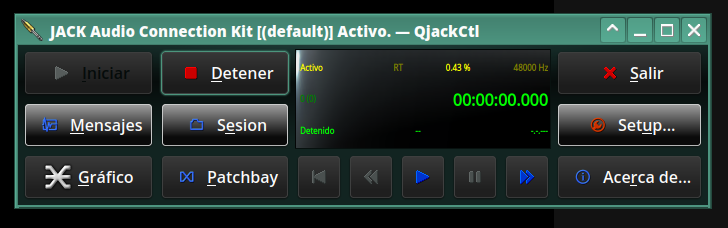
Personally, I was never convinced that I had to open jack control configure connect to be able to use ardour, for example, nowadays ardour opens directly, and it is best to use it with ALSA, although there is a command that you can use to connect ardour with pipewire, and use it along with the rest of the applications, but not all of them work well, because each of us has very different software installed and necessary packages (dependencies) may be missing or other configuration problems of the system itself, it works for me.
Although yes, its versatility is undeniable, and I love the availability of making any connection to your liking. It is fun and interesting and practical, but it involved several steps to start making music in, for example, ardour, nowadays you open it and ready to make music.
Nowadays that jack connection panel, (using pipewire), is called qpwgrah or helvum or coppwr (Low level control GUI for the PipeWire multimedia server) GitHub - dimtpap/coppwr: Low level control GUI for the PipeWire multimedia server, the latter more complex and detailed.
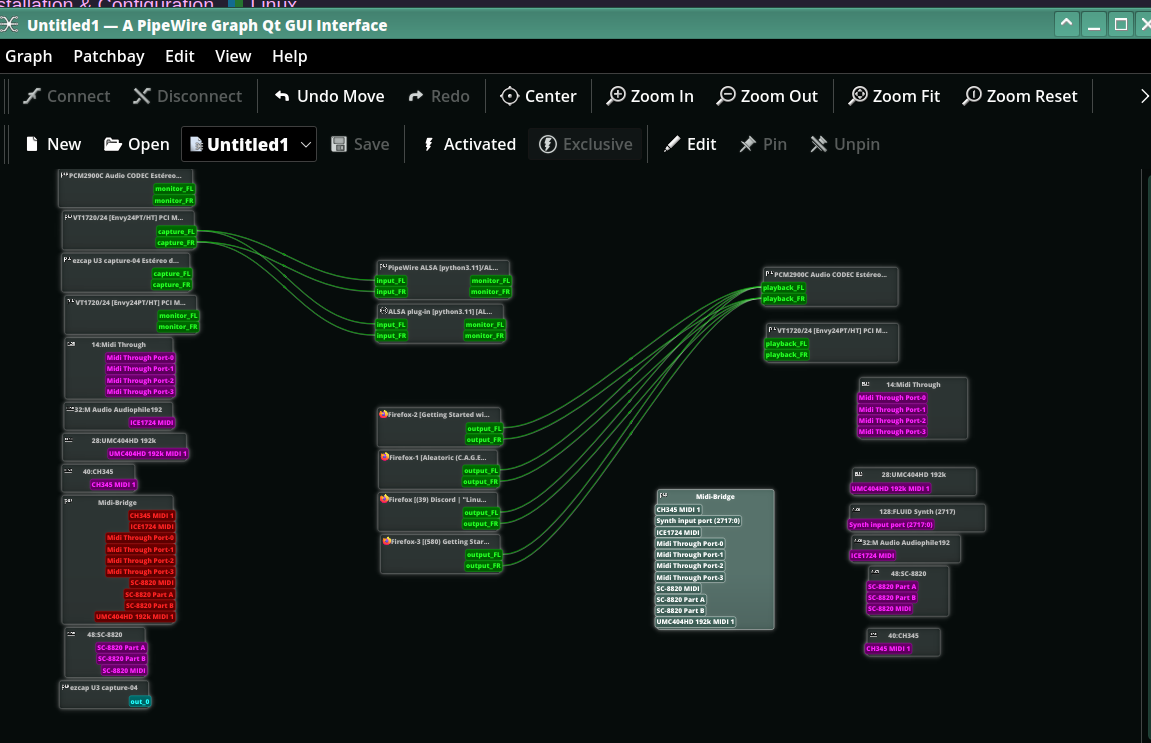
As explained before, packaged programs such as snap are not really designed for “pro sound”, they simply connect to the system’s audio, they are “good” for light systems, office automation and daily use, but not for “pro sound” (I call it that to understand each other), they don’t always work as they are supposed to.
The distributions come with old or non-optimized versions or, as has happened to you, they cannot load plugins, so it is advisable to obtain it from the creators, as you have already done.
Distributions such as Ubuntustudio and Avlinux have a kernel optimized for the use of audio in real time, and in principle they should work without having to open the desired program and use it, “in principle”, sometimes not, in that I think Avlinux It’s better polished I think.
Ubuntustudio comes with a program called studio controls, which I only use to adjust the CPU governor to performance, I don’t change anything else because it is very easy to ruin the sound of the system without knowing where you have screwed up, for me it is like going back in time than having to deal with qjackctl, it’s fun, useful but not out of the box.
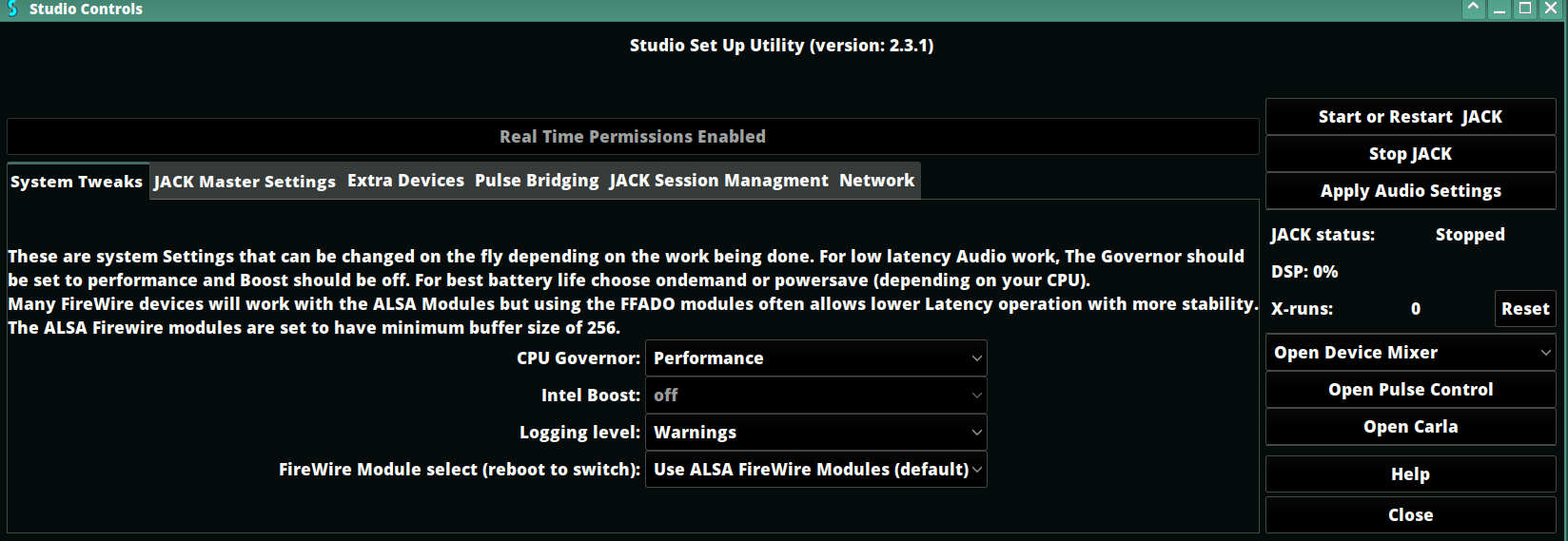
Finally, I leave you a link to a video that explains how Windows, Mac and Linux systems manage the audio issue. I sincerely believe that it is a highly, highly recommended video for anyone who is thinking about escaping from Windows and wants to switch to mac or linux, anyone who is new to linux and thus better understands the difference between using alsa and pipewire.
This is the link →>Got Home Studio or Planning to Setup one? This is what you need to know. https://www.youtube.com/watch?v=0BdxSFbIGc8
greetings.
2 Likes
This topic was automatically closed 91 days after the last reply. New replies are no longer allowed.