How to know what settings to use for new session setup?

I have tried what feels like every combination possible for the initial session setup and I cannot get Ardour to detect the input from my digital audio interface.

The Ardour manual regarding session setup does not provide much in the way of troubleshooting, so I’m hoping someone here can tell me what diagnostics to run to determine my initial settings.

System: Linux Mint 22.1 Cinnamon
DAI: M-Track Duo USB audio interface (a basic two-input DAI)

New Session Setup Window
Audio Systems Available: ALSA, JACK, Pipewire

If ALSA Selected:

Input device: None, HDA Intel PCH, USB Audio Codec
Output Device: HDA Intel PCH, HDA NVidia, USB Audio Codec

My first assumption was to use USB Audio Codec, thinking it referred to my audio interface, but this produces an electronic squeal in my headphones and crashes Ardour. The other options also produce “Audio Backend Error” with no further information.

When selecting JACK:
Driver options: ALSA, OSS, FreeBoB, FFADO, NetJACK, Dummy
Device options: HDA Intel PCH, HDA NVidia, USB Audio Codec

Selecting ALSA for the driver and USB Audio Codec for the device crashes Ardour with the error “Could not connect to Audio/MIDI engine”

Selecting PulseAudio as the audio system only provides “Default Playback” in the Device dropdown, and does not detect inputs.

What diagnostics do I need to run to determine which combination of these settings actually works?

Thanks so much for your input! I had this working at one point and I don’t know what the heck changed.
If you use PulseAudio, you should be able to switch the output device in sound settings (or use pavucontrol). What happens if you do that?

ALSA + USB Audio Codec should work, if nothing else. Are there any errors in the system log (sudo journalctl -xe in a terminal) that might point at issues when the M-Track is connected?

Open a terminal window, enter the following command, then press Return

cd /tmp && wget https://ardour.org/files/adevices.sh && bash ./adevices.sh

It will not alter your system. You can paste the output here.

Where do you expect to hear the output from?

I have the M-Track Solo interface, and that one sure uses “USB Audio Codec” in cadence/qjacktrl, as i use jack not pipewire, and in ardours audio Audio/Midi setup preferences.

Thanks, Paul - here’s the output. I’m expecting the output to route through my DAI’s monitor/headphones out.

--2026-02-21 09:48:00--  https://ardour.org/files/adevices.sh
Resolving ardour.org (ardour.org)... 54.235.123.47
Connecting to ardour.org (ardour.org)|54.235.123.47|:443... connected.
HTTP request sent, awaiting response... 200 OK
Length: 2347 (2.3K) [application/octet-stream]
Saving to: ‘adevices.sh.1’

adevices.sh.1       100%[===================>]   2.29K  --.-KB/s    in 0s      

2026-02-21 09:48:01 (1.16 GB/s) - ‘adevices.sh.1’ saved [2347/2347]

========================================
Part I: ALSA
Advanced Linux Sound Architecture Driver Version k6.8.0-100-generic.

Card 0 (NVidia):
  * Playback Device 3 (HDMI 0):
    - Subdevice 0 (hw:NVidia,3,0):
      closed

  * Playback Device 7 (HDMI 1):
    - Subdevice 0 (hw:NVidia,7,0):
      closed

  * Playback Device 8 (HDMI 2):
    - Subdevice 0 (hw:NVidia,8,0):
      closed

  * Playback Device 9 (HDMI 3):
    - Subdevice 0 (hw:NVidia,9,0):
      closed

Card 1 (PCH):
  * Playback Device 0 (ALC233 Analog):
    - Subdevice 0 (hw:PCH,0,0):
      closed

  * Playback Device 3 (HDMI 0):
    - Subdevice 0 (hw:PCH,3,0):
      closed

  * Playback Device 7 (HDMI 1):
    - Subdevice 0 (hw:PCH,7,0):
      closed

  * Playback Device 8 (HDMI 2):
    - Subdevice 0 (hw:PCH,8,0):
      closed

  * Recording Device 0 (ALC233 Analog):
    - Subdevice 0 (hw:PCH,0,0):
      closed

Card 2 (CODEC):
  * Playback Device 0 (USB Audio):
    - Subdevice 0 (hw:CODEC,0,0):
      closed

  * Recording Device 0 (USB Audio):
    - Subdevice 0 (hw:CODEC,0,0):
      closed

========================================
Part II: jack/pipewire
   8797 ?        Ss     0:09 /usr/bin/jackdbus auto
 118590 ?        Ss     0:00 /usr/bin/jackdbus auto
   1595 ?        Ssl    0:29 /usr/bin/pipewire
   1596 ?        Ssl    0:00 /usr/bin/pipewire -c filter-chain.conf
   1600 ?        Ssl    0:33 /usr/bin/pipewire-pulse
   8775 ?        S<sl   0:33 /usr/bin/pipewire
   8776 ?        Ssl    0:00 /usr/bin/pipewire -c filter-chain.conf
   8780 ?        S<sl   0:42 /usr/bin/pipewire-pulse
jackdmp version 1.9.21 tmpdir /dev/shm protocol 9
pipewire
Compiled with libpipewire 1.0.5
Linked with libpipewire 1.0.5
========================================
Part III: jack-dbus config
--- status
stoped

Thanks for the idea - here I get a message with

“The audio backend was shutdown because:
ALSA I/O error.”

This is with the M-Track selected in both input and output in sound settings.

No errors in the system log that I can see.

I suggest to ignore pulseaudio. That is a desktop audio system not useful for professional work. It is playback only (and no MIDI).

The only reason Ardour supports it is because I often travel with a laptop and disconnect a pro-audio soundcard when doing so; at least this way one can listen (and mix) while on a train.

That is rather old so using pipewire’s JACK emulation will likely cause more issues that it’s worth. Your best bet is likely to use Ardour’s Audio System: ALSA and use “USB Audio” for both input and output.

1 Like

That’s what’s not working currently - I get that electronic squeal followed by a crash. It’s not feedback, more like some signal not intended to be processed as audio.

Does that interface work when typical desktop applications are used with the pipewire server (i.e. normal desktop audio use like web site in a browser or VLC)?

1 Like

Note also that this has JACK2 and Pipewire running at the same time.

Yes, but it seems to be just pipewire-pulse, not pipewire-jack, and jackdbus is in the stopped state.
I think that should work, but I forget how jackdbus differs from jackd. I know it accepts dbus commands, but I didn’t remember if jackdbus is actually the audio server, or if it just handles the dbus commands and then starts jackd.

This was exactly the question I had. Do we know if this interface is working normally outside of Ardour?

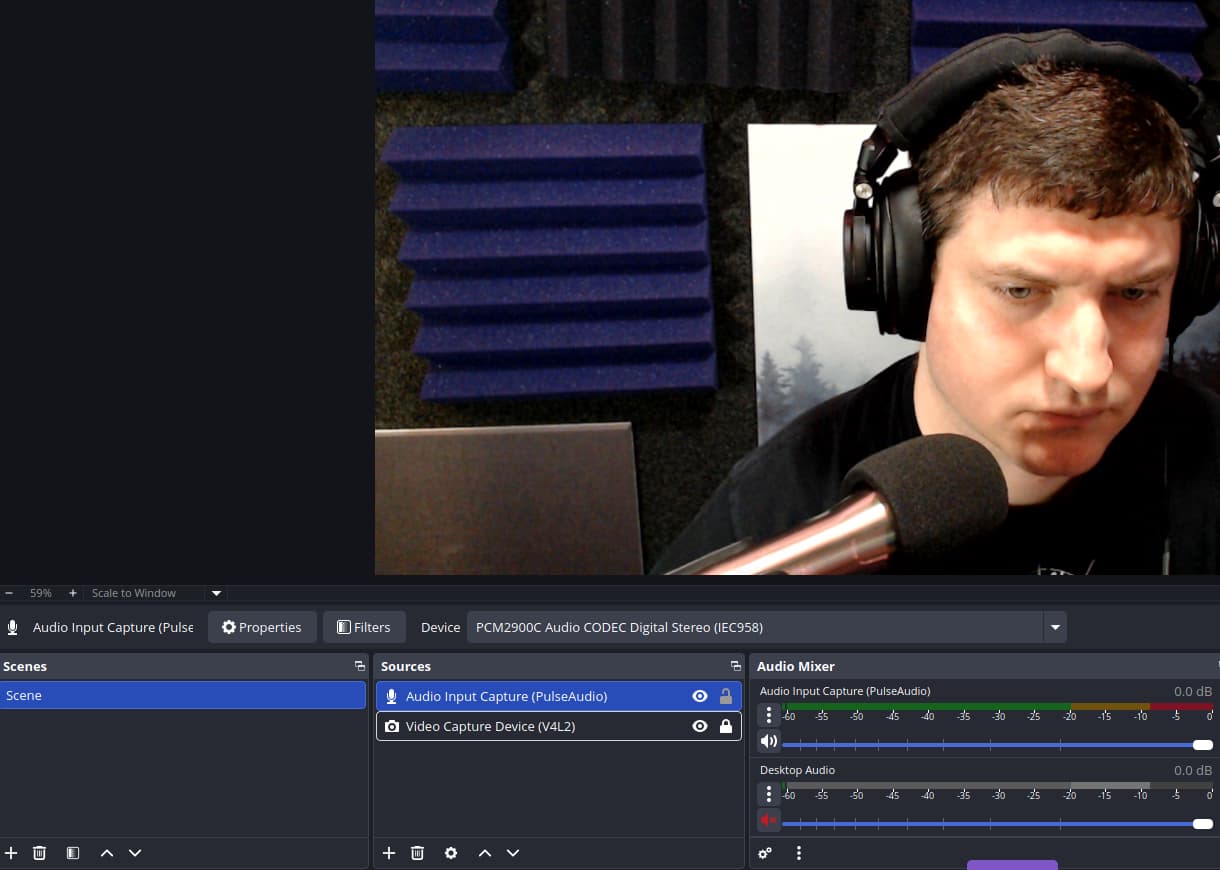
It works just fine - I use OBS to make video/audio recordings with it.

One thing I do note however, is that although it allows me to select the audio interface, it does say (Pipewire) next to the input, which is weird since it shows no inputs in Ardour. My computer seems to detect and switch audio inputs at random, so I wonder if there’s a way to force the system to use JACK or ALSA globally?

Ok now something SUPER weird is happening. This worked just fine before, but now I’m getting a bizarre sort of duplication glitch. https://youtu.be/KRPy5X0ot0w

Oddly, recording into Audacity works fine. I’d use that if the UX didn’t make me actively homicidal.

Sounds like you use software monitoring though Ardour and Obs at the same time.

Ardour isn’t open or running, this happened after a restart and OBS was the only thing I opened.

Tried to use qTractor to get some rehearsal work going and it gave me a much more detailed error report - does this reveal anything useful?

The audio/MIDI engine could not be started. Make sure the JACK audio server (jackd) and the ALSA Sequencer kernel module (snd-seq-midi) are up and running and then restart the session.
Cannot connect to server socket err = No such file or directory
Cannot connect to server request channel
Cannot create RT messagebuffer thread: Operation not permitted (1)
Retrying messagebuffer thread without RT scheduling
Messagebuffer not realtime; consider enabling RT scheduling for user
no message buffer overruns
Cannot create RT messagebuffer thread: Operation not permitted (1)
Retrying messagebuffer thread without RT scheduling
Messagebuffer not realtime; consider enabling RT scheduling for user
no message buffer overruns
Cannot create RT messagebuffer thread: Operation not permitted (1)
Retrying messagebuffer thread without RT scheduling
Messagebuffer not realtime; consider enabling RT scheduling for user
no message buffer overruns
jackdmp 1.9.21
Copyright 2001-2005 Paul Davis and others.
Copyright 2004-2016 Grame.
Copyright 2016-2022 Filipe Coelho.
jackdmp comes with ABSOLUTELY NO WARRANTY
This is free software, and you are welcome to redistribute it
under certain conditions; see the file COPYING for details
JACK server starting in realtime mode with priority 10
self-connect-mode is "Don't restrict self connect requests"
ALSA lib confmisc.c:165:(snd_config_get_card) Cannot get card index for CODEC
control open "hw:CODEC" (No such device)
ALSA lib confmisc.c:165:(snd_config_get_card) Cannot get card index for CODEC
control open "hw:CODEC" (No such device)
creating alsa driver ... hw:CODEC,0|hw:CODEC,0|32|2|48000|0|0|nomon|swmeter|-|32bit
ALSA lib confmisc.c:165:(snd_config_get_card) Cannot get card index for CODEC
control open "hw:CODEC" (No such device)
ALSA lib confmisc.c:165:(snd_config_get_card) Cannot get card index for CODEC
ALSA: Cannot open PCM device alsa_pcm for playback. Falling back to capture-only mode
JackTemporaryException : now quits...
ALSA lib confmisc.c:165:(snd_config_get_card) Cannot get card index for CODEC
control open "hw:CODEC" (No such device)
ALSA lib confmisc.c:165:(snd_config_get_card) Cannot get card index for CODEC
control open "hw:CODEC" (No such device)
Cannot initialize driver
JackServer::Open failed with -1
Failed to open server
Cannot connect to server socket err = No such file or directory
Cannot connect to server request channel
Cannot connect to server socket err = No such file or directory
Cannot connect to server request channel
Cannot connect to server socket err = No such file or directory
Cannot connect to server request channel
Cannot connect to server socket err = No such file or directory
Cannot connect to server request channel
Cannot connect to server socket err = No such file or directory
Cannot connect to server request channel
jack server is not running or cannot be started
JackShmReadWritePtr::~JackShmReadWritePtr - Init not done for -1, skipping unlock
New session: "Untitled1".

Additionally, running “QjackCtl” pulls up the interface, but clicking start produces the following errors:

15:24:10.570 Statistics reset.
15:24:10.571 ALSA connection change.
Cannot connect to server socket err = No such file or directory
Cannot connect to server request channel
jack server is not running or cannot be started
JackShmReadWritePtr::~JackShmReadWritePtr - Init not done for -1, skipping unlock
15:24:10.578 ALSA connection graph change.
15:24:13.834 JACK is starting...
15:24:13.834 /usr/bin/jackd -dalsa -dhw:0
Cannot connect to server socket err = No such file or directory
Cannot connect to server request channel
jack server is not running or cannot be started
JackShmReadWritePtr::~JackShmReadWritePtr - Init not done for -1, skipping unlock
15:24:13.837 JACK was started with PID=17963.
Cannot create RT messagebuffer thread: Operation not permitted (1)
Retrying messagebuffer thread without RT scheduling
Messagebuffer not realtime; consider enabling RT scheduling for user
no message buffer overruns
Cannot create RT messagebuffer thread: Operation not permitted (1)
Retrying messagebuffer thread without RT scheduling
Messagebuffer not realtime; consider enabling RT scheduling for user
no message buffer overruns
Cannot create RT messagebuffer thread: Operation not permitted (1)
Retrying messagebuffer thread without RT scheduling
Messagebuffer not realtime; consider enabling RT scheduling for user
no message buffer overruns
jackdmp 1.9.21
Copyright 2001-2005 Paul Davis and others.
Copyright 2004-2016 Grame.
Copyright 2016-2022 Filipe Coelho.
jackdmp comes with ABSOLUTELY NO WARRANTY
This is free software, and you are welcome to redistribute it
under certain conditions; see the file COPYING for details
JACK server starting in realtime mode with priority 10
self-connect-mode is "Don't restrict self connect requests"
audio_reservation_init
Acquire audio card Audio0
creating alsa driver ... hw:0|hw:0|1024|2|48000|0|0|nomon|swmeter|-|32bit
ALSA: Cannot open PCM device alsa_pcm for playback. Falling back to capture-only mode
Released audio card Audio0
audio_reservation_finish
Cannot initialize driver
JackServer::Open failed with -1
Failed to open server
15:24:13.939 JACK was stopped
15:24:15.995 Could not connect to JACK server as client. - Overall operation failed. - Unable to connect to server. Please check the messages window for more info.
Cannot connect to server socket err = No such file or directory
Cannot connect to server request channel
jack server is not running or cannot be started
JackShmReadWritePtr::~JackShmReadWritePtr - Init not done for -1, skipping unlock

First your user account is not configured to allow realtime scheduling.
The JACK server will complain about that and then drop back to non-realtime, so not a fatal error.

Next the JACK server is not able to open the interface for playback. Typically that is because another software is using the audio interface and will not relinquish control when requested.

Pipewire 1.0.5 should gracefully relinquish control when requested. Is there some other software running which is using the audio interface directly and not through pipewire?