How do people go about derushing field recordings and interviews in order to create a podcast in Ardour?
I’m a long time Ardour user, but until now I used it only for music making. Each tune was a session. If I needed, a bit of audio from one tune into another, I would export or bounce it.
With a podcast project, things seem a little bit different. I have several files with around 2 hrs of interview each, and some ambiances. I’m derushing them in the following way:
I put each file on a track,
split it into regions,
delete the uninteresting parts and
renamed the others to something more meaningful.
I wonder where to create the actual podcast.
My first intuition would be to create a clean session and copy/paste the regions there. But this is impossible since Ardour can only open one session at at time.
second thought would be to create clean tracks below for the podcast, and copy/paste into them regions from the derushed tracks above or below.
or I could move the start marker after the derushing region and decide that the podcast starts there. This means using the same tracks to derush and mix the podcast.
Solutions (2) and (3) both work, but they seem less intuitive than solution (1). How do podcasters organise their derushing and mixing in Ardour?
Incidentally, I’m also asking because next week I’ll be taking a podcast class with other people who all use Reaper. In Reaper, it’s fairly easy to open several projects in tabs and to copy/paste from one tab to another. I’d like to stay on Ardour for my podcast project and to show them that Ardour is also great. Comparisons will certainly be made, that’s why I want to make sure that I don’t miss the clever way to derush/remix in Ardour.
I did all the editing for my tiny podcast mini-series (“Audio Developer Chats”, currently offline) using Ardour, and never did any of the steps shown in your second list.
I just use ripple (interview) mode while editing (mostly). What makes you think you need an extra step?
You might want to check out this video, particularly the second half:
@paul’s recommendation is likely ideal for your scenario.
However…
Are you on Windows? I think only on Windows that’s impossible. On macOS and GNU/Linux this limitation is not present.
Also, even when (on another OS) one opens multiple sessions at once, Ardour itself does not natively support copying and pasting between sessions. (-Maybe one day it will, who knows? )
Still, going with @paul’s approach is probably ideal, keeping everything in one session. However, you are still free to try AudioClipboard as well. It’ll come in handy. AudioClipboard works even if one session is open-able at a time (-as in your case, supposedly). -Just copy all the regions you want to paste elsewhere, close the session, open the new session, then use the → Pre-Paste & Paste functions.
Also this tip might be helpful too: to ‘collapse’ a sequence of regions with gaps in between them, you can (as Paul once taught me) select the regions, right-click → Selected Regions → Position → Sequence Regions. This automatically gets rid of just the gaps.
Ardour can only open a single session in a given instance of the application on all platforms. It doesn’t help being able to run more than one instance …
I’m aware of Ardour’s ripple edit modes. It’s a convenient way to edit out unwanted parts.
But my podcast is an audio documentary with several source interviews combined together in an non-linear way. We hear persons A, B and C talk about topic 1, then some music, then A, B and C talk about another topic 2 etc.
In the original interviews, person A might have talked about 1 then 2, and person B about 2 then 1. Maybe person C talked about topics 1 and 3, but not 2.
To derush I listen to each interview separately, and split it into regions that I rename according to the topic (if it’s interesting), or delete right away (if it’s not).
Then I need to recombine the regions in a meaningful way : by topic, and actually even inside a topic, there should be a carefully designed progression. It’s a podcast in the sense of audio documentary (not just the chat with the person minus the less interesting parts).
Ripple mode doesn’t help for that.
@GhostsonAcid: thanks for the link to your script, but my question is really about how Ardour itself might address this need. It’s a pretty common one amongst audio documentarists and field recording artists: recombining short bits of long recordings to highlight convergent meanings and recreate narrations. I know that Ardour is more music-centered, but maybe someone has experience with this?
Well, for the scenario you’re describin, I’d just create three additional “scratch tracks”, one per speaker. As I slice up the original track for speakers A, B, C into relevant regions, I’d copy-drag them down into the relevant scratch track, but temporally ordered in the way I wanted them.
Note that you can select any number of regions from any number of tracks, and drag them to the same number of (other) tracks. This would allow you to select a region from both A & B, and drag the two down into the scratch tracks without any corresponding region from C. Or you could select regions from all 3 and copy-drag them down.
While I’m dragging them down to the scratch tracks, that’s when I would reorder them. To assist with that, I’d add location markers named “Topic 1”, “Topic 2” etc. to help me visually see where the different topics are.
At some point I might, or I might not, choose to rename the regions to indicate that they’re covering Topic 1, Topic 2 etc.
Once I had all the material roughly sliced, diced and positioned in the scratch tracks, then I’d work on fine tuning the edits there, using a variety of tools.
Finally, I’d export just the scratch tracks as a stereo audio file (assuming that’s the target format).
BTW, the term “derush” appears essentially totally unused in the audio editing world - it seems to be a video editing term. Not that this matters.
From what I can tell, it goes back to film days, where “dailies” / “rushes” represented the first “prints” (w/ sound sync) made at the end of the day for review by the director and other team members (they were “rushed” prints).
IIUC, the term I hear audio folks use for derushing is “comping” or “editing”.
These tips might be a bit obvious, but I know how hard it can be to manage lots of regions that aren’t time-aligned. Since you can’t paste between sessions, I don’t think there’s a way to avoid going back and forth quite a bit.
Seems like solutions 2 and 3 are separating your sources from the finished edit vertically and horizontally, respectively. Both work, but #2 would work better if your source tracks are closer to the eventual edit order.
I think either way is feasible, but I’d want to use some different sets of shortcuts for each. If you’re keeping your sources above or below your edit tracks, then some of the things that’d make your life easier might be:
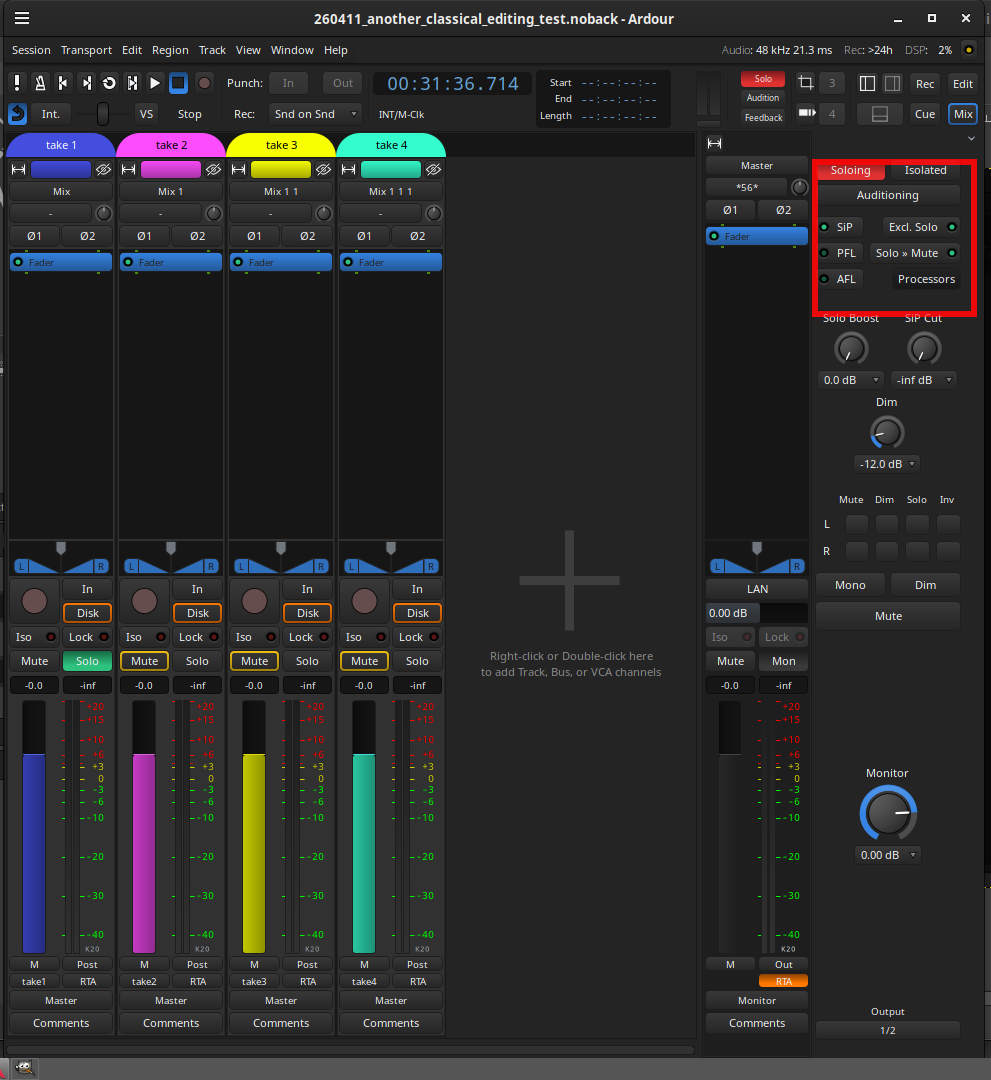
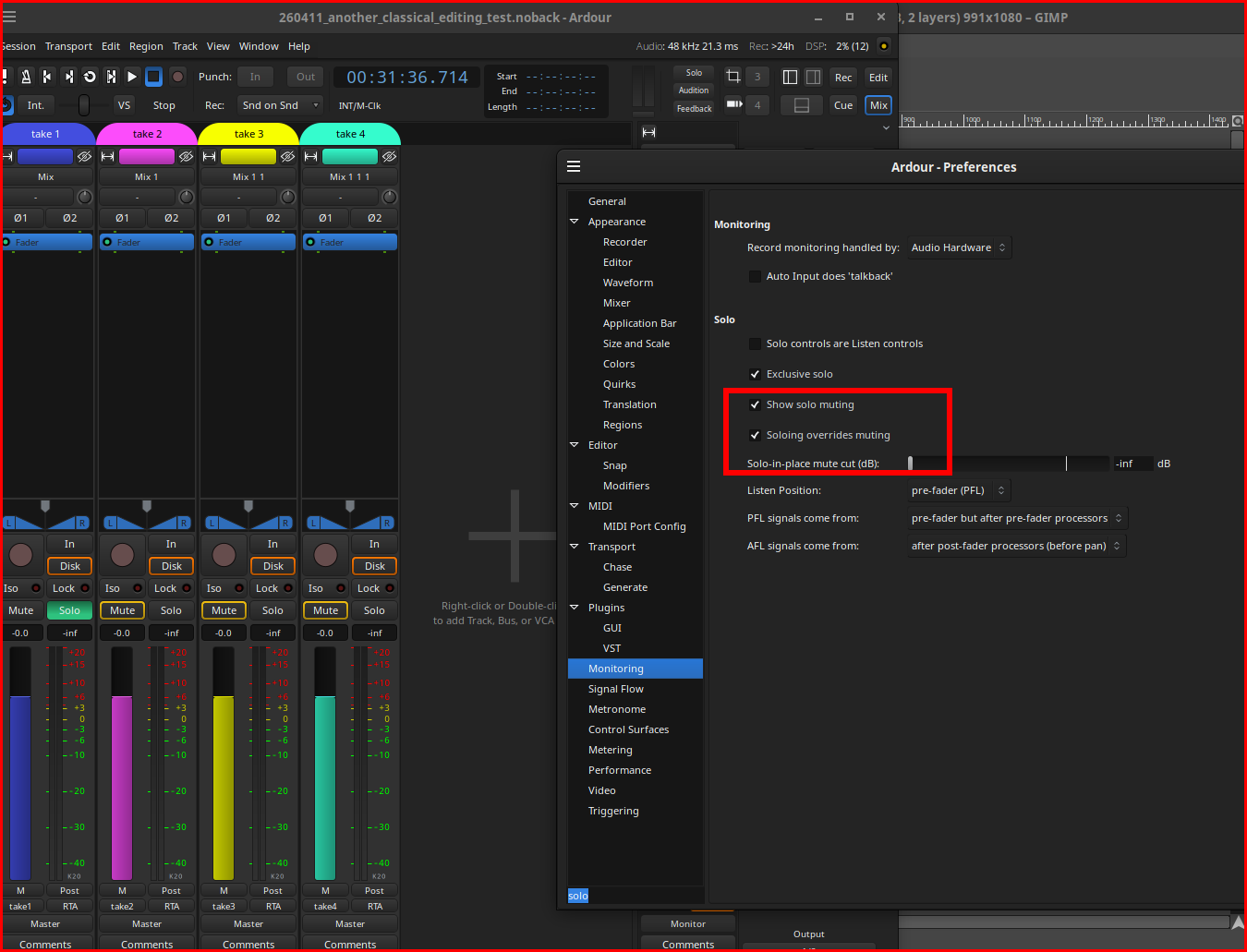
muting all source tracks, but setting ‘Solo >> Mute’ would allow you to solo a source track/region easily.
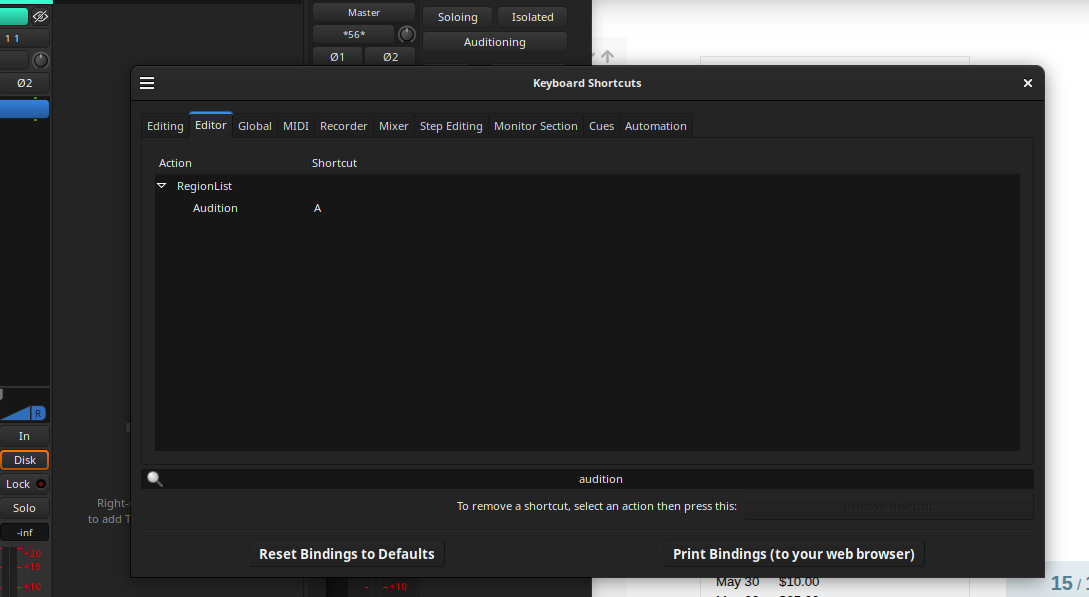
also, making use of the audition function: click a region and audition it to hear it, regardless of mute.*
If you’re working horizontally, with your edit at the start, and your sources way down the the right, then I think that using editor views (F1-F12) would be a handy way to jump back and forth to preset times really quickly. I’d also make extensive use of markers and keep the locations window (or editor list / locations pane) open.
I didn’t realize until recently that the shortcut for auditioning a single region isn’t yet set by default. I don’t do much multi-take tracking, so it’s not a function I’ve used a ton. Very easy to set to what you need, nonetheless.
Another thing I learned by accident is that clicking on a region in the regions list (Editor List > Regions) selects it in the timeline. Although it doesn’t locate it in time, you can easily see it in the summary and get to it fast.
So if you do rename all your regions by 'interviewee:topic", then I think the regions list becomes invaluable.
I’m not sure to understand. Where does one set that?
Yes, i looked for that function. There used to be an audition tool, but it was removed. Just found the button in the region properties dialogue. On my system it was even bound to Ctrl+dead circumflex
Yes! I never used editor views so much. Maybe now it’s time…
In French we still use « dérusher » for video. I hear used by French field recordists as well. As it comes from English, I thought it might apply as well.
Well, that seems to be how people do it in Reaper.
I can adapt to a different workflow. But out of curiosity, why can Ardour open only one session at at time?
Is it a technical limitation, or is it an actual choice that was made with some benefits in mind for the user?
I’d be happy to read about this elsewhere, if it has already been discussed.
It is both a technical limitation and a choice, though without particular benefits in mind.
Copy/paste between sessions seems remarkably cumbersome compared to the same between sets of tracks; the use of grouping and/or VCAs allows you to easily switch between the different groups in terms of what you’re hearing during playback.
Another organizational hack might be to set tracks to Layers > Stacked, and then put related regions on top of each other within the same track. You could then review them easily via audition without moving around in time or creating dozens of tracks. Benefits here would probably increase with the number of topics, interviewees, and takes. Unfortunately, auditioning doesn’t allow for pause, rewind, etc.

 )
)