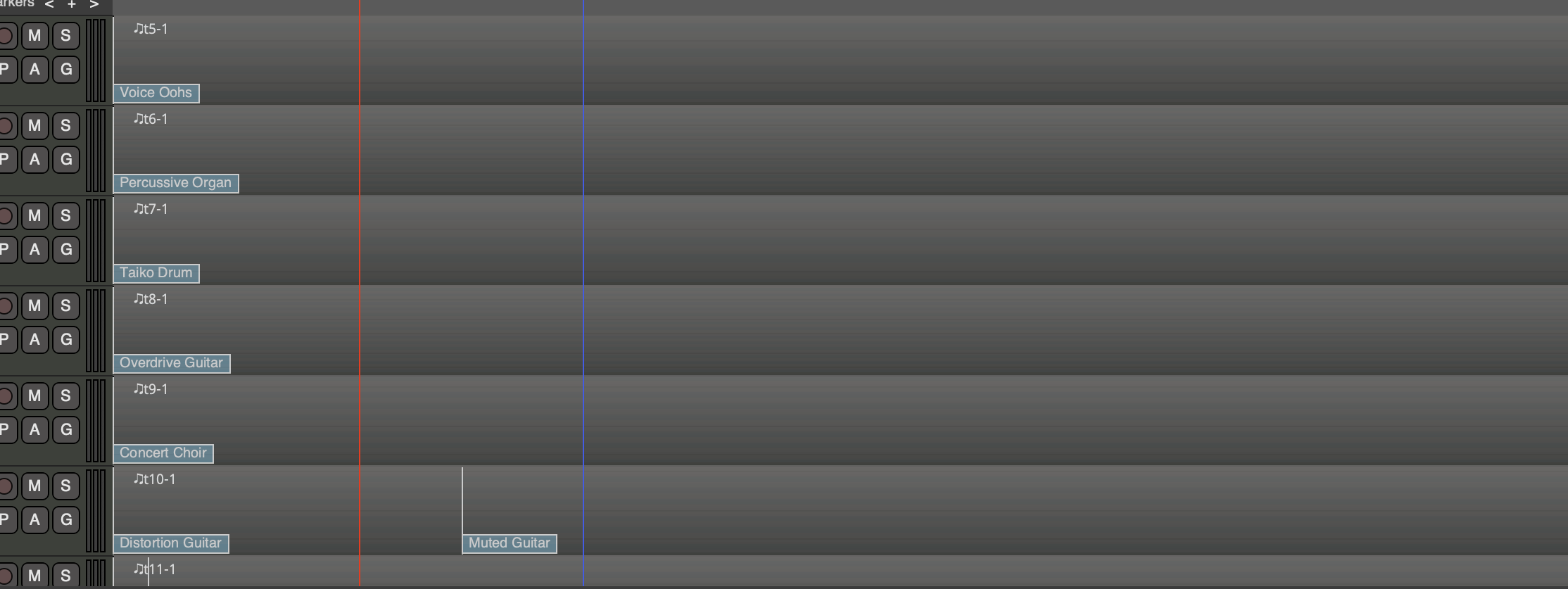
As shown in the screenshot, one of the tracks can be clearly seen with markers indicating two different instruments. I am wondering how is it done? Can I separate the tracks?
For context, I have download the midi for the song Bat Out of Hell by Meat Loaf. I did this something similar for a class about learning the basic of protools. Where we take a song midi and edit as we learn till it sounds close to the original. I am now doing it with Ardour because I learn better as I do a project.
I am trying to change the instrument plugin associated with each track, but I am not sure how will the markers be affected. As for the midi itself, I won’t change them unless I see if it needs to be changed.
The markers indicate MIDI program changes, which are 100% independent of the plugin (they are part of the MIDI data for a region.
To change the plugin itself, right click in the mixer strip and choose “New Plugin…” … select the plugin instrument you want … you will be asked if you want to replace the existing instrument.
But just to be clear again: the “instrument” for each track could mean the actual plugin, or just the program/patch(i.e. the sound that the track will play, using the same plugin it already has) … so I’m still not 100% clear which one you’re asking about.