…so, currently it just “re-tasksets” itself and uses whatever is in my preferences. However my CPU has 6 “PERFORMANCE” CORES which i want Ardour to use for DSP, and other efficiency/lower perf. cores where i want GUI, desktop etc.
In the settings there’s a drop down for 1 to max processors (including max - 1 processors) and it seems like ardour will ALWAYS use this, even if i run it through taskset, or reschedule tasks after the fact while it’s running.
How do i get Ardour to completely skip CPU core management and let the kernel/scheduler use its own?
Ardour isn’t doing any core management at all. Those options control how many threads for specific purposes we create. We rely on the OS kernel to put those threads on cores, and do not attempt to steer that.
It’s easier to mention “processors” rather than “threads” to many computer users, which is why we use that language.
you’ll be surprised how well realtime scheduling works there as well OOTB. The only OS that needs some special setup is actually macOS where there’s a dedicated workgroup.
So far the only system where I found that pinning threads improves performance is a Raspberry Pi with ultra low latency (guitar FX). In that case the load was also constant.
In case of Ardour load can vary significantly, and especially if you have more tracks than CPU cores, there can be tradeoffs where pinning can get in the way especially on modern CPUs with performance and efficiency cores.
i need a setup that is 100% DETERMINISTIC and does exactly ZERO shit behind my back that i didn’t ask it to do. Anything other is UNACCEPTABLE for live performance.
This is why i use Void Linux that DOES NOT use the malware known as “systemd” and is more like a continuation of Slackware, which i’ve used from 1995 to around 2013-14
Check, this seems to be the ‘comm’ field as shown in top, htop, etc. I’m already getting noticeably better results!!
Now all that’s left to do is automate running this script when loading a session…i know it has to be possible with the lua API, just haven’t figured it out yet (:
Keep in mind that you might need to pin your audio backend to the cores as well, and you might need to look into irq thread affinities and priorities for your audio hardware . The rabbit hole goes deep… Have fun exploring
Loaded a pretty big session with drumgizmo using a huge kit, several guitar tracks, bass with parallel distortion across 3 tracks, all amps modeled realtime on DI recordings, stereo IR’s for cabs, synth plugins etc. Let it loop overnight (about 8 hours) and it only got 12 xruns. Really not bad
…but the JACK connection went crazy as soon as i stopped it & was throwing pages of errors, which doesn’t happen after even 1-2 hours of playback of this same track. I’m suspecting a memory leak?
Note that some plugins, notably convolvers start their own rt threads.
–
Most systems are fine by just raising priority of the soundcard’s IRQ, allowing a user to raise rtprio of threads, memlock and granting permissions to request CPU/DMA latency.
Exactly what shit that you didn’t ask it to do has the “malware” systemd done behind your back in other distros?
Do you know that there’s a command “systemctl disable --now <service>”?
It’s similar to sv down <service> ; rm /var/service/<service_name> , which seems to be the way to stop and disable a daemon in VOID.
systemd may not be the perfect init for 100% of all Linux users and their particular needs, but neither is sysvinit.
I did not normally seek to put limits on what people can use these forms to discuss but I need to make it clear that there can be absolutely no discussion of systemd, sysvinit or any related matters here unless they pertain directly and specifically to an issue with Ardour.
yep, agreed. that was withouth isolating cores with isolcpus=… on the kernel command line. With isolcpus=(p-cores) Ardour pinned to 1 thread per p-core, and irqaffinity=(e-cores) the same big session now loops for hours without a single xrun at 64x3 buffer/period size as far as i can test so far - other than when starting/stopping large-ish JACK applications, loading sessions etc. but that’s pretty much unavoidable. And that’s with browser & other stuff running, and using powersave scaling governor!
So far i’m pretty impressed with this setup!!
jackdmp version 1.9.22 tmpdir /dev/shm protocol 9
i don’t remember the errors (something about shm/shared memory iirc) and it didn’t happen again, i should have kept the output… but i do remember the JACK server was still fine after i closed Ardour that specific time.
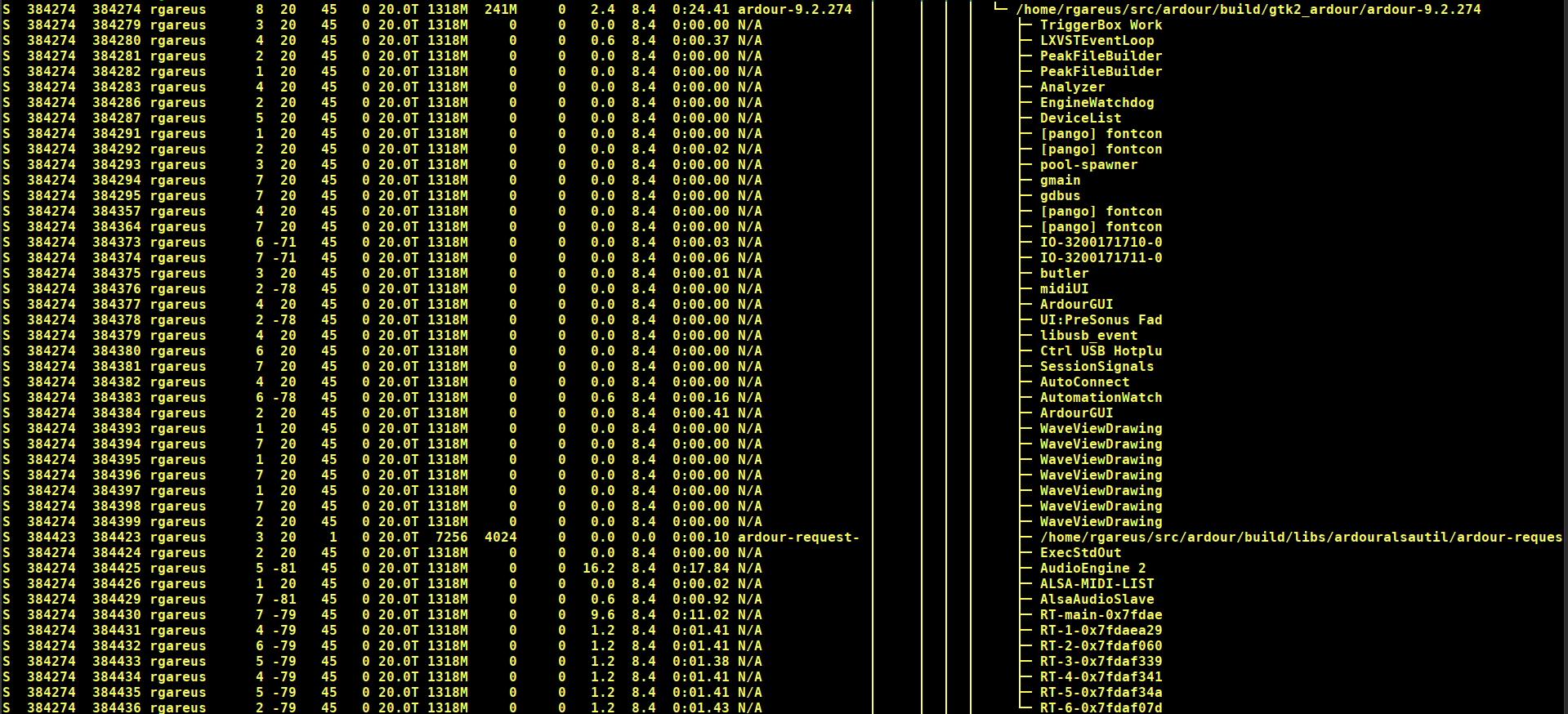


 i have a few sets of kernel command lines that work pretty well, but there’s always room for improvement
