I have downloaded the official package containing the plugins that I assume are necessary, but I have no idea what to do here, as I moved the ‘VST’ folder to ‘.vst2’ and I have no idea what the ‘Standalone’ folder is for (I am new to this, so I depend on external guides). I have scanned it in Ardour, but none of the plugins in the folder appear. Am I overlooking something, or have I done something wrong?
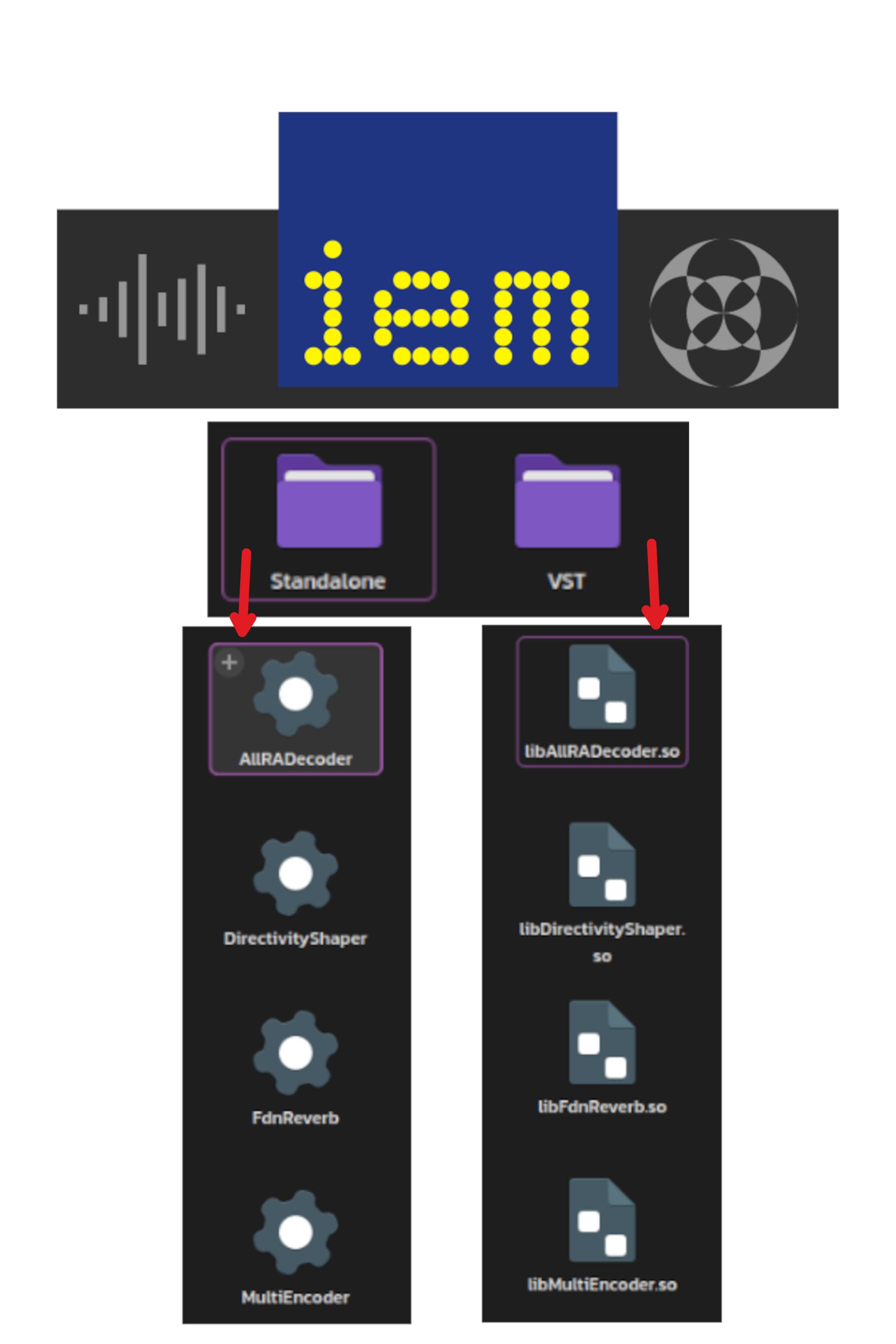
VST2/3 plugins require scanning to be available after installation.
Ardour Menu > Window > Plugin manager … Discover New/Updated Plugins
Certain IEM Plugins causing Ardour Crashes:
Standalone refers to a program which runs independently, not as a plug-in which requires hosting inside a DAW.
Those plugins are available as VST2 and VST3. Are you sure of which variant you downloaded?
Also available as LV2, which does not require manually re-scanning.
No, after installing it and scanning it again, it doesn’t appear 
While searching for essential packages for Linux, I couldn’t find anything on the official website until I went to the source code. In the repository itself, I had to go to the releases, and that’s when I noticed that the latest version of IEMPlugSuite already had separate packages for Linux:
1.15.0:
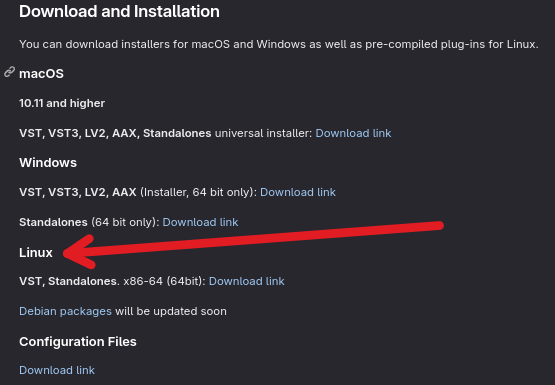
The packages under Debian (I suspect) are already available, but I am not a Debian user:
https://packages.debian.org/search?keywords=iem-plugin-suite
Previous versions of the plugin did not contain separate packages for Linux, and as you said, it is supposed to have LV2.
1 Like
You may have to build from source if using Linux, I also could not find pre-built binaries on the project web page.
What platform are you using when you referenced downloading the official package in your first post?
The directory structure in the VST folder does not seem to be correct. There is no Contents folder which should also contain the Resources and x86_64-linux folders, which would normally contain the .so files.
EDIT: Building it from source does create the proper folder structures and installs them inside ~/.vst3. Ardour then finds them during the plugin scan.
These are actually some very cool plugins. I have never messed with Ambisonics before but the rooms one can create (with one particular plugin) is pretty impressive. Many are very CPU intensive however.
It works just fine here in Ubuntu 22.04 but maybe you’re missing some dependencies, since you’re not running a Debian derivative?
Run
find ~/.vst/ -name libBinauralDecoder.so -exec ldd {} \+
and check for any “not found” errors
The Linux binary is a VST2 plugin, so there isn’t supposed to be any folders.
Right. I wrongly assumed the binaries were vst3 but later realized my mistake.
The only solution I found (so far) was to use DistroShelf to run Ardour from the Ubuntu container, where the package is available, and it worked.
Well, I installed the plugins through the Debian package and they are discovered properly, but the ones I tried to run crashed Ardour 
Edit: iem-plugin-suite-vst3 worked well, actually - I would recommend the VST3 plugins if you are using them with Ardour.
Aha! Another JUCE based VST3 plugin GUI crashes Ardour due to an XWindow error it seems.
Are you perhaps using Wayland and XWayland?
If this is directed at me, yes - using sway with XWayland for Ardour 
Alas, we already know that XWayland is not adequate to run Ardour. If you must run Wayland, then you need to use XNest and run Ardour inside that. XWayland may or may not improve over time, but it is definitely a source of bugs and crashes at this time.
Ah I see, thanks, I’ll keep that in mind! So far, it’s been mostly smooth sailing and the plugins I use have been stable (mostly LSP and the Rubberband plugin for pitch shifting), so not too worried. This is on both Sway and GNOME Wayland.
This topic was automatically closed 28 days after the last reply. New replies are no longer allowed.