I know I’m on a forum about Ardour, but I’m using Harrison Mixbus and, as I’ve understood, Mixbus is based on Ardour.
I’m asking for help because I’m in the middle of the production of an album and the session of a particular song just doesn’t works as it should anymore : it’s impossible to record more than 1 bar. The recording just stops and the waveform looks like diagonals.
Once the session is open, the classic shortcut Ctrl + S doesn’t save anymore.
I asked ChatGPT for help and it tolds me than the session is corrupted and I should do a Save As and see if it works but it didn’t.
I really need to save this session because it’s a big one, many months of hard work, more thant 4400 audiofiles with big editing, 24 minutes+ song.
I’m sorry to post here on a Ardour forum but I have no other solutions. I asked Harrison but they told me to do a stem export but I can’t cause I’ll loose so much work and I need all the tracks separate and clean.
Since you said it works in other sessions, are they all on the same drive?
Can you try to perhaps copy the session from D:.… to C:.… and load it there (or vice versa).
Has Mixbus crashed in the past at some point? If so try to see if a reboot helps.
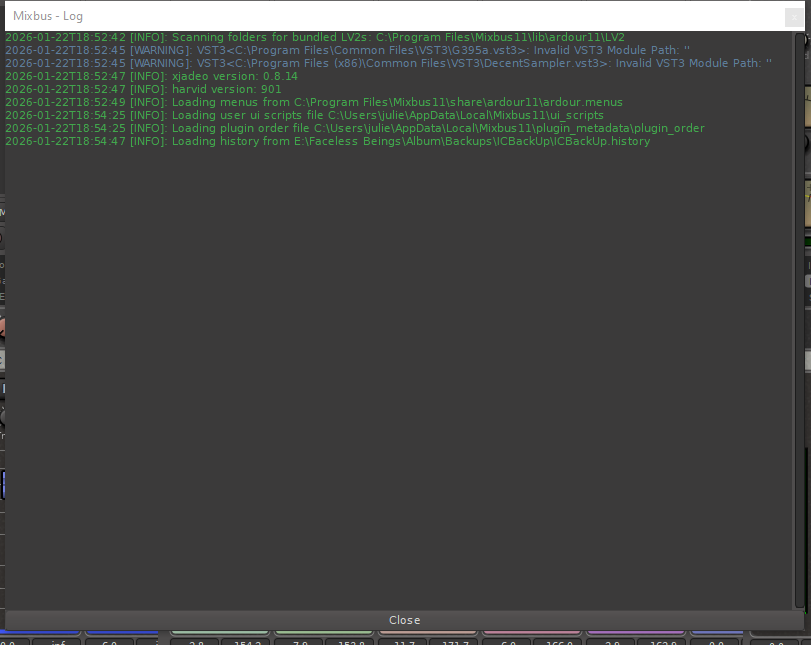
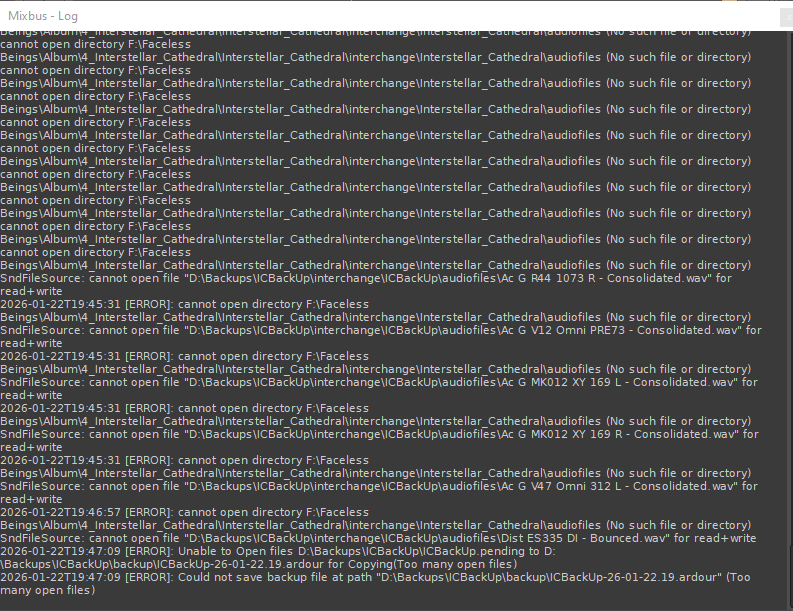
Your initial screenshot talks about E:\Facless Beings.… , your later one complains that there is no F:\Faceless Beings.… folder and also that D:\Backups.… isn’t read+writeable .
Do the subfolders in F:\Faceless Beings exist and do they contain any audiofiles?
Do you have enough free space on C: and the initial drive where you had the session, or is it possible that you ran out of space somewhere?
Historically, at least, solid state drives haven’t been too happy about running out of disk space and the disk should be trimmed on a regular basis to free up the content of the individual cells after files have been deleted.
Does the Window Event Viewer say anything about disk errors?
How large is the original session folder? Could you zip it up and upload it somewhere (or send it by email to robin @ gareus . org) and I’ll investigate.
@x42 : yes I can get the raw audio but there’s so much playlists and editing, it would take so much time to edit it again, days or even weeks. The session folder shoudl be something like 20 GB
@peder : I tried to copy the session on many drives : at first it was on F, then D and E. Yes the sub folders exists.
For C : I don’t have a lot of space, I’m actally trying to free some space. I’ll check for Window Event Viewer soon.
I tried to make an archive, when I opened up the last session, but it start and failed after a few seconds