Linux
Nightly Build: 9.2.613
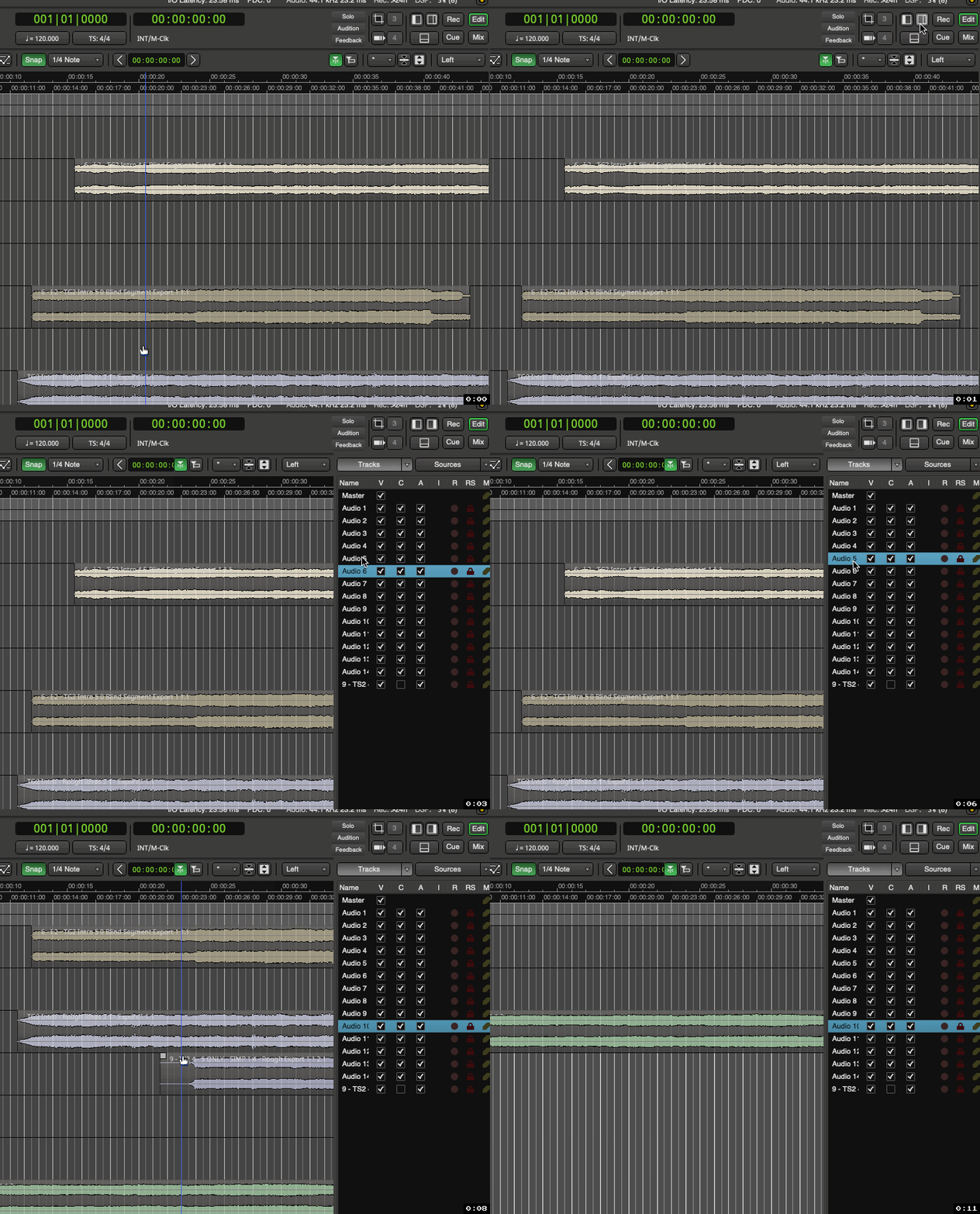
Something that I have been confused about for a while is “focus” in the right sidebar. Sometimes keyboard keys such as arrow keys work and sometimes they do not.
EXAMPLE
-Open a session with many tracks
-Open up right sidebar in the Editor
-In drop down have this sidebar show Tracks section
-Click on a track in the Tracks list to apply focus
-Now try to use your arrow keys UP / DOWN to move cursor
-Sometimes this works for me and other times you can see the Editor pane moving up and down instead.
(Which is another instance of something I have mentioned in the past, where many dialogs/windows that you think should have focus, do not, they only get part focus and random key presses cause actions to happen to your session in the background.
Hopefully things like this will get addressed someday)
Anyways, as I have mentioned, the ARROW keys do work on occasion.
When they do work, my ENTER key also performed a rename action which is nice.
So it appears to be possible.
QUESTION 1
I was wondering if anyone could confirm if this is a bug, or if I am not understanding what gives focus to this right sidebar?
If so, please share with me how to apply focus to the right sidebar.
QUESTION 2
I also made a suggestion post in the past, to allow focus to the Clips section. This would allow user to be able to move the cursor up/down to activate “Preview” of audio files using your PC keyboard, instead of having to left mouse click on each audio file manually one at a time which makes the “Preview” feature not that useful.
Is this already possible? and maybe I am experiencing the same focus issue I mentioned above?
Or is this not possible at all in Clips section?
Thank you to anyone who reads this and for any info shared