Fail to load session (Windows)

Hi does anyone know what’s going on with my session? I’m sure I saved it as usual as last time though since last time I keep getting this error message:

Session “C:\Users\danuj\Documents\Midsummer’s Night Dream (snapshot Midsummer’s Night Dream)” did not load successfully:
Cannot initialize session/engine: Invalid or corrupt session state.

—ERROR: Could not set session state from XML
ERROR: Session: failed to load active playlists
ERROR: Session: cannot create Playlist from XML description.
ERROR: Playlist: cannot create region from XML
ERROR: Session: XMLNode describing a MidiRegion references an unknown source id =545142
ERROR: Session: cannot create Region from XML description. Can not load state for region 'Take1_Guitar Loop 1-3.1'

I’ll put the session folder here on drop box: https://www.dropbox.com/scl/fo/rdfsbcl6erp3lt7d80gj6/AKHdCDv54mvpW3BPNyUks8o?rlkey=mmip7qvuf4ky5qwtvj4520geu&st=f9jrm5f9&dl=0

Please let me know what the issue is and how I can prevent this happening in the future, thank you.

That seems like the error seen when the region length was not saved correctly in earlier versions.
Have you tried opening with version 8.12?

No I have not, I was not aware there was a newer version. Sorry I’m pretty new to using ardour and mixing in general, do i just download the newer version? how else can this error be fixed?

Fixing it without 8.12 involves some potentially tricky hand-editing of the session file (XML format). It can be done, but we recommend just using 8.12.

Okay let me try that and let you know what happens!

okay i already downloaded the new version, but I believe I already had 8.12 installed. I tried opening the file again, however the same error popped up :frowning:

Then it is not the error that others have supposed it is. Make the session available as an archive (Session > Archive) and I can take a look.

Alright here you go: https://www.dropbox.com/scl/fi/cjfap74htaij195m2msrw/Midsummer-s-Night-Dream.tar?rlkey=ifez7ss2zlvql3dugrl06z5s6&st=an2j5xjw&dl=0

I appreciate it!

This session appears to be full of dozens or more “.mid” files that are not MIDI files.

How did you package this up?

I’m not sure how those .mid files ended up in there or what exactly they contain—they might even be mislabeled audio files or duplicated exports from earlier backups. I haven’t checked that yet fully.

Could you clarify what makes them “not MIDI files” from the session’s perspective? Are they literally not proper MIDI data, or just redundant copies? I want to make sure I understand before removing anything important.

They are literally not legal Standard MIDI File format (the only MIDI file format that exists)

and they are referenced from the session file, so something has gone totally wrong here.

This is really weird, I’m not sure how this happened.

Where do you suggest I go from here?

How did you create the archive you made available?

Oh my apologies, so I tired opening the session and it did not open.So I right clicked to copy and then compressed it into a tar file - which i shared

What does this command show on your system (edited to replace PATH_TO_SESSION with an appropriate value):

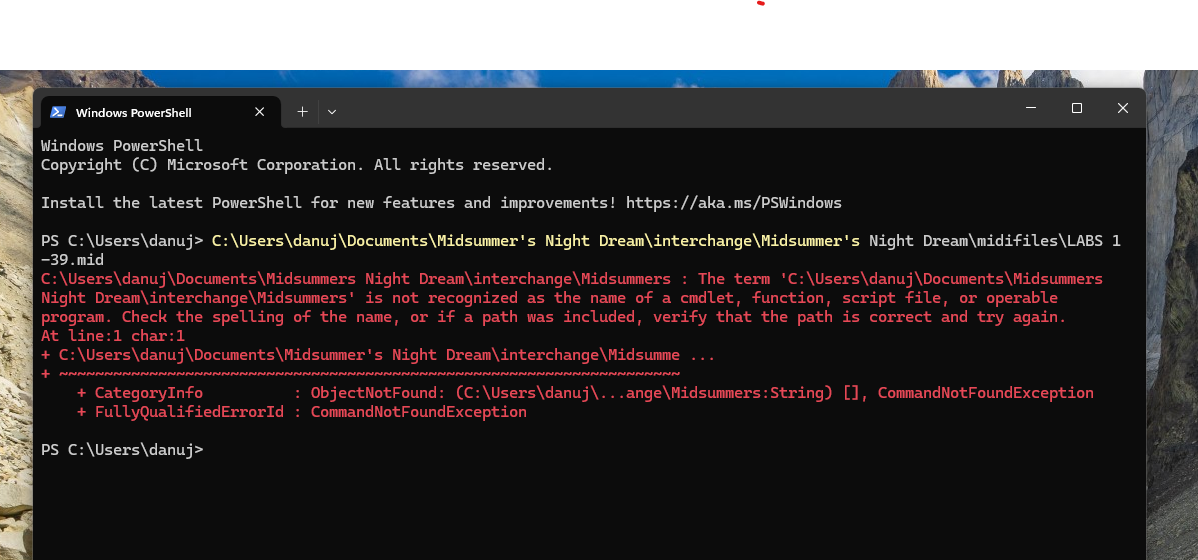
 `file /PATH_TO_SESSION/Midsummer\'s\ Night\ Dream/interchange/Midsummer\'s\ Night\ Dream/midifiles/LABS\ 1-39.mid`

This comes up:

Ah, you’re on windows. Someone else will have to make suggestions there.

Alright no worries, thank you for your help

does anyone here have ardour on windows?

hi there do you use windows?