Ardour 8.12, DG 0.9.19 with DSRKit
Create a new empty session
Add a MIDI track
Add Drumgizmo (replacing the default mapping)
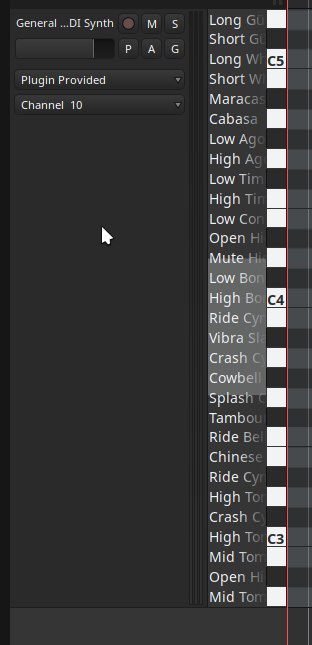
Sometimes MIDNAMs are shown on the track pianoroll, sometimes don’t. I can’t pinpoint any exact reproduction steps. Is it a DG bug?
perfab
August 30, 2025, 12:45pm
#2
in my case the names of the musical instruments in DG appear only if I set the draw or edit mode.
1 Like
ToniLink
August 30, 2025, 1:16pm
#3
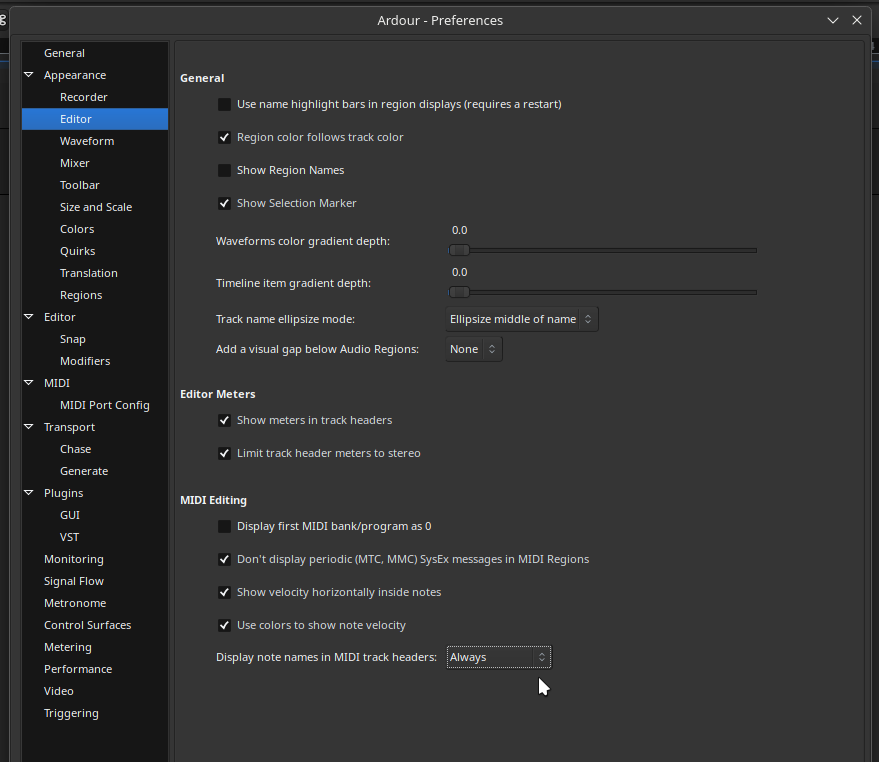
Check your settings. On the Editor preferences you can set the track headers to always show the midi note name.
Also check if your new track have the Channel 10 selected on track header. Some drums plugins use the channel 10 as the default channel for drums.
2 Likes
Using official Ardour 8.12, these still disappear and reappear when (G)rab and (D)raw mode are toggled. By selecting the region and hitting G and D , these note names disappear and reappear. I would think that by the name of the setting, this should not happen this way.
@x42 Is this the way it is intended to work ?
1 Like
Thanks, that was indeed the case!
1 Like
Right, I have it set to “Always” but the names still won’t appear in non-edit modes. That’s why I started this topic in the first place
Some drums plugins use the channel 10 as the default channel for drums.
Not DrumGizmo tho, it works with every channel
ToniLink
August 31, 2025, 11:01am
#8
I have the impressions that it is how Ardour works:
The Grab mode is the tool to work on the arrangement.Edit mode is the tool to edit MIDI and audio.
system
November 30, 2025, 5:01pm
#9
This topic was automatically closed 91 days after the last reply. New replies are no longer allowed.