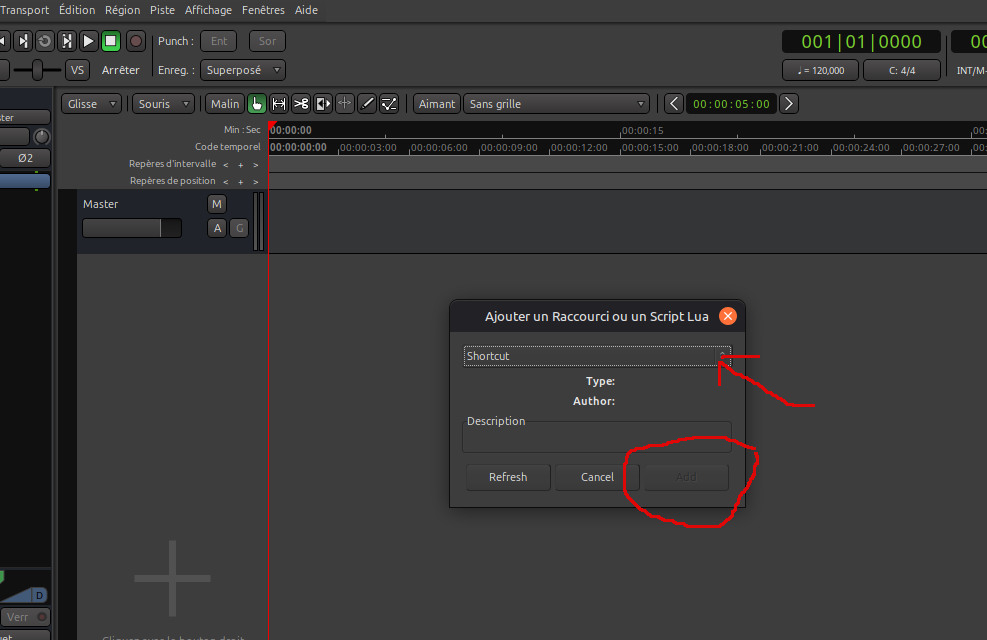
I think the vertical zoom-in factor of pianoroll is too limited.
Should be enlarged a bit.
PLease explain more about what you mean …
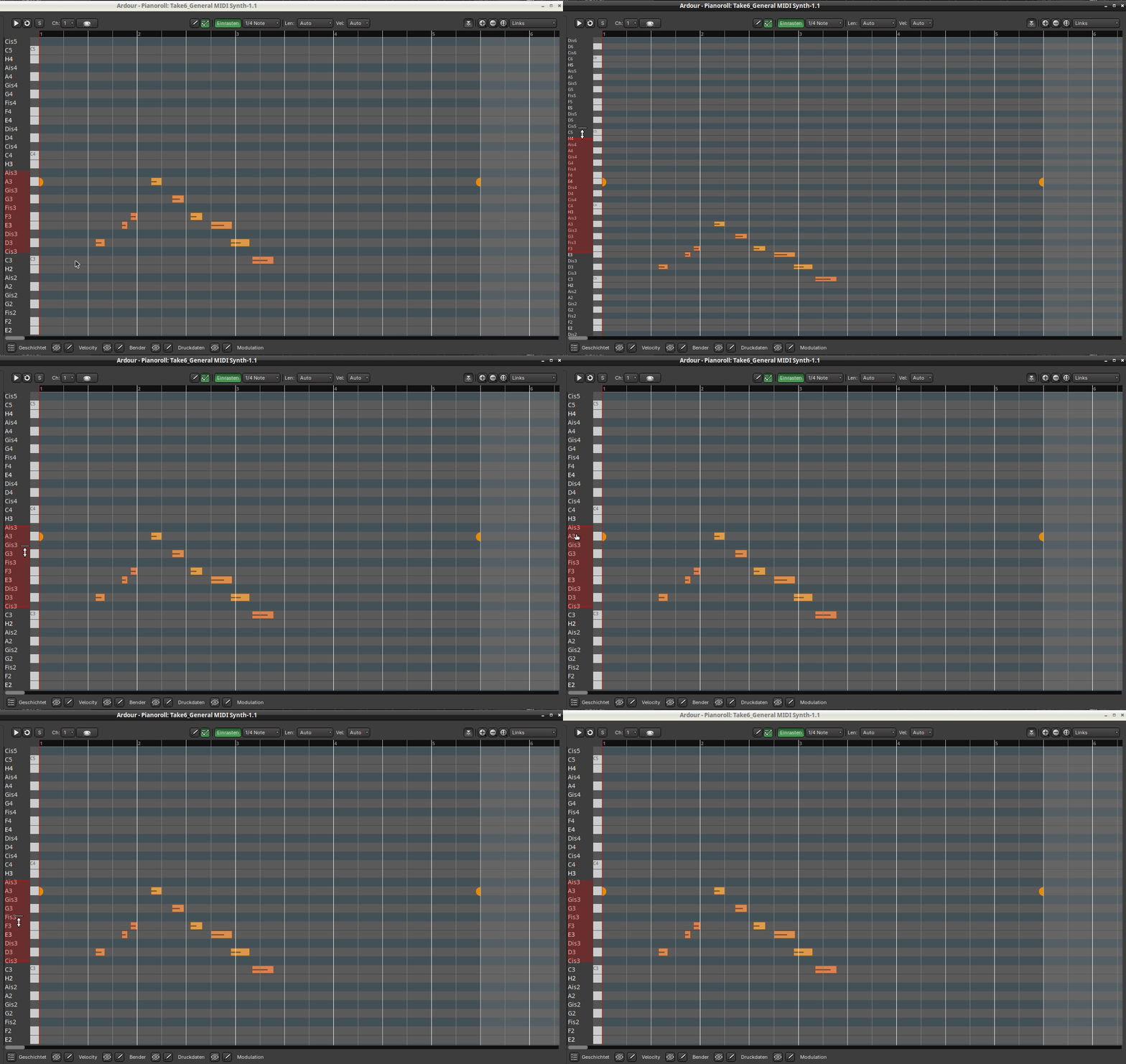
Please, check this out, i posed it in rc1 thread also…same problem…looks like one of those “fixed resolution” insted of “percentage of available canvas” things, if that makes any sense  .
.
This bug remained.
Mint 22.2, Cinnamon, 1366x768 (this laptop’s max.resolution).
Every other window in Ardour is completely fine, but…
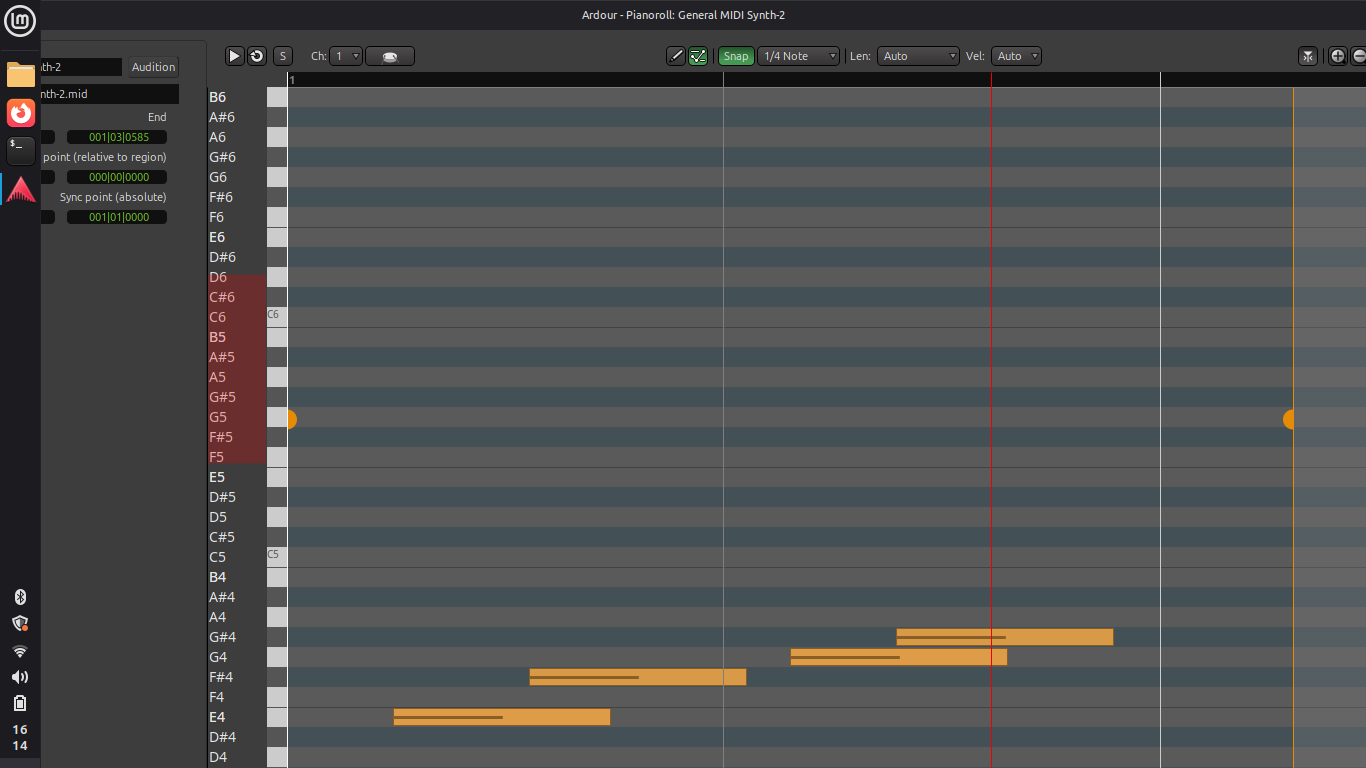
- when double clicking on a midi event to get in pianoroll, it opens up like this, and there’s no way to shrink it, maximize it to fit the screen size, or to see the bottom panel.
I tried everything in OS settings and Ardour GUI settings, but it just remains the same.
I expect that any plugins that still use Gtk2 as GUI will no longer work.
I am surprised that Fedora still packages them to begin with.
Ouuuu i see!.. That’s why many of kx repositories plugins gave me errors last night with messages like “cannot write to GUI” etc…Many of them still do use Gtk2 according to Google.
And i tought i messed something up again while fiddling with OS
They do not still package them since Fedora 38. Somehow they got left over on my system since then and went unnoticed.
The Invada plugins are still available for Fedora through Yann Collet’s widely used “Audinux” COPR repository.
@x42 just curious, wasn’t one of the reasons to fork gtk2 as ytk not to prevent plugin GUIs from messing with that of the host?
No, the reason was to allow distros that drop gtk2 to still build and provide Ardour, and as added benefit allow us to customize gtk (e.g. add multi-touch support).
Since gtk API and ABI needs to match this also the final nail in the coffin for plugins that depend on system-wide gtk2+ libraries. – This issue that we always had with binary builds of Ardours (vs disto versions).
Maybe falktx’s wrapper to process isolate plugins to keep Calf working for a bit longer helps here too?!
1 Like
I’ve just checked out the latest nightly and love your solution to the layering of the controls on the piano roll. It’s very elegant and makes a lot more sense.
Could the addition of user selected lanes be considered. I do a lot of piano MIDI editing and it would be really useful to be able to see CC64 Sustain (for example) as one of these lanes. I realise that the bottom set of buttons could get really busy if too much is added. Maybe have the 4 standard buttons preselected but when pressed a drop down list of other available codes is displayed.
As always, thanks for your continued work
I’ve been checking out cue recording for a live looping setup.
My first beat is often recorded but plays back silent. My guess is I hit the key slightly early, placing the note-on event just before the clip start. Manually quantizing fixes it, but that is not usable for a live performance
Is there a setting for input/recording quantize that automatically fixes these early notes during the recording process?
1 Like
Please file a bug report at tracker.ardour.org and attach an archive of a misbehaving session so that I can take a look.
I don’t see the session archive attached?
Sorry, I thought the screenshots were enough, I’ve tried to update the issue including the session but I reached the allowed activity limit. However, strangely, the first beat does sound correctly after saving and reopening the session. You can see the actual issue occurring in the attached video.
(I will upload the session file shortly, once the limit resets)
EDIT: session attached
It appears that when copying configuration files from version 8.12 to version 9.0, the keyboard shortcuts file is not included.
Can I safely copy and paste the former shortcuts file, or do I need to recreate all the shortcuts manually?
I’ve had the same problem since around version 9.rc2.
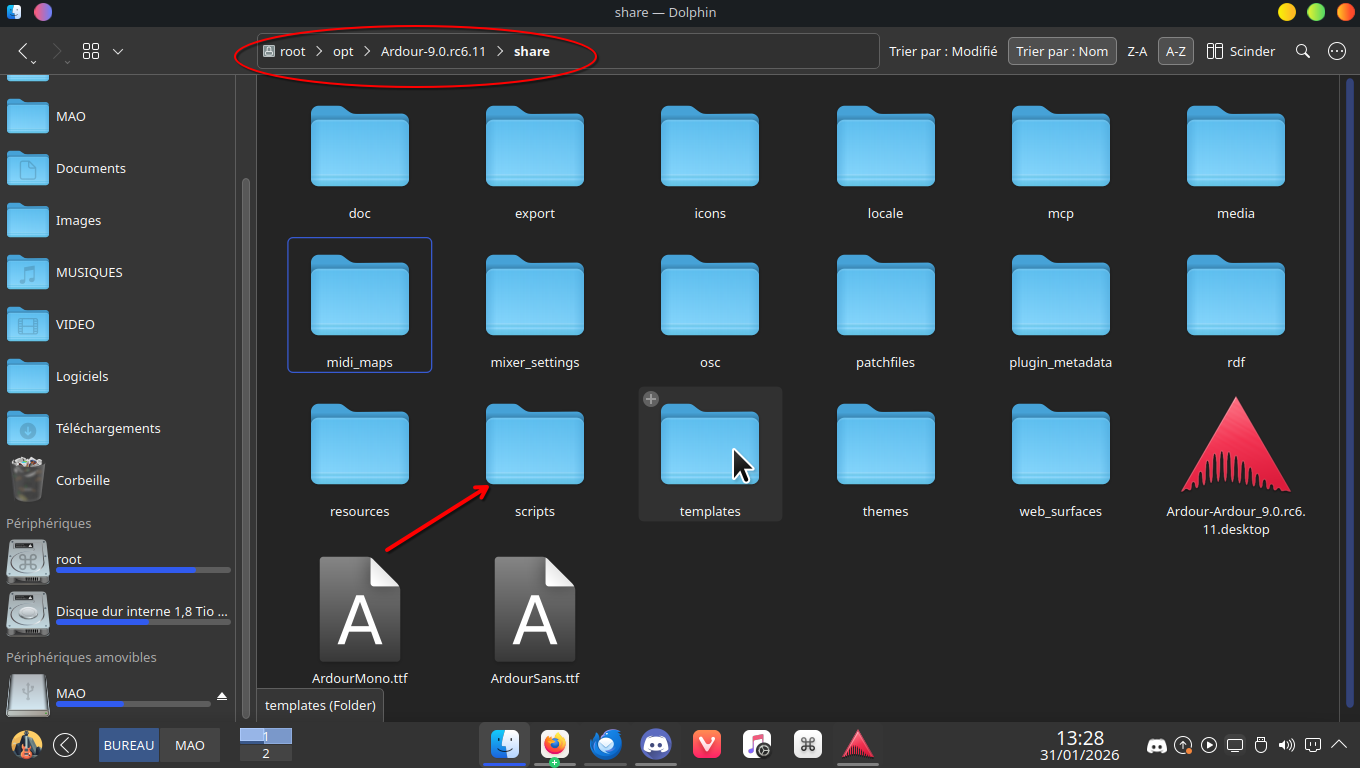
As you asked, I just compared the installation directories of versions 8 and 9 in my KDE Linux system. The directory is installed in the opt directory of the root directory…
Indeed, in the Ardour 9 directory, the script directory (/opt/ardour 9/share/script) was missing.
So, as root, I copied the script directory from Ardour 8 into Ardour 9…
…and it works. But perhaps the developers had a reason for deleting this directory?
(traduit du français avec google traduction)
Well, i’d rather copy ~/.config/ardour8/ardour.keys to ~/.config/ardour9/ i guess.
the point is that first time i launched Ardour9 it asked if i want to use the configuration from the version 8.
So now i want to know first if there is a good reason why this file is not copied with the others configuration files, if it’s a mistake or whatever.
It’s not new, it already happened from Ardour7 to Ardour8, but i didn’t ask and just re-did all my shortcuts. I have some more now, i’d rather copy the file if it’s not prohibited for a good reason.
That will likely break some things. Notably space for play/pause. Various keyboard bindings changed and there is a new context for the Property-box / Pianoroll.
We do not maintain a mapping how to convert keyboard bindings from earlier versions, hence .key bindings a versioned. Even minor version updates invalidates changes. The same is true to color/themes.
History for gtk2_ardour/ardour.keys.in - Ardour/ardour · GitHub can provide some clues how to manually update older files.
One question remains:
I just reinstalled the latest version 9.rc after deleting the config/ardour9 directory.
During the installation, I didn’t use the configuration in the .config/ardour8 directory. So it’s a clean, fresh installation…
yet… I still can’t access the shortcut and script configuration as shown in the screenshot.