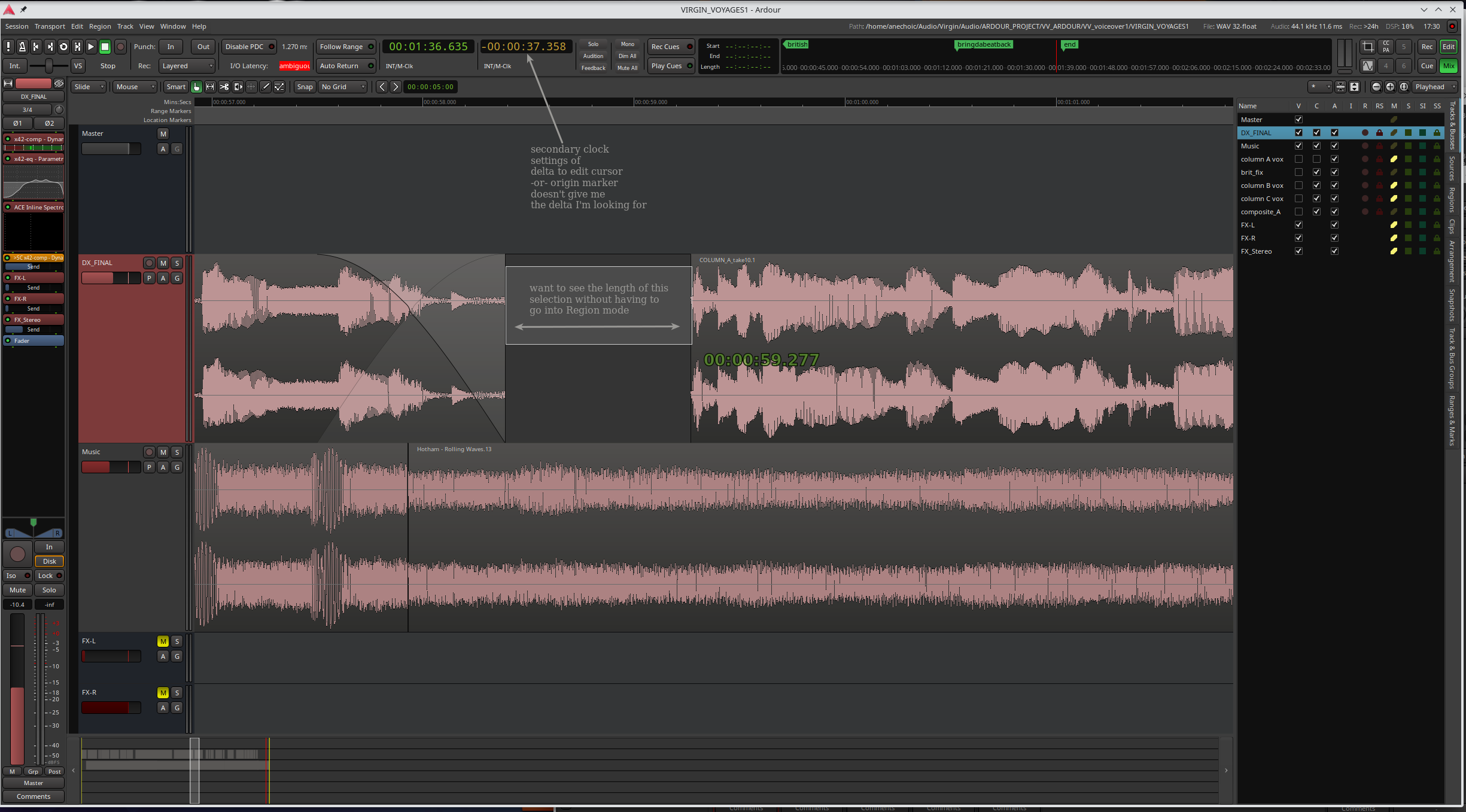
//currently using Ardour 8.10.0 & Ubuntu Studio KDE
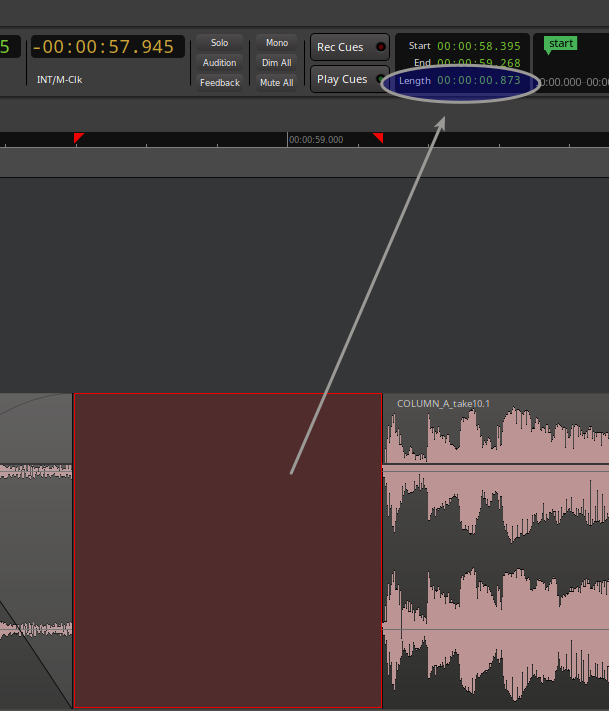
I vaguely remember in Ardour 6 when selecting an area in a track in the editor window a number would indicate the end-point time && underneath that was a delta time, i.e. a range beginning & end selection. Business has pulled me away from working on audio/music lately so Ardour memory could be fuzzy…
…so I could be misremembering this feature but in the odd chance I’m not, was this feature eliminated?, folded into the range mode? -or- have I inadvertently turned it off?
If turned off, how do I restore this? (I went pref hunting but nothing seemed obvious)
// I often measure time between regions in different tracks & don’t want to switch btwn grab and range mode to measure timings.
also, has there been any luck getting flying faders working with the iCON Audio Platform M+ control surface? Haven’t downloaded 8.12 yet.
thanks in advance,
KC
ah OK, not a show stopper, everything else works which is what I need mostly…I hope iCON fixes it for Ardour/Mixbus. My iCON/Ardour workflow is still amazing even without flying faders
keep up the great work!
KC
I often want to measure space btwn regions by selecting that empty space
but I thought prior versions of Ardour had selection length (or what I called “delta”) info as green text under the end point time
the secondary clock only gives delta to edit cursor or origin marker
I don’t know if it useful for your workflow, but the “smart” mode can help (is on the right side of the edit point drop-down). In smart mode when you click the upper half of the region it behaves like grab-mode (G), when you click on the bottom half it selects a range, like range-mode (R).
I personally don’t use it, because my tracks are oft too small to aim correctly.
Also, I think it is the default, at least it used to.