Did something change over the years with configuring MIDI controllers? I have a Kurzweil controller and created a custom file for it. With your help, I got it working under version 6. I didn’t really need it again until recently and am using version 9.5. I do compile Ardour from tarball but I have all the dependencies listed and can see the builtin controllers get compiled and see them on the list of controllers, but my controller doesn’t show up. I have the midi_maps file located in the ~/.config/ardour9 directory, same as I had it under the ardour6 directory several years ago. I’m not sure what changed but it just doesn’t show up on the list now.
Here is the contents. I haven’t changed this file since it was working before:
Should I see it try to load the files in the debug output? I don’t see it trying to load custom controllers:
bind txt domain [gtk2_ardour9] to /usr/local/share/ardour9/locale
Ardour9.5.0 (built using 9.5 and GCC version 13.3.0)
Ardour: [INFO]: Your system is configured to limit Ardour to 524288 open files
Ardour: [INFO]: Loading system configuration file /usr/local/etc/ardour9/system_config
Ardour: [INFO]: Loading user configuration file /home/mustang-new2404/.config/ardour9/config
Ardour: [INFO]: CPU vendor: GenuineIntel
Ardour: [INFO]: AVX capable processor
Ardour: [INFO]: AVX with FMA capable processor
Ardour: [INFO]: CPU brand: 12th Gen Intel(R) Core™ i5-12400
Ardour: [INFO]: Using AVX and FMA optimized routines
Ardour: [INFO]: Loading plugin meta data file /usr/local/share/ardour9/plugin_metadata/plugin_tags
Ardour: [INFO]: Loading plugin statistics file /home/mustang-new2404/.config/ardour9/plugin_metadata/plugin_stats
Ok, after adding some debug commands and finding out that my custom files were being loaded, I figured it was something basic in my understanding of how this works. I thought I remembered my controller showing up on the list of control surfaces available and then enabling it there, and then it worked. That’s not how it works. I don’t think the manual is very clear on this, but this is how it works for anyone else who may have similar issues.
Put your custom midimap files in “~/.config/ardour*/midi_maps” where * is the version (windows users have a different one)
Run Ardour and open edit->preferences->control surfaces
Double click “Generic Midi”
In the popup box, set “Incoming MIDI On” to your midi interface
Set “Outgoing MIDI On” to your midi interface if you plan to send messages to your device
Click “MIDI Bindings” and it’s in this list that your custom controller will show up. Select your device and it should start working.
I don’t remember it working that way back in V6, but I could be wrong. Probably need to make better notes to myself. I’ll set this as solved and put a description above.
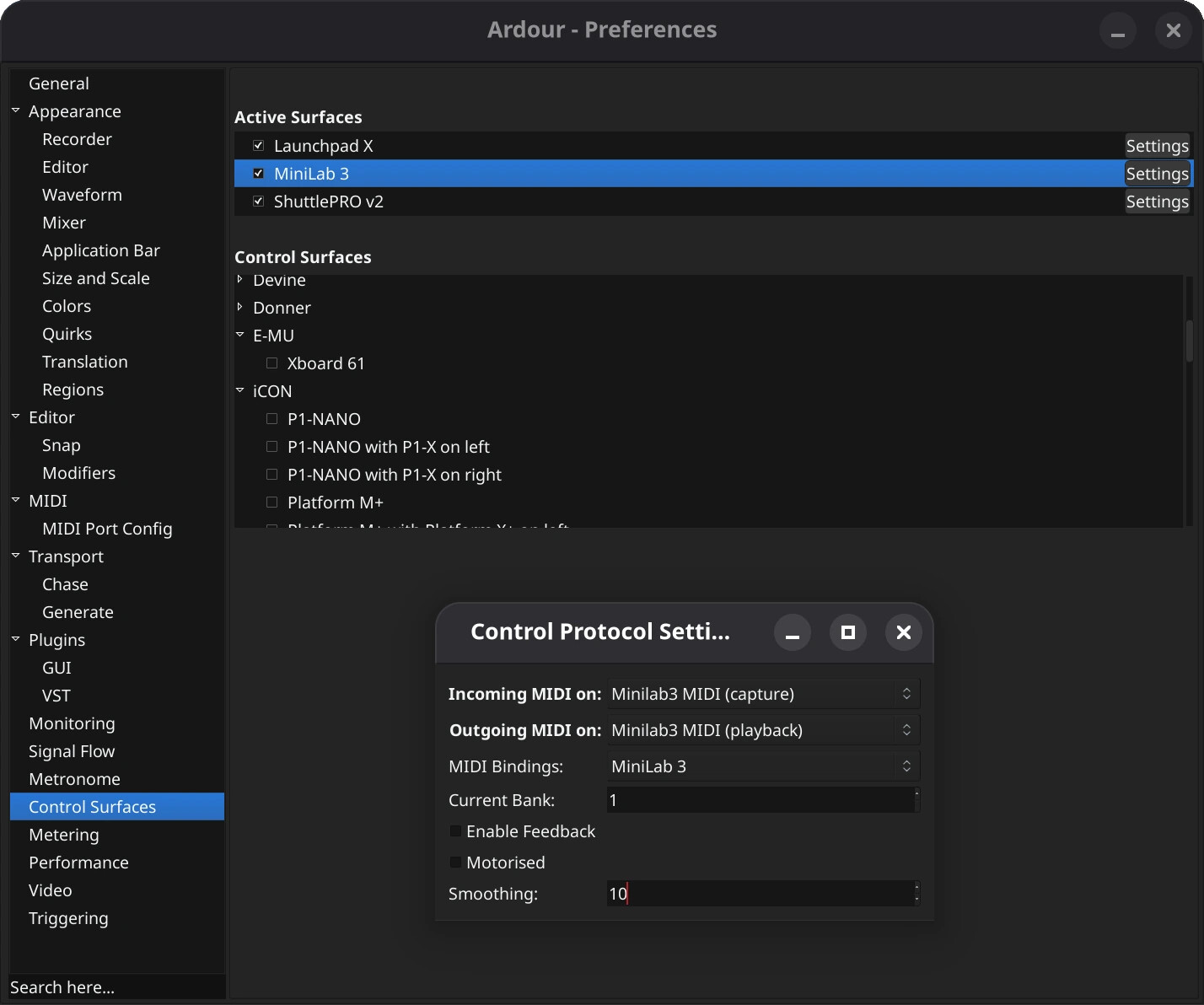
Well, that’s what is about to change (today!) … we now list control surfaces with binding maps by manufacturer and device name (your file will need a tweak for this).
Ok. I’ll bite. Mind explaining how this new system works? There is nothing listed on the active or control surface sections now. No buttons to click, right-click doesn’t do anything. What else needs to be enabled now?
Ok, it does not look like that. I don’t see anything listed under those sections. All I see are the title bars “Active Surfaces” and “Control Surfaces” with no list box under either.
I’ll add that tweak and see if something shows up. Thanks!