Couple of questions. Also, Hi, I'm Donnacha

Hey Guys,

First, I want to extend my thanks to Paul Davis. This is a really powerful and capable piece of software and if I knew C++ I would love to contribute. I studied music at university though, so my understanding of code is basically limited to shell scripts I use on Linux. I’ve been lurking for a while, but I think I found something worth asking. So, I built a nightly release of ardour 9 from source. I would happily pay for it, but I’m not working now due to medical issues. I use a Yamaha MODX for composing, along with the Reason Rack plugin through WINE using yabridge. That was my DAW, before I started to divest from proprietary software, Open GL doesn’t render the text in Reason correctly on my machine anyway, but it’s nice to have for the patches I built from the last 8 years.

Anyway, I have been reading the manual and I got to ‘Clips’ and I reaslised I exclusively have the click as my only available clip. I’ve got plenty of plugins from the build and probably instruments as well. Not entirely sure, because I mostly take samples and plug them into the AWM2 engine for sound design. Did I miss something in the build? Or is it just not in there when It’s built from source. Not complaining either way, I have countless ways to generate sound. I was just a little bummed I didn’t get to see what Ardour came with.

One other question I have been scratching my head around is monitoring. I have 2 options in the dropdown, hardware or Ardour. If I select ardour, all of my recorded automation, MIDI CC and Sysex plays back. Bit of latency, but I’m primarily composing not performing live, so I can live with it for now. If I hardware monitor, I just get the MIDI notes, triggering their respective channels on the MODX, so I get the raw sound of the performance parts I have on the synthesiser, but no automation, it doesn’t trigger the synth, even though it’s routed to the tone generator. Additinally, sometimes, I’ll record Sysex and it won’t play back. But I move it to a different channel and assign that channel to the performance part in question and it will. Maybe it’s something to do with the MIDI event output, but I’m unsure how to route that to port 1 of the MODX.

Come to think of it, I should probably just get back to RTFM. But I thought I’d chance my arm for a shortcut. I’ve been reading and taking notes on ardour for the last 3 days. The MODX (Between User Manual, Data List, Reference Manual) totals like 1000 pages on top of it to bury through. I get so close to getting things to work seamless(ish)ly and then something just stops me in the tracks. It’s like driving a Ferrari in 1st gear, I understand how powerful it is, but I just can’t get it in gear. Anyway, thanks again, love the software. Thanks for making FOSS, because musical tools are so often locked behind a paywall, Once I am back at work, I will purchase Ardour, 100%.

Best,
D
That determines which path the audio takes to get back to your ears while recording.
The “hardware” selection is for audio interfaces which have a way to send the audio input directly to an output and mix that with audio being sent from the computer so you can listen as you record, and Ardour does not send the incoming audio back to the output, only the audio which has previously been recorded.

The “Ardour” selection is for the case when the audio interface cannot send incoming audio directly to the output, so to hear what you are recording the audio goes into the audio interface, to Ardour, and Ardour mixes the incoming audio with whatever has previously been recorded and sends the comined mixed audio to the audio interface output.

Okay, let me elaborate a bit, because I’m trying to pin this down. The Synthesiser is acting as the interface for Ardour connected using ALSA. I’m not using JACK. I send MIDI using the synthesiser, but that isn’t directly triggering the tone generator of the MODX. Local control is off, Direct monitoring is also switched off on the instrument, because that exclusively monitors the tone generator of the synthesiser, so no effects processing or audio that happens in the DAW is monitored. So, the keybed output isn’t playing the instrument. Instead it’s basically a midi controller which is entering midi data, into a midi track in the DAW. This midi is then routed back through port 1, to one of 16 discreet midi channels available through that port. This triggers the part of the performance that exists on that channel within the synthesiser, which then outputs to Ardour over a corresponding audio track which is paired with one of 8 stereo outputs on the synth and finally, back to the synthesiser and out through the studio monitors connected to the L/R outputs of the synth. As you can imagine, this adds a fair bit of latency, I’ve got it down to about 70ms. Fine for writing, no good for live performance.

So, for argument’s sake let’s say I’m recording a synth bass on channel 1 of port 1 of the synthesiser. I enable midi input, on the track and record the line using keys. I lay down another recording using sound on sound, in which, I record parameter automation (filter cutoff, resonance, gate time whatever) I consolidate that into a single region and when I run playback, I hear recorded note on/off data and automation because Ardour reads the note on/off data and automation data and sends it to the synthesiser which triggers the performance part and the parameter changes as they are written in the editor. If I were to switch to hardware monitoring, to reduce latency only note on/off data is received by the synthesiser. The moment I switch back to Ardour, recorded automation data is now transmitted again and I hear the bassline with whatever automated parameter changes (filter sweep, gate time etc). data was recorded into Ardour.

It’s like it’s only receiving automation data, when ardour is selected as the monitoring source. Equally, if I have it set to hardware monitoring enabled instead of Ardour I hear no recorded audio even if they output to the physical main L/R outputs. I know it’s something I’m missing in routing, because when it is set to monitor through Ardour and I stop in the middle of, let’s say a high pass filter closing. The actual parameter of the patch will be at wherever the playhead has stopped and it won’t move until I change the parameter manually, or it receives a change in automation from the DAW. I am really close to getting this, I just can’t quite get it. Manual diving is probably the best way to figure it out, may be a thing from the synth itself. I thought maybe scene in/out but I’m not sure.

Chris explained this pretty well. Your synth cannot be used as a HW interface for audio. In this case you should only use SW monitoring and not HW monitoring. A good reason to use HW monitoring would be for using headphones for a singer to listen to while recording, if the HW supports this ofc. A USB digital mixer would be a good canadate for HW monitoring, but with only a midi keyboard, stick with SW monitoring.

If you are using HW monitoring with your computer’s built in audio hardware, well that is going to be limiting, but doable in some cases. Depends on the chipset most likely. Regardless, you would need to use the amixer (alsa mixer) to control this when using HW monitoring.

1 Like

Do you have a small mixer? If you have a way to mix the outputs from the keyboard, you could use two outputs for the internal synth output, and two outputs for the USB audio from the computer. That would allow you to leave the internal sound generation on while recording the MIDI and audio ( to give options later; you likely would just end up using one or the other, but you would have options to use both), and avoid the dual round trip of MIDI in (to computer), MIDI out (from computer), audio in, audio out that your current setup involves. That would allow you to use the hardware monitoring option with no latency between the keyboard playing and sound generation.

1 Like

Sounds like that might be the solution. I have a little ART dual channel interface but it’s strictly audio. The synth is equipped with audio and midi over USB, which is what I’ve been using. We’ll see if anything comes up while I keep reading. I just got through the Ardour Manual today. On page 56 of 217 for the reference manual for the synthesiser, then I gotta re-read the owner’s manual and read the supplementary manual for the firmware update. I haven’t released a song since 2021. I just got the thing shipped overseas last year and it sat forever while I hunted down a voltage transformer for the studio monitors. So there’s a lot of reading to catch up on.

Audio and MIDI do not have to use the same interface. Maybe not relevant, but if at some point you want to use the ART audio interface you can still use the keyboard USB MIDI.

Actually, that’s not true. A lot of synths do support USB audio, and this is one of them. in fact, the MODX can support (I believe) 5 stereo pairs from the synth to the PC, and 2 stereo pairs from the PC to the synth.

There’s also a L/R audio input on the MODX which can be sent to the PC over it’s own USB channels. The L channel can be used on its own for mono sources, and you can connect instruments like electric guitars, although it’s not a high-impedance input so a DI box or similar would really be needed. Dynamic Mics should also work OK.

So, it’s possible to send the output from Ardour to the MODX to play back over connected speakers or headphones, and the audio input(s) from the MODX to the PC, whilst locally monitoring, alongside the generated sounds from the synth engine which can be sent on their own USB channels. There are also mix controls on the MODX to control this stuff.

Cheers,

Keith

1 Like

I believe it’s possible to get the MODX to process the playback from the PC, so you could monitor that.

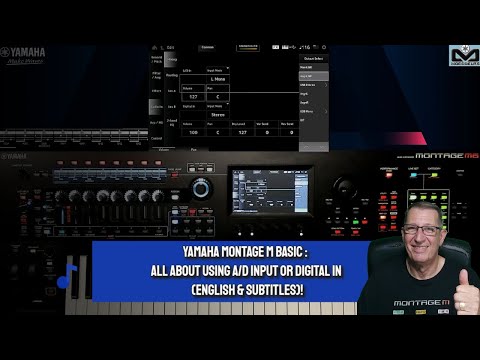
Here’s a rather painful video on the subject of audio routing on the MODX which may help:

Do you have speakers or headphones connected to the MODX?

So all MIDI passes to the PC and Ardour, and then only when it’s sent back to the MODX does it trigger sound generation?

My feeling is you probably want to have local control set back to on, so you hear what you play directly, and then have Ardour set to hardware monitoring which, I believe, means it won’t send MIDI back to the MODX whilst recording. This will then allow you to record MIDI tracks, including performance changes.

Note you should also be able to record audio this way. But be careful as if you are recording both the MIDI and the resulting audio from the MODX on separate tracks, when you play back you will be playing back both and may have some slight echo or weird phasing. You may want to avoid recording the MODX audio until you have the MIDI performance down, and then “bounce” it to audio afterwards, and then you can mute the MIDI tracks.

Cheers,

Keith