Hello Ardour community,
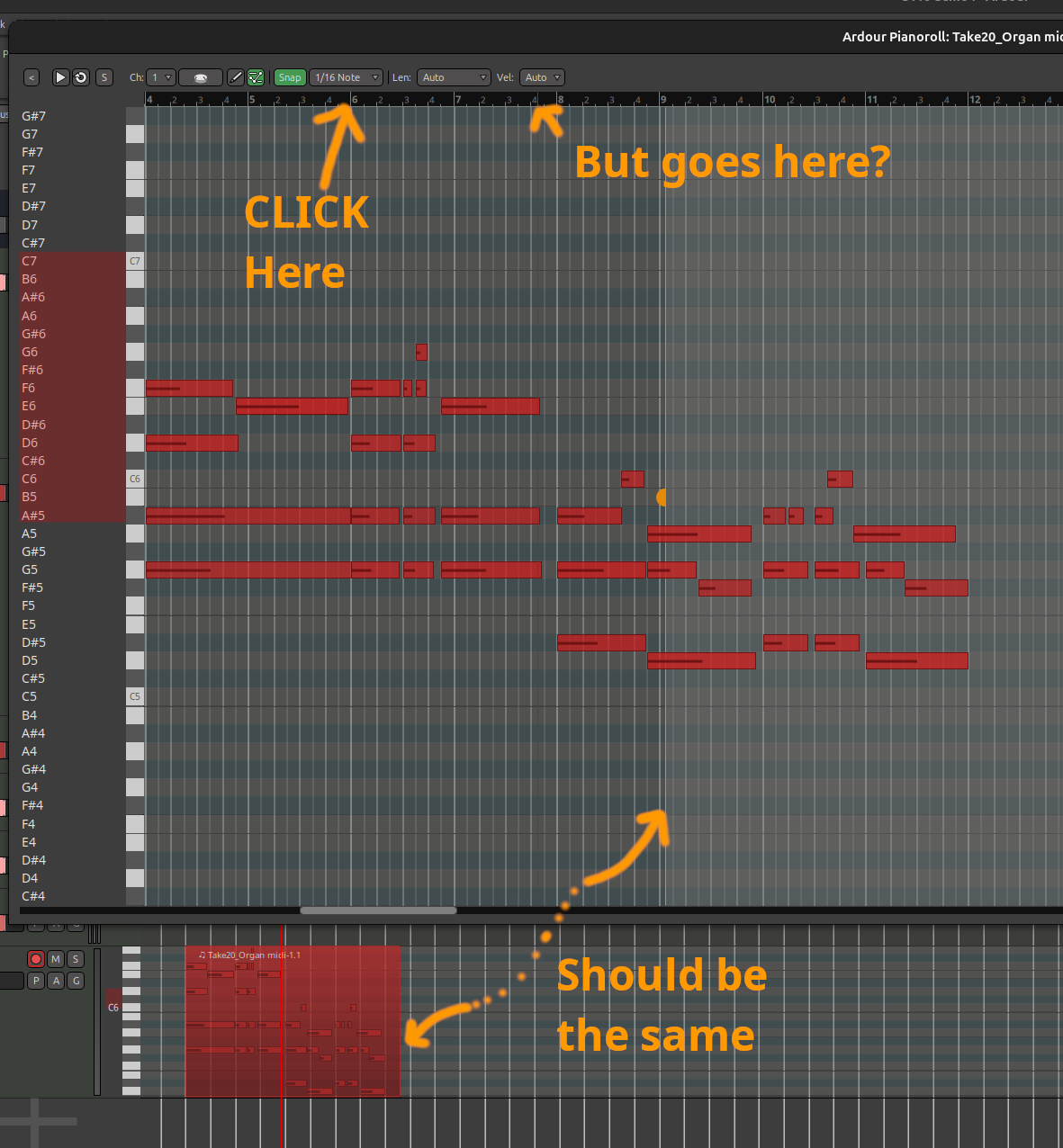
I recently created a purely midi project at 130 BPM. Changed the project tempo to 90 BPM for a difficult part. Recorded (midi) that part and then changed the project temp back up to 130 BPM. So far so good, project plays back fine. Now, when I double-click on the midi region recorded at the lower BPM, the transport control ruler within the piano editor has an apparent offset to the project’s transport control.
For example, if I am editing a midi region and click in the piano editor to roll back to a specific area, the transport will jump but it will not jump to where I’ve clicked, and it will snap over to a (generally) more future time, perhaps a few bars to the right of where I wanted.
In order to edit, I’ve had to feel around to discover the offset so that I can play back the areas I’m working on.
If I change the project temp back to 90 BPM, then transport operations within midi regions are deterministic and operate exactly how we’d expect. Click within the midi region transport ruler and the song goes to that location.
A related issue for sure, the midi region’s boundaries, as shown in the main timeline editor, are also incorrect on the right hand side. It will show notes well beyond the right hand edge of the region. Moving the region immediately corrects the note-edge drawing, but it will go back to some other position later. Sometimes it’s the other way around, with the pianoroll showing the region being cut shorter than the main timeline. Screenshot attached showing this.
I had this issue on 9.7 and 9.8, and also on a build I made last night direct from the github repo. Happy to share a session file, although I suspect you can recreate the issue easily enough without one.
Thanks for the great program and all the hard work.
–E