I’ve gotten to the end of libs/pbd (at least in the “Compiling xyz.cc” part)
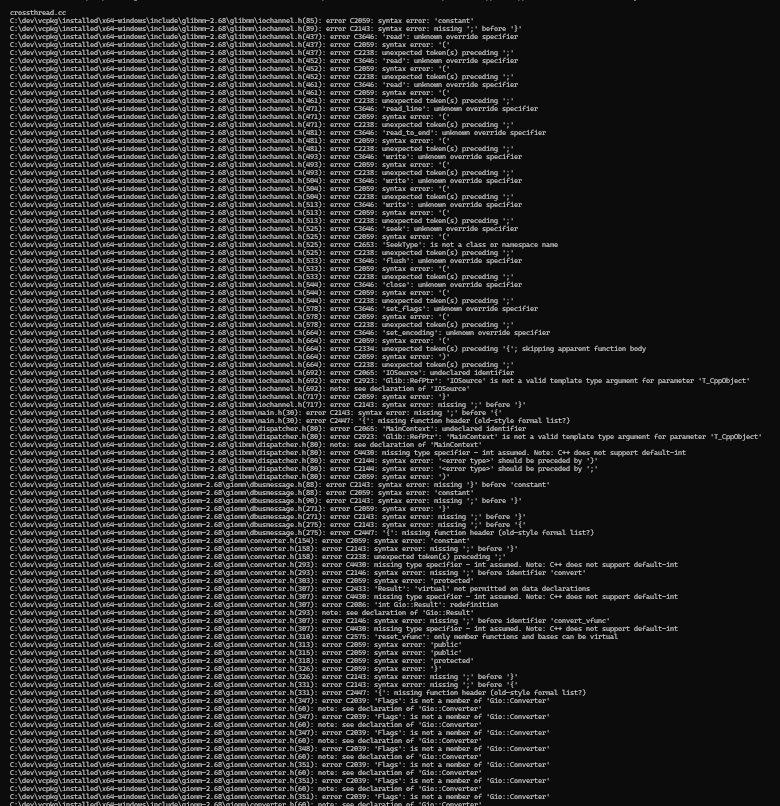
I’m having a lot of difficulty with regards to crossthreads.cc. (and .win.cc, and .h?)
My current version of those files: .cc, .win.cc, .h - Pastebin.com
I’ve gotten to the end of libs/pbd (at least in the “Compiling xyz.cc” part)
I’m having a lot of difficulty with regards to crossthreads.cc. (and .win.cc, and .h?)
My current version of those files: .cc, .win.cc, .h - Pastebin.com
Okay - it’s happened a lot earlier than expected but it looks like you’ve hit the problem which Robin predicted, back in post #2:-
Just to be clear, It appears that python waf compiles 8 things at a time for me, usually. So even if this one isn’t fixed, I could theoretically go after everything else (until I get a similar error for 8 files in total or so).
crossthreads.cc wasn’t the last one to show up, but I figured dealing with that file (and .h and .win.cc) are going to take a lot of time, and it’s probably easier to deal with other files while asking for help with these. so it has ended up like this.
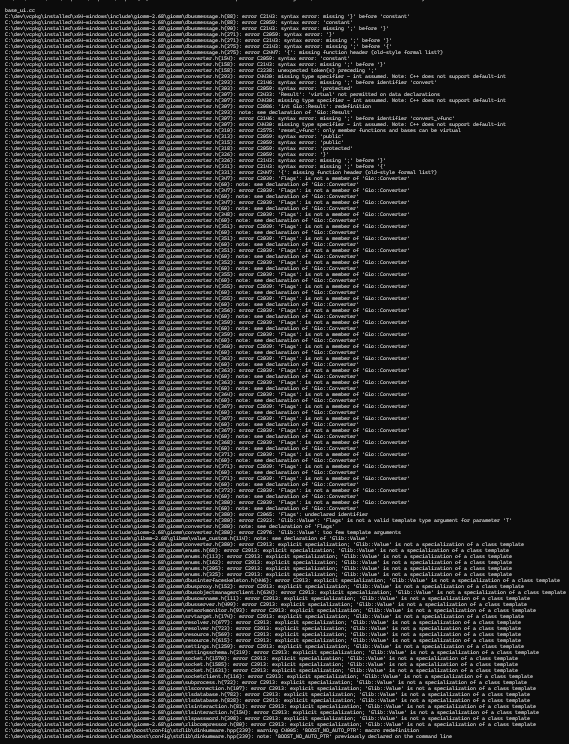
Also, base_ui.cc needs one of the crossthreads files… I assume the .h one. Until I fix that, these two will keep taking 2/8 of the compile slots
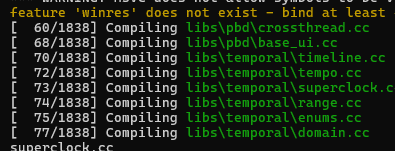
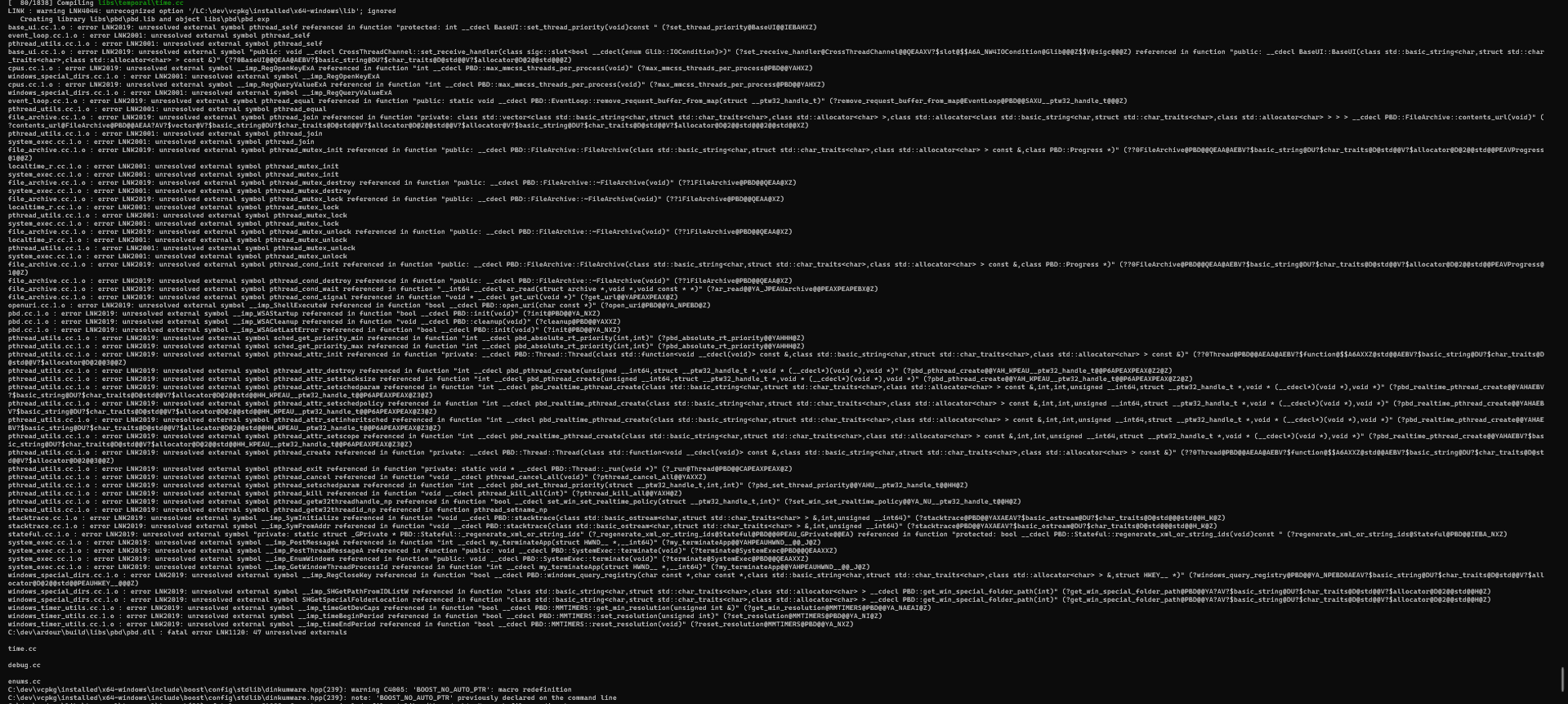
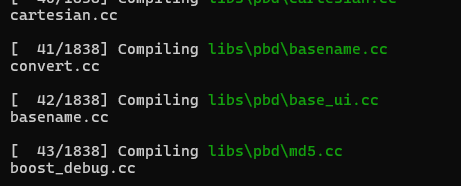
(Also, I have a theory that the files in libs/pbd were compiled Z to A. And the image shows it being likewise for libs/temporal.)
Edit: Dealt with crossthread, but base_ui.cc is still with errors. If anyone wants the contents of the edited crossthread.cc, crossthread.win.cc or crossthread.h, let me know. I’ll probably end up sharing it later anyways, but I’ll be focusing on other things instead.
Edit: 3 diffs in crossthread 3 diffs - Pastebin.com
@EZ4Stephen - didn’t you once build successfully using MinGW? So how did you get all the support libs? Did MingGW build them for you or did it just supply them all pre-built?
Most support libs were supplied from MinGW, but I had to build portaudio (with ASIO) and FFTW with single precision. I still did a few changes (referring to the MinGW build) to get past a few errors:
sed -i '31i\#if !GLIB_CHECK_VERSION(2,32,0)' libs/pbd/pbd.cc
sed -i '33a\#endif' libs/pbd/pbd.cc
sed -i '92i\#if !GLIB_CHECK_VERSION(2,32,0)' libs/pbd/pbd.cc
sed -i '96a\#endif' libs/pbd/pbd.cc
sed -i "s/obj.uselib += \['LILV'\]/obj.uselib += ['LILV', 'SERD', 'SORD', 'SRATOM']/" libs/ardour/wscript
sed -i "/obj.uselib/a\ obj.stlib = ['portaudio']\n obj.lib = ['ole32', 'setupapi', 'uuid', 'winmm', 'ksuser', 'jack64']" libs/backends/portaudio/wscript
sed -i '264i#if !GLIB_CHECK_VERSION(2,32,0)' gtk2_ardour/main.cc
sed -i '267a#endif' gtk2_ardour/main.cc
Not to mention the configure options used are different. For MinGW, I did
./waf configure --dist-target=mingw --prefix=/c/Ardour --configdir=share --no-execstack --no-dr-mingw --optimize --cxx17 --ptformat
but for MSVC, I’ve been doing
python waf configure --prefix=C:/Ardour2 --configdir=share --optimize --ptformat --dist-target=msvc --also-include=C:\dev\vcpkg\installed\x64-windows\include --also-libdir=C:\dev\vcpkg\installed\x64-windows\lib --cxx17
Apologies Stephen - it looks like your MinGW libs must’ve come pre-built, which brings me back to my conclusion from your previous thread:-
Stephen’s made a fantastic effort here but it simply proves what I suspected all along - i.e. the libraries in vcpkg are too modern to be compatible with Ardour.
The problem of course is that Robin and Paul are very busy with their normal work but if they ever hope to attract programmers for the non-Linux platforms, they’ll (somehow) need to start providing pre-built support stacks.
[Edit…] Stephen, if you want to continue trying your build of libpbd I could let you have my header files for glib and glibmm (which you’d need to use instead of your current ones). It won’t link with just the header files of course - but at least it’d tell us if things would be simpler if you did have a pre-built support stack.
So your system has 8 CPU cores … run waf -j1 to compile one at a time.
Trying python waf -j1 after doing distclean and configure again didn’t solve the issue with base_ui.h. I ended up doing git checkout for base_ui.h and .cc and also got boost-multiprecision with vcpkg install boost-multiprecision.
I’ve then made a few changes so it works with glibmm-2.68.
Apparently it’s a Windows macro pollution issue causing this:
Diffs for base_ui.h and .cc in base_ui 1 - Pastebin.com
Edit: solved. Thank God, I was starting to feel a little insane.
Man, you have the patience of Job…  Hats off to your perseverance!
Good news: After making the right changes to the pbd wscript, making a pthreadVC3.pc file in the PKG_CONFIG_PATH directory, and small changes to base_ui.cc, crossthread.h and stateful.cc, looks like the link was successful.
Then I had to remove one mention of `#include <glibmm/threads.h> in tempo.cc, and remove the lines:
#ifdef HAVE_UNISTD_H
#include <unistd.h> /* for unlink */
#endif
from libs\tk\ydk-pixbuf\io-xpm.c and io-xbm.c (one of them didn’t have the comment next to #include <unistd.h>
So libs/temporal got linked, libs/tk/ztk got linked.
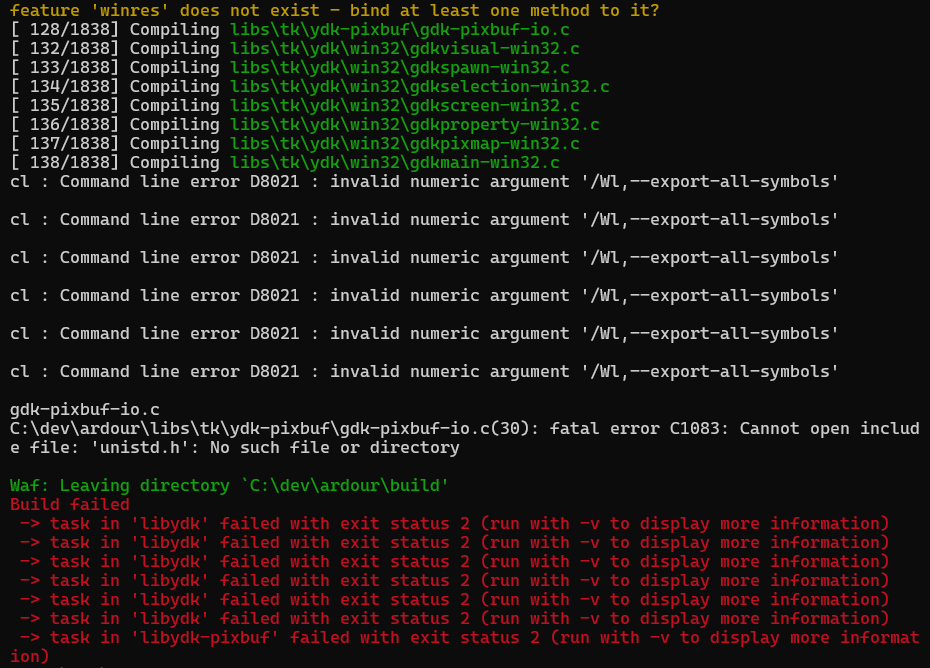
Got the following command line error:
cl : Command line error D8021 : invalid numeric argument ‘/Wl,–export-all-symbols’
Edit:
Build failed
→ missing file: ‘C:\dev\ardour\build\libs\tk\ydk-pixbuf\ydk-pixbuf.lib’ 
Edited the ydk wscript more.
Edited the ydk-pixbuf wscript. Still stuck on this error.
Not quite. I was dealing with different files at the time. And since I deleted msvc_extra_headers, I have to delete/replace wherever unistd.h becomes a problem for me. In those 2 files’ cases (of the above quote), I removed those lines and it seems to have compiled fine. The problem is linking of ydk-pixbuf.
I ran python waf -j1 -v so I can share exactly what’s said:
[ 132/1838] Linking build\libs\tk\ydk-pixbuf\ydk-pixbuf.dll
10:03:09 runner [‘C:\Program Files\Microsoft Visual Studio\2022\Community\VC\Tools\MSVC\14.44.35207\bin\HostX64\x64\LINK.exe’, ‘/nologo’, ‘/MANIFEST’, ‘/nologo’, ‘/MANIFEST’, ‘/nologo’, ‘/MANIFEST’, ‘/IMPLIB:libs\tk\ydk-pixbuf\ydk-pixbuf.lib’, ‘/DLL’, ‘/DLL’, ‘libs\tk\ydk-pixbuf\gdk-pixbuf-animation.c.1.o’, ‘libs\tk\ydk-pixbuf\gdk-pixbuf-data.c.1.o’, ‘libs\tk\ydk-pixbuf\gdk-pixbuf-enum-types.c.1.o’, ‘libs\tk\ydk-pixbuf\gdk-pixbuf-io.c.1.o’, ‘libs\tk\ydk-pixbuf\gdk-pixbuf-loader.c.1.o’, ‘libs\tk\ydk-pixbuf\gdk-pixbuf-scale.c.1.o’, ‘libs\tk\ydk-pixbuf\gdk-pixbuf-scaled-anim.c.1.o’, ‘libs\tk\ydk-pixbuf\gdk-pixbuf-simple-anim.c.1.o’, ‘libs\tk\ydk-pixbuf\gdk-pixbuf-util.c.1.o’, ‘libs\tk\ydk-pixbuf\gdk-pixbuf.c.1.o’, ‘libs\tk\ydk-pixbuf\gdk-pixdata.c.1.o’, ‘libs\tk\ydk-pixbuf\io-pixdata.c.1.o’, ‘libs\tk\ydk-pixbuf\io-png.c.1.o’, ‘libs\tk\ydk-pixbuf\io-xbm.c.1.o’, ‘libs\tk\ydk-pixbuf\io-xpm.c.1.o’, ‘libs\tk\ydk-pixbuf\pixops\pixops.c.1.o’, ‘/OUT:C:\dev\ardour\build\libs\tk\ydk-pixbuf\ydk-pixbuf.dll’, ‘/LIBPATH:C:\Program Files\Microsoft Visual Studio\2022\Community\VC\Tools\MSVC\14.44.35207\ATLMFC\lib\x64’, ‘/LIBPATH:C:\Program Files\Microsoft Visual Studio\2022\Community\VC\Tools\MSVC\14.44.35207\lib\x64’, ‘/LIBPATH:C:\Program Files (x86)\Windows Kits\10\lib\10.0.26100.0\ucrt\x64’, ‘/LIBPATH:C:\Program Files (x86)\Windows Kits\10\\lib\10.0.26100.0\\um\x64’, ‘/LIBPATH:C:\Program Files\Microsoft Visual Studio\2022\Community\VC\Tools\MSVC\14.44.35207\ATLMFC\lib\x64’, ‘/LIBPATH:C:\Program Files\Microsoft Visual Studio\2022\Community\VC\Tools\MSVC\14.44.35207\lib\x64’, ‘/LIBPATH:C:\Program Files\Microsoft Visual Studio\2022\Community\VC\Tools\MSVC\14.44.35207\lib\x86\store\references’, ‘/LIBPATH:C:\Program Files (x86)\Windows Kits\10\UnionMetadata\10.0.26100.0’, ‘/LIBPATH:C:\Program Files (x86)\Windows Kits\10\References\10.0.26100.0’, ‘/LIBPATH:C:\Windows\Microsoft.NET\Framework64\v4.0.30319’, ‘/LIBPATH:C:/dev/vcpkg/installed/x64-windows/lib’, ‘/LIBPATH:C:/dev/vcpkg/installed/x64-windows/lib’, ‘/LIBPATH:C:/dev/vcpkg/installed/x64-windows/lib’, ‘/LIBPATH:C:/dev/vcpkg/installed/x64-windows/lib’, ‘glib-2.0.lib’, ‘intl.lib’, ‘gio-2.0.lib’, ‘gobject-2.0.lib’, ‘glib-2.0.lib’, ‘intl.lib’, ‘gobject-2.0.lib’, ‘glib-2.0.lib’, ‘intl.lib’, ‘libpng16.lib’, ‘-LC:\dev\vcpkg\installed\x64-windows\lib’]
LINK : warning LNK4044: unrecognized option ‘/LC:\dev\vcpkg\installed\x64-windows\lib’; ignored
10:03:09 runner [‘C:\Program Files (x86)\Windows Kits\10\bin\10.0.26100.0\\x64\MT.exe’, ‘/nologo’, ‘-manifest’, ‘C:\dev\ardour\build\libs\tk\ydk-pixbuf\ydk-pixbuf.dll.manifest’, ‘-outputresource:C:\dev\ardour\build\libs\tk\ydk-pixbuf\ydk-pixbuf.dll;2’]
Waf: Leaving directory `C:\dev\ardour\build’
Build failed
→ missing file: ‘C:\dev\ardour\build\libs\tk\ydk-pixbuf\ydk-pixbuf.lib’
My current diffs of the ydk and ydk-pixbuf wscripts: ydk and ydk-pixbuf wscript diff - Pastebin.com
Hmmm… that sounds like a polite way of saying, “Not quite. I didn’t take any notice of you” 
Let’s go back a stage… when I build pbd here with MSVC (Release version) it builds a DLL whose size is 1,006,080 bytes. Maybe check the build at your end and let us know if it came out at roughly the same size.
If the dll’s supposed to be in build/libs/pbd, the size of pbd.dll is 488,448 bytes for me.
I was under the impression that Ardour builds a file called pbd-4.dll
Try on your system and check the date of pbd.dll. Does it look right?
I only see one pbd.dll…
Anyways, I’ve since then ran
@'
#ifdef _WIN32
#define YDK_PIXBUF_API __declspec(dllexport)
#else
#define YDK_PIXBUF_API
#endif
YDK_PIXBUF_API void
ydk_pixbuf_win32_export (int *major, int *minor, int *micro)
{
    *major = 2; *minor = 31; *micro = 1;
}
'@ | Out-File -Encoding UTF8 -NoNewline libs/tk/ydk-pixbuf/ydk-pixbuf-win32.c
and edited the ydk-pixbuf wscript to add that. ydk-pixbuf seems to have linked successfully.
Now I have the following:
[ 194/1839] Linking build\libs\tk\ydk\ydk.dll
…
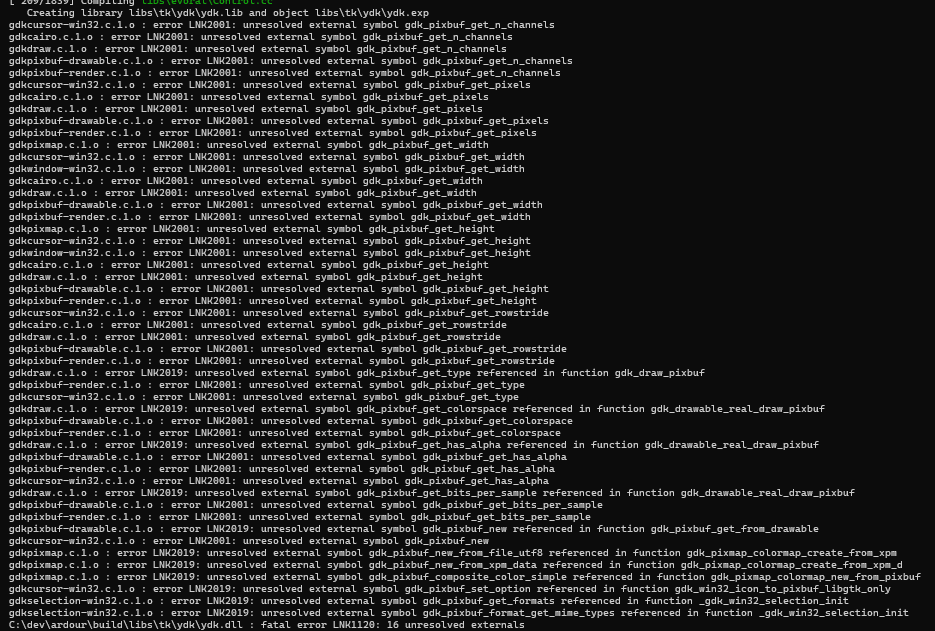
C:\dev\ardour\build\libs\tk\ydk\ydk.dll : fatal error LNK1120: 141 unresolved externals
Edited the ydk wscript (again), edited libs/tk/ydk/win32/bdfcursor.c by adding the following:
#ifdef _MSC_VER
#define strncasecmp _strnicmp
#endif
16 unresolved externals, and they all seem to be related to pixbuf.
If you’re familiar with a Windows Command Prompt, open one and navigate to the folder containing pbd.dll - then run this command:-
dumpbin /EXPORTS pbd.dll
It should than list about 1,000 symbols but my guess is that your dll(s) will probably be empty.
‘dumpbin’ is not recognized as an internal or external command,
operable program or batch file.
Back to the following error currently:
Build failed
→ missing file: ‘C:\dev\ardour\build\libs\tk\ydk-pixbuf\ydk-pixbuf.lib’
I figure the solution probably involves the ydk-pixbuf wscript and/or the yddk wscript.
Yes apologies, it doesn’t work from a normal Windows Command Prompt. I installed VS2022 here but for some strange reason, I need to type VS2019 Command Prompt into my Windows search bar. But after searching online, it seem you might need to type x64 Native into your search bar and that’ll then allow you to launch whichever one’s installed.