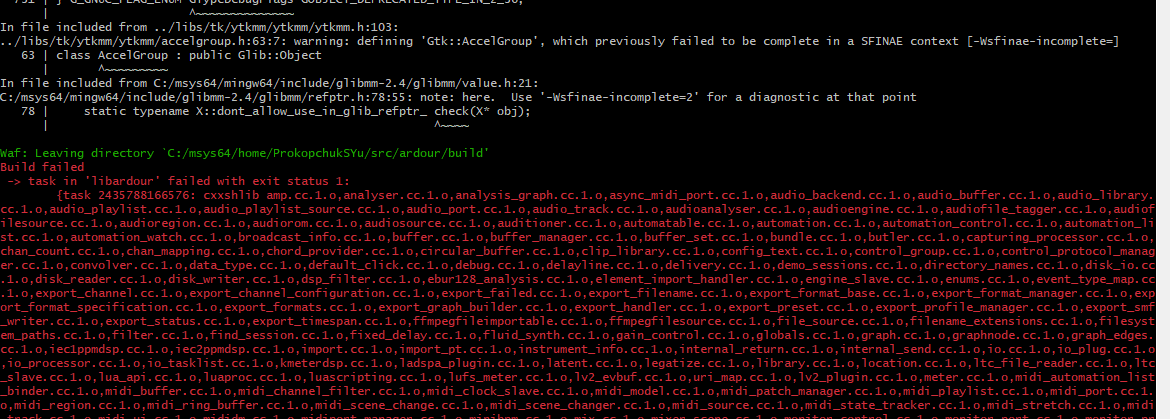
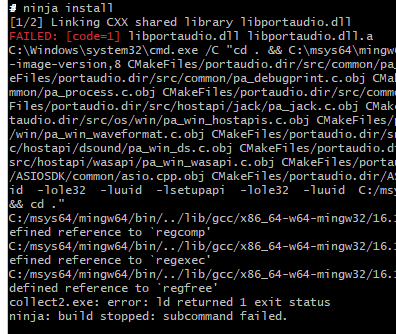
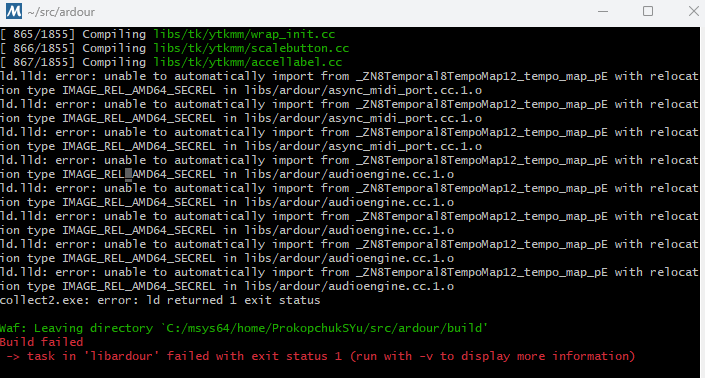
Building Ardour on Windows using MSYS2

Scroll all the way back up…

I suspected that glibmm-2.4 might be a problem. Newer versions break the API.

I cannot think of an easy solution though. Yet since we may also run into this with Ardour on Linux at some point, we could vendor it and include libglimm-2.4 with Ardour’s source-code. Except… pangomm depends on glibmm, so we’d also have to include that.

Maybe it’s a good time to look into this right now, unless you can just build it using the recipe from vcpkg.io just using older source-code, or perhaps you have a flash of inspiration.

I must admit I’m confused now… @EZ4Stephen - when you started this thread you posted screenshots, having successfully built Ardour using MSYS and MinGW. So (presumably?) you were able to obtain compatible versions of glib and glibmm back then. Or did you maybe find pre-built libraries from somewhere?

Does this mean editing the wscript to look for glibmm-2.68 instead of glibmm-2.4 will cause new problems? (Also edited giomm similarly.)

(Lines 1165 and 1167 of wscript, modified:

autowaf.check_pkg(conf, ‘glibmm-2.68’, uselib_store=‘GLIBMM’, atleast_version=‘2.32.0’, mandatory=True)
autowaf.check_pkg(conf, ‘giomm-2.68’, uselib_store=‘GIOMM’, atleast_version=‘2.2’, mandatory=True)

With these changes, I’ve gone past a few more checks.
Currently at

Checking for ‘vamp-sdk’ >= 2.1 : not found

There’s glib2 and glibmm, so I did obtain compatible versions. Though it’s intriguing that I didn’t have the name problem on that occasion, but it came here.


Edit: I’m now at the following.

Checking for ‘rubberband’ : yes
Checking for ‘libusb-1.0’ >= 1.0.16 : not found
Checking for rubberband >= 3.0.0 : yes
Checking for sndfile RF64=>RIFF support : Found
Checking for int128 support : Not found, no int128 support.
Checking for ‘jack’ >= 1.9.10 : not found
Checking for clang : no
Warning: you are building Ardour with SSE support even though your system does not support these instructions. (This may not be an error, especially if you are a package maintainer)
Checking for ‘fftw3f’ : not found

Yes, I think Robin is saying that its API (some function names, for example) got changed so 2.68 will prevent other libraries from working, such as pangomm.

If I follow Robin’s link (to vcpkg.io) it suggests that mere users can add their own libraries (really?) Though if that’s possible, does it offer us a potential solution?

I’ve some contacts at Microsoft so I’ll try to find out if vcpkg still contains older versions of libraries.

Will it come as errors when building, or will the errors be in the final installed files?


I’ve installed libusb in case of a previous error repeating:

I’ve also installed “jack2” from vcpkg, then ran the following:

(gc C:\dev\vcpkg\installed\x64-windows\lib\pkgconfig\jack.pc) -replace 'Version: 1.9$','Version: 1.9.22' | sc C:\dev\vcpkg\installed\x64-windows\lib\pkgconfig\jack.pc

Likewise for ‘fftw3’.


Currently at the following:

Checking for ‘fftw3f’ : yes
hidapi is not yet available for the given system
Checking for ‘aubio’ >= 0.3.2 : not found

It could be either. If function names (or function signatures) got changed, you’ll probably get errors when trying to link to other libraries. But if they’re more subtle changes (e.g. changes to the data in structs or classes) you’ll very likely get run time errors :frowning:

I’ve run into a new problem: After running vcpkg install aubio, no aubio.pc file was made in my PKG_CONFIG_PATH (C:\dev\vcpkg\installed\x64-windows\lib\pkgconfig)

Extract from the config.log:


Checking for 'fftw3f'
['C:\\dev\\vcpkg\\installed\\x64-windows\\tools\\pkgconf\\pkg-config.bat', '--cflags', '--libs', 'fftw3f']
out: -IC:/dev/vcpkg/installed/x64-windows/include -LC:/dev/vcpkg/installed/x64-windows/lib -lfftw3f

yes
----------------------------------------------------
Checking for 'aubio' >= 0.3.2
['C:\\dev\\vcpkg\\installed\\x64-windows\\tools\\pkgconf\\pkg-config.bat', 'aubio >= 0.3.2', '--cflags', '--libs', 'aubio']
err: Package aubio was not found in the pkg-config search path.
Perhaps you should add the directory containing `aubio.pc'
to the PKG_CONFIG_PATH environment variable
Package 'aubio' not found

not found

Wow, I got a reply back already! That’s VERY unusual :grinning: Here’s what they said…

vcpkg generally tracks the latest versions of libraries. Older versions are not usually maintained once updated, unless you use a specific commit of the vcpkg repository that contained the earlier version (for example, glibmm 2.44). You can do this by checking out the corresponding Git commit where that version was still available.

I’m not sure if that means you can keep older versions of vcpkg somehow. Or if it means you can commit older libraries yourself if you need to keep them. Or if it means you can check out (say) glibmm2.80 and see if git will then let you revert it to glibmm2.44

I was making the aubio.pc file, but got confused on the version. According to aubio Versions | vcpkg.link: Vcpkg Ports and Packages Explorer, the version I got is v2024-01-03#0.

I’ve decided to put it as 0.4.9 since that’s what the latest specified version (that isn’t a date format) was.I specifically ran the following:

$sw = [IO.StreamWriter]::new("$env:PKG_CONFIG_PATH\aubio.pc", $false, [Text.Encoding]::UTF8)
$sw.Write(@'
prefix=${pcfiledir}/../..
libdir=${prefix}/lib
includedir=${prefix}/include

Name: aubio
Description: aubio library
Version: 0.4.9
Libs: "-L${libdir}" -laubio
Cflags: "-I${includedir}"
'@)
$sw.Close()

I do wonder what I’d have to do if I built aubio myself instead of getting it from vcpkg, but I’ll avoid doing that at the moment.


Checking for ‘gio-unix-2.0’ : not found

I expect Ardour will not compile with glibmm-2.68

That is the float (not double) variant of fftw3

That looks like a bug… unix is only for Linux and macOS. Fixed now in git

In case it’s useful, I received another reply from Microsoft this morning. I’m not massively familiar with vcpkg but I don’t think switching to older libraries is quite as simple as I suggested above. Here’s what they said:-

vcpkg integrates with Git under the hood — each port in vcpkg is tied to a specific Git commit. If you want to use an older version of a library, you can check out an earlier commit of the vcpkg repository (for example, using git checkout ), and then run vcpkg install . That will build and install the version of the library corresponding to that commit.

This approach lets you reproduce older versions of packages, even if the current port has since been updated.

The obvious problem (I guess?) is that you’d need some way of knowing which of vcpkg’s earlier versions contained the release you’re looking for. So in practice, downloading earlier versions of a library might be a lot more difficult than it seems :frowning:

You can always google the date a particular glibmm version (for instance) was released and then run git tag in the vcpkg git clone to see what tag is closest to that particular date and check out that tag (or one a reasonable amount of time after that).

Then have a look at the ports/glibmm/vcpkg.json (or ports/glibmm/portfile.cmake in older checkouts) file to see the exact version it corresponds to.

That said, glibmm appears to have been added to vcpkg in 2017, in commit 30f742160281, and that was version 2.52.1 :

set(SOURCE_PATH ${CURRENT_BUILDTREES_DIR}/src/glibmm-2.52.1)
vcpkg_download_distfile(ARCHIVE
    URLS "http://ftp.gnome.org/pub/GNOME/sources/glibmm/2.52/glibmm-2.52.1.tar.xz"
    FILENAME "glibmm-2.52.1.tar.xz"
    SHA512 702158762cb28972b315ab98dc00a62e532bda08b6e76dc2a2556e8cb381c2021290891887a4af2fbff5a62bab4d50581be73037dc8e0dc47d5febd6cbeb7bda
)

Maybe it’s possible to just replace the URL with https://download.gnome.org/sources/glibmm/2.44/glibmm-2.44.0.tar.xz and the SHA512 with 1b0ac0425d24895507c0e0e8088a464c7ae2d289c47afa1c11f63278fc672ea8 and compile it but you may need to replace some of the dependency versions as well.

1 Like

I’m still sticking to whatever vcpkg gives instead of downgrading, for now.

I’ve managed to complete the configure since my last comment here, having downloaded a few more packages and running a few other commands, such as

$env:AS = "C:\Program Files\Microsoft Visual Studio\2022\Community\VC\Tools\MSVC\14.44.35207\bin\Hostx64\x64\ml64.exe"

I’ve dealt with some

cl : Command line warning…

By doing the following:

Replace the following in the root wscript:
if conf.options.cxx17 or platform == "darwin":
    conf.check_cxx(cxxflags=["-std=c++17"])
    cxx_flags.append('-std=c++17') 

With:
    if conf.options.cxx17 or platform == "darwin":
        if compiler_name == 'msvc':
            cxx_flags.append('/std:c++17')
        else:
            conf.check_cxx(cxxflags=["-std=c++17"])
            cxx_flags.append('-std=c++17') 


Also replace
        'full-optimization' : '/O2',
with
        'full-optimization' : ['/O2'],

Those were manual edits. I also dealt with the following error:

C:\dev\ardour\libs\pbd\pbd\signals.h(36): fatal error C1083: Cannot open include file: ‘glibmm/threads.h’: No such file or directory

by running the following:

Get-ChildItem -Recurse -Include *.h,*.cc -File |
  Select-String -Pattern '#\s*include\s*<glibmm/threads\.h>' -List |
  ForEach-Object {
      (Get-Content $_.Path -Raw) -replace '#\s*include\s*<glibmm/threads\.h>',
"#if __has_include(<glibmm/threads.h>)`n#include <glibmm/threads.h>`n#endif" |
      Set-Content -NoNewline $_.Path
  }

Here’s a link of the latest warnings/errors.

Ah… regarding the errors Cannot open include file ‘ardourext/[whatever].h’ those files get generated by my .vcxproj file, when I’m building libpbd here. I could possibly upload a zip file containing those files but I remember that Ardour’s forum is quite limited as to what files are acceptable. Does anyone know if zip files are acceptable?

Do you reckon it’s a good idea to start a new forum post regarding the build errors?

Probably a good idea… and as Peder explained, eariler versions can be found but I guess the downside is that earlier versions of all the libs needed for Ardour might be in multiple different versions of vcpkg, so it’ll quickly turn into a nightmare if we’re expecting newbies to find the support libs themselves.

For me, this has come full circle… if we want to attract new programmers for the non-linux builds, Paul and Robin need to think about providing pre-built support libraries (and corresponding header files). I guess the good bit is that those libraries only change very rarely nowadays - so it’s not like they’d need to be getting rebuilt all the time.

@EZ4Stephen - back around post#6 I mentioned that someone called Andre was the other guy who’d once built Ardour using MSVC. He just emailed me to say that for the support libs, he’d needed to create something called vcpkg overlays. I’m not quite sure what they are but it sounds like they’re some way of customizing vcpkg builds to add your own build requirements.

You’re probably already aware of overlays but in case you’re not, I’m just mentioning it, in case it’d be worth you reading up about them.

I checked what it does but I’m not sure how that’d help. Thanks for mentioning though.

@EZ4Stephen I’ve pushed some code (mostly the sed stuff from your original guide) up to the Ardour repository that makes this all a bit more plug-and-play. I’ve also hooked up ccache and got ardev working for a smoother dev workflow. Tested and working on a fresh win11 VM. Here’s an updated guide:

MSYS

  • Install MSYS2

  • Open MSYS2 MINGW64

  • pacman -Syu

  • Open MSYS2 MINGW64 again

  • pacman -Syu again

Packages

  • pacman -S --noconfirm --needed git unzip make mingw-w64-x86_64-{toolchain,boost,glib2,glibmm,libsndfile,curl,libarchive,liblo,taglib,vamp-plugin-sdk,rubberband,aubio,cairomm,pangomm,jack2,serd,sord,sratom,lilv,libwebsockets,cmake,libusb}

  • (optional) pacman -S --noconfirm --needed mingw-w64-x86_64-{lld,ccache}

  • If you chose to skip lld, omit --use-lld from your ./waf configure.

  • If you chose to skip ccache, ignore the ccache section entirely.

PortAudio/ASIO


cd ~

mkdir src && cd src

git clone https://github.com/PortAudio/portaudio.git

curl -L -o asiosdk.zip https://www.steinberg.net/asiosdk

unzip -q asiosdk.zip

cd portaudio

mv ~/src/ASIOSDK asiosdk

mkdir build && cd build

cmake .. -DCMAKE_INSTALL_PREFIX=/mingw64 -DPA_USE_ASIO=ON

ninja install

  • (for now) sed -i '/^Libs:/ s/$/ -lsystre/' /mingw64/lib/pkgconfig/portaudio-2.0.pc

    • This is temporary (hopefully). I’ve submitted an issue to PortAudio’s GitHub repo.

FFTW


cd ~/src

curl -LO https://fftw.org/fftw-3.3.10.tar.gz

tar xf fftw-3.3.10.tar.gz && cd fftw-3.3.10

./configure --build=x86_64-pc-msys --host=x86_64-w64-mingw32 --prefix=/mingw64 --enable-shared --disable-static --enable-float --enable-threads --with-combined-threads --with-our-malloc --enable-sse --enable-sse2 --enable-avx --enable-avx2 --disable-dependency-tracking

make -j$(nproc)

make install

lilv

  • sed -i '/^Libs:/ s/$/ -lsratom-0 -lsord-0 -lserd-0/' /mingw64/lib/pkgconfig/lilv-0.pc

    • Like the PortAudio tweak, this is hopefully also temporary.

Ccache


mkdir -p /mingw64/local/bin

cp /mingw64/bin/ccache.exe /mingw64/local/bin/gcc.exe

cp /mingw64/bin/ccache.exe /mingw64/local/bin/g++.exe

echo 'export PATH="/mingw64/local/bin:$PATH"' >> ~/.bashrc

source ~/.bashrc

Ardour


cd ~/src

git clone https://github.com/Ardour/ardour.git && cd ardour

./waf configure --check-c-compiler=gcc --check-cxx-compiler=g++ --dist-target=mingw --configdir=share --no-execstack --no-dr-mingw --cxx17 --ptformat --use-lld

./waf

  • You can now launch Ardour with ./gtk2_ardour/ardev (given you are currently in ~/src/ardour).

Edit: Had to fix a few things after some of my commits got reverted, but should be working again.

2 Likes