If it’s of any interest I added ffmpeg’s interlace detection idet filter to my deinterlacing options, it runs for 1000 frames and it will change bwdif’s parity setting for field detection based on it’s analysis, if the analysis detects interlaced frames and the User has not selected deinterlacing it will invisibly switch on deinterlacing for the encode. I’m sure you have far fancier tricks up your sleeve but I thought I’d mention.
Re: The Beatles, it at least seems that the Beatles streaming stuff still ends up on Physical Media somewhere along the line, most things don’t now. A few years ago they officially released the CCR Royal Albert Hall Concert with unseen extra documentary footage. I have several bootlegs of that concert but the official film has never been released on either Bluray or DVD and I doubt it ever will. It streamed on Netflix here in Canada but has now been pulled and is unavailable on any other platforms. This is another thing that bolsters my belief in having the things you love on physical media, there are no guarantees that things will stay on streaming servers…
*EDIT I’ve put up an update to the AVL-MXe File Actions here
I have read a bit about using the idet filter but I have not tried it to any extent. Probably should soon and document some testing. This sounds like a really great idea. I will experiment with this directly in FFMpeg so I can import into FFQt.
I don’t do a lot of de-interlacing professionally but I do some personally on old videos. Most of my equipment is progressive so all DJI footage and Sony camera footage is always progressive.
Broadcasting ATSC 1.0 is either 1080i, 720p or 480i. All our channels are in either 1080i or 480i for most of the sub-channels. So we are interlaced for everything SD and HD. Once ATSC 3.0 becomes widely available, this can all change to progressive. In fact, CBS will be providing an optional 1080P 4k stream to affiliates starting next month. Of course we cannot use it until we upgrade to ATSC 3.0. Our biggest challenge at the moment is SMPTE 2110. It replaces SDI with IP (@25Gb/s). It is literally as big of an upgrade as it was going from analog to digital. Fun stuff!
Hi, sorry on the run today but I don’t want to leave this unanswered. You don’t need to reinstall, some updates will come through the Repos and if you read the release announcement you will see near the bottom the instructions to get the new File Actions for existing Users:
Hah, this morning i had a small everyday task battle won in AV Linux .
Friend of mine called to send him some albums i produced long time ago, in order for him to play it on a newly formed local radio. I had about 2 hours of free time to acomplish the task. “No Windows today” was my morning mantra. Quickly i gathered the archive hdd’s, ran thru them and found all the stuff in mp3s, but then…i had to compress it (around 9/10 albums of mp3 files) and send it all via WeTransfer. I realised i never did this in AV Linux. Googled it - Holy Google said i have to install .zip package via MX Package Installer and then use it in via terminal without GUI. Holy —t i tought, there’s no time for something like that, especialy for the first time ever.
Then it occurred to me - this is a dedicated Audio/Video production distro, there’s no way @GMaq didn’t already account for this. After some clicking around, turns out you’ve got embeded funtion in file manager to compress files in many different archive formats that u can access by simple mouse right-click+choose - But it has to be done thru file manager.
Anyway, task done, i catched the deadline, worked out great, everybody happy .
Linux has realy gone a long way to make these kinds of simple everyday tasks get out the user way.
Hi, sounds like you found the ‘PACPL’ converter, I can’t take credit for the converter itself but it’s been in the AVL File Actions for a long time and it’s very handy for sure, glad you found it useful!
@GMaq - here’s another dumb question (as an old saying goes : “There’s no such thing as a dumb question” )
How do you approach system updates in AVL yourself?
Do you create system snapshots and then update?
Do you update at all?
If you ask me i’d never update anything if the os works normaly from the get go, but i do understand it’s necesary (browsers, web stuff in general)…
?
Updating is a bit of a mixed bag in AVL/MXM for the most part the MX updater in your systray should be notifying you of updates and Repo updates should be safe (it is Debian stable after all). Conversely much of the customized part of AVL is not in a Repo this includes things like the AVL File Actions, Ardour, External Plugins, extra Enlightenment themes etc. Should AVL just have it’s own Repository? Probably yes, but I never have had the spare time to take that extra step, I focus on building ISOs, testing updates and improving the AVL tools and I’m very much an ‘If it ain’t broke don’t fix it person’ so while I’m happy for browser and security updates etc. I tend to leave a working DAW and Plugins alone as much as possible. Sorry I’m digressing…
In general for ‘wheels and chassis’ stuff you should be fine to keep pace with Repo updates and for AVL-specific extras any updates will be placed here: https://bandshed.net/packages/BSRPKG/
The original idea of the BSRPKG (Bandshed Records Packages) archive was to put the custom ISO stuff in a archive so if somebody uninstalled a unique AVL component they could get it back since they were not available in a Repo, I still primarily use it for that but important updates also get put there, as an example 2 days after AVL 25.2 was released Ardour 9.7 was released. AVL exists primarily as a ready to use environment for Ardour so I always try and cherry-pick the very best Ardour I can for the ISO, since I missed a new release by 2 days I put a 9.7 update in the archive. BTW I do notify about these things but only on the MX Respins forum:
@GMaq
Hey Glen, how’s Enlightment behaving in your setup? To me it’s a little quirky…like - sometimes i open up a new window at it gets stuck in upper left portion of desktop and dont’t respond if i try to move it. Or - few days ago my bottom panel just dissapared, so i had to create it again. Or sometimes it just turns off the displays (dual display setup) in the middle of active usage and then sometimes it turns them back on after a few seconds, sometimes not so i have to r-e-i-s-u-b the machine. Any quirks like that?
It’s summer my busiest season for offline work and playing gigs so AVL gets a shuffle in the priority list so it may take me a few days to catch up. Enlightenment is ‘quirky’ in some ways and I have experienced the odd window appearing with it’s titlebar offscreen and needing an alt+click-drag to move it. As far as disappearing panels or dual monitors shutting off I haven’t seen anything like that personally.
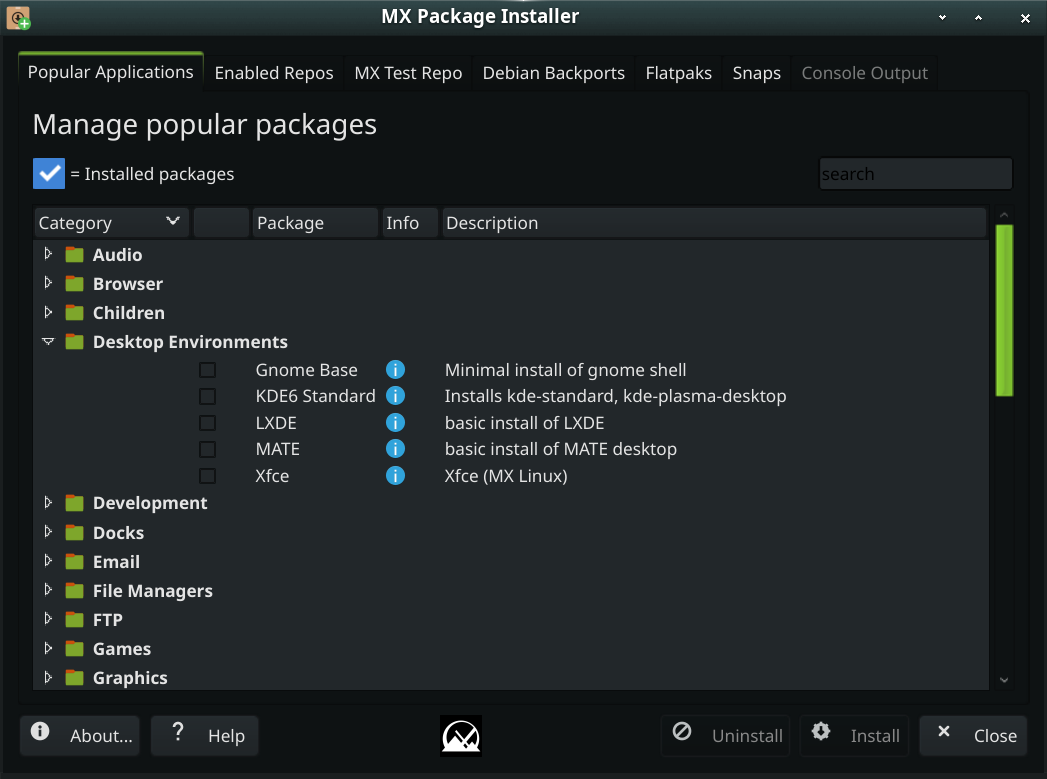
If you want to install another D.E. you can do that through the the ‘Popular Applications’ tab in the MX Package Installer. If you want the AVL Custom Actions to continue to work you will want to keep Enlightenment’s ‘terminology’ terminal installed.
*NOTE I don’t test or support other DE’s with AVL, it should work but you are on your own…
Yes it is interesting.
I don’t know why xfce grew on me too…it’s not exactly eye candy or user friendly in any significant way. Guess i don’t like flashy stuff too much (like KDE) - i want an user interface not a Fanta commercial, and xfce is pretty gentle on ram usage compared to other popular options. It works, it doesn’t behaves erraticaly, and it has small things enabled like - posibility to copy files to desktop directly without the need for file manager…and i do use search in start menu from time to time - like, i’d often just enter “cp” and it takes me to cpu governor, or “h” and i end up in htop . Old habbits die hard…i guees i typed “dev” a billion times by now to check things in device manager .
I also don’t find Enlightment bad, it’s just that it behaves buggy to me.
You know, not that we’re talking about it…I’ve sporadicaly used many different AVL versions over the years, with many different DE’s (i’m not sure which one was the first one i used, but i’m possitive i’ve used 5.0.2) .
This one was visualy most striking to me:
That being said, i can’t realy comment on the whole experience of it, cause i mainly used it for web surfing and checking out what’s new in linux audio domain…and it was installed on an ancient unibody macbook machine (core2duo), until i accidentaly spilled Cola over it, and a little life-carrying smoke went out it .
Haha, people called that the “Looney Tunes” version and many people did not like the substitution of Openbox instead of xfwm… I really have an issue with the RAM consumption in XFCE4, it’s a very plain interface and to my way of thinking approaching 1 Gb of RAM is not in any way ‘lightweight’ but many would disagree.
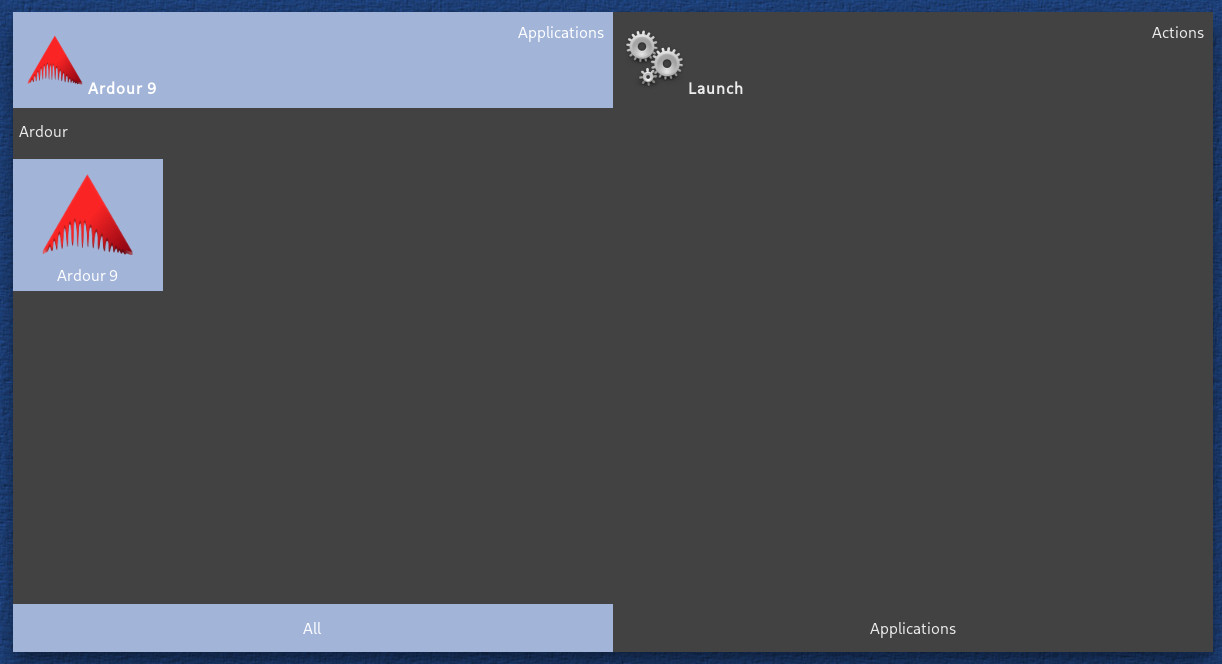
The good news is I just minted a Enlightenment/XFCE4 hybrid ISO and everything seems to be working and all the defaults appear where expected. I will probably put up some testing ISOs soon if people want to try it out… By the way in AV Linux there is a hotkey (Super+m) that brings up an Enlightenment searchable menu, you’re not limited to the plain menu…
Looney Tunes always were my jam!
That “Hello, i’m Wilile E. Coyote, Supergenius” episode or those 2 shipwrecked dudes with Bugs Bunny on an island - it doesn’t get any better than that . No wonder i liked that version of AVL.
Yeah, i agree, 1gb of ram is not exaclty lightweight…but hey - it works. I’ll have to check it out, but on my laptop, debian13+xfce is something like 600mb on idle.
 .
.
 I really have an issue with the RAM consumption in XFCE4, it’s a very plain interface and to my way of thinking approaching 1 Gb of RAM is not in any way ‘lightweight’ but many would disagree.