I’m currently running Ardour 8.12 on Windows 11, but have run the software since 2021 without any real issues until now.
Today I upgraded the graphics card on my rig, and Windows in its infinite wisdom tends to view monitors as ideal sound output devices, and suggest them as your new audio device whenever they’re re-presented to it through new hardware, like a new graphics card. I have better output than those, though, so I went and disabled them as output devices from Control Panel…
I get sound from every other program on the computer, but opening an Ardour project gives me a message about “Engine I/O device has changed since you last opened this session”
That’s fine by itself, I can then choose the proper output device afterwards.
However, when the project loads there’s no sound. I read through some other posts about similar issues, and have tried several things, like reinstalling Ardour (trying with and without the WASAPI driver) and checking the Master channel’s output device, and for some reason the “Hardware” tab is not hooked up to any playback. However enabling them, as suggested in different threads, does not enable playback.
If I start a new project, choosing the exact same audio output device as above, THAT works, but no matter what I do I can’t seem to get audio back in existing projects, and I certainly do not want to remix every track I’ve got from scratch…
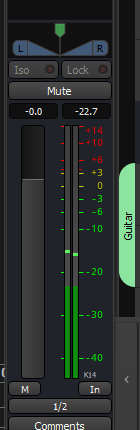
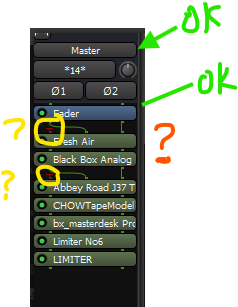
When I play I notice that the audio level bars are moving on all individual tracks and busses, but the Master is completely dead:
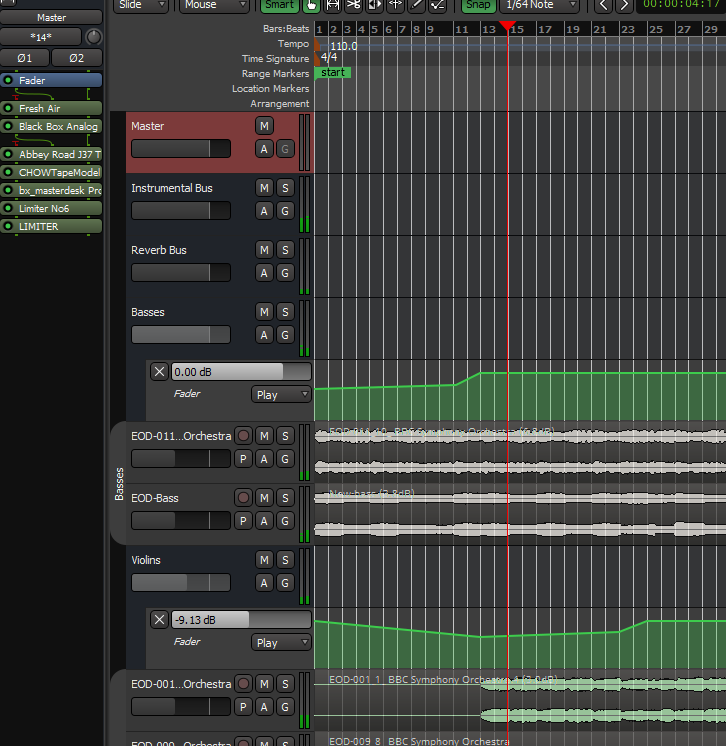
That also affects exports, which shouldn’t really go through the output device (?), which also end up completely mute.
I’ve even tried some manual editing of the project XML-files even, trying to copy the output settings from a working new project to an old ones, but when I open that I still get no audio, despite no error messages…
I’m in desperate need of some suggestions on how to fix this issue! Is there for instance any way of deleting a master bus and adding a new one, and get things working that way?
Hope someone can help with this!