So you have an external MIDI Clock source and want Ardour to play along to that?
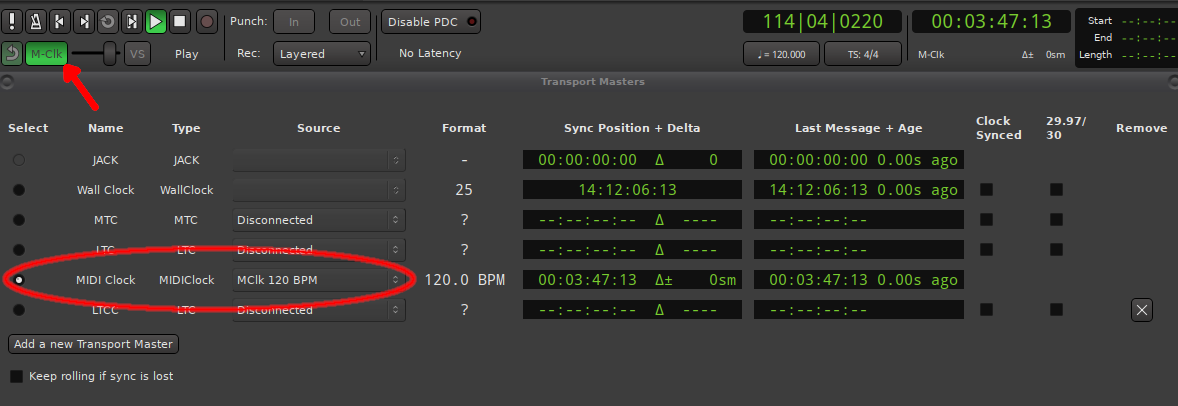
Ardour Menu > Window > Transport Masters
Select MIDI Clock and pick the MIDI port that has the Clock signal. Next can enable external sync using the toggle-button below the main transport controls:
My expertise is really only with Timecode (MTC, LTC) and i never use MIDI clock myself; but I just tested it here, sending MIDI Clock from Ardour to another Ardour instance… works fine.
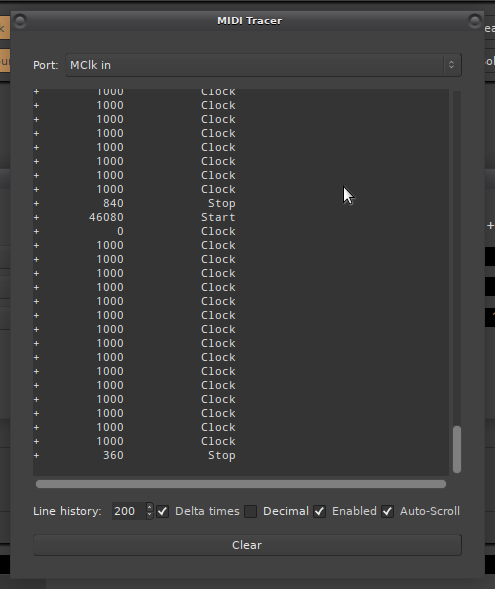
Can you check with Ardour’s MIDI tracer if the device sends both a clock signal as well as
start (or position, continue) messages?
Thanks a lot, Robin.
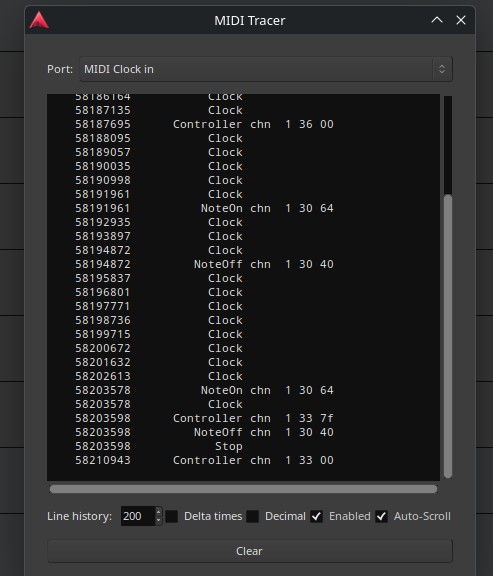
I’m attaching a screenshot.
What I don’t understand is why, in the same environment, all the other programs work when “MIDI Clock In” is enabled, except for Ardour.
Personally, I don’t have a strong opinion on it.
I’m just looking at the synchronization options.
The software lets me select a hardware device for MIDI clock input, and it always works well.
In general, MIDI clock is reliable, stable, and precise.
Ardour’s MIDI clock output works very well with hardware gear, though the MIDI clock input doesn’t.
Now that I know I also need to enable MTP and MMC input for it to work, I’m happy enough with that.
Thanks again to the whole team for your help and hard work.
MMC is quite different. That is for remote controlling tape machines (or multi-track recorder in general): Start, Stop, Rec-arm, Rewind, etc. It is no not synchronous (no clock sync).
This controls Ardour’s internal transport state, and is not relevant when using external clock-masters (such as MClk or MTC).
PS. When you say MTP do you mean MTC (MIDI Time Code)?
The only hardware that I had to generate MIDI Clock and test it with Ardour is a Roland VS-890. But I gave it to @JL1 as permanent loan a few years ago.
Back then Ardour sync’ed fine to it, but that was before the overhaul of transport masters in Ardour 6.