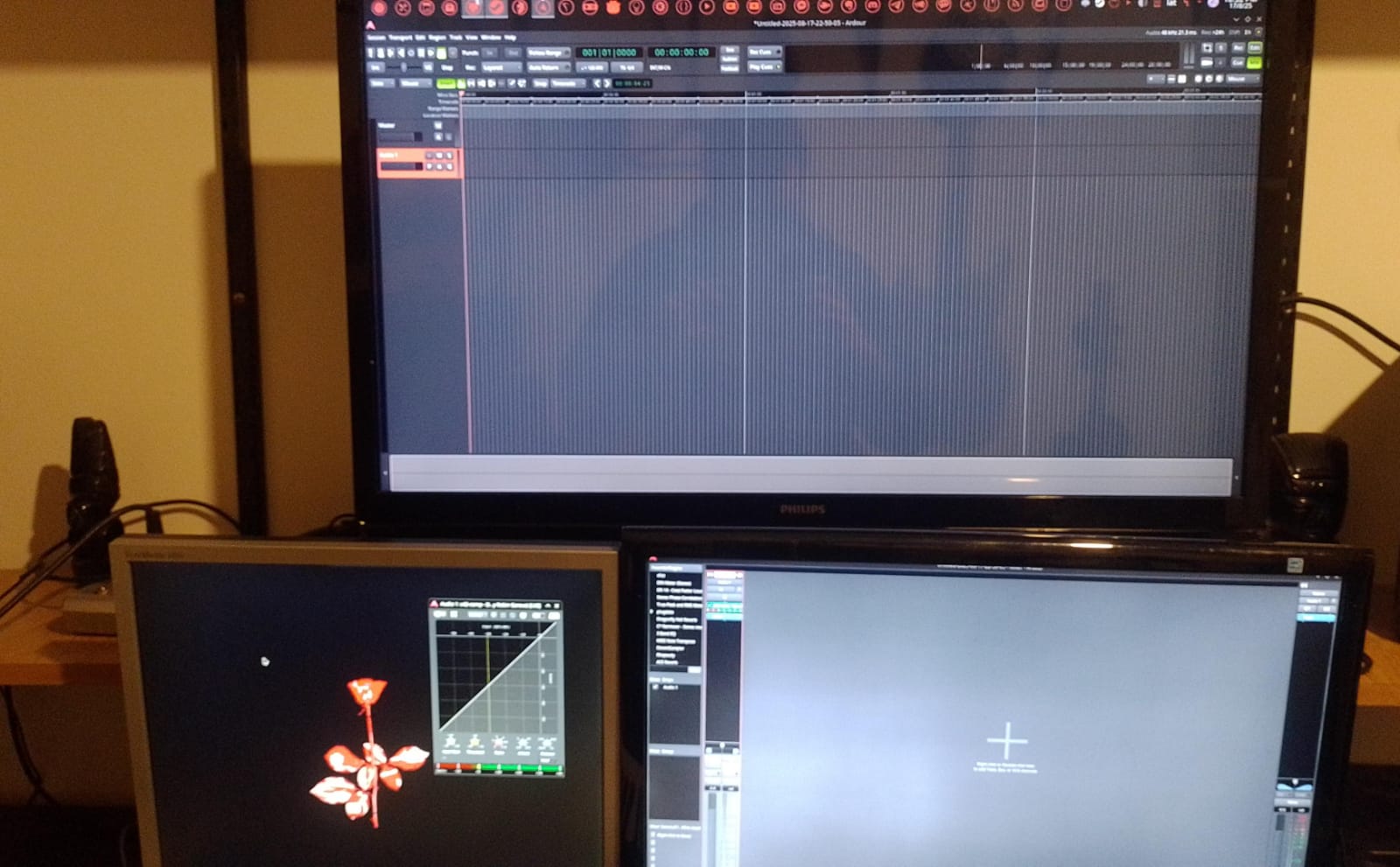
An ongoing issue with Ardour on Linux is configuring windows for multi resolution monitors. I currently have an HD and 4K monitor. For Ardour, my usual setup in the mixer on one screen and editor on the other.
I have had a discussion with Ardour devs before and they say, “get two 4k monitors or two HD”. I do video editing, so I need the 4K. Also, I do not want to squint at all text, so the 2K monitor is a mercy.
I run Harrison Mixbus (version) 10 and can resize windows such that is usable. On Ardour 8.12, I cannot get a dual monitor setup unless all monitors are uniform. (i.e. all 4K or all 2K or whathaveyou.) Oddly, on Windows, Ardour adapts PERFECTLY to a setup with multi resolution monitors. In Linux, it does not.
Last I heard, Ardour devs say that multi-resolution monitor setup for Ardour is simply not possible on Linux. I hope this changes.
It’s not “multi-resolution monitor setup for Ardour is not possible on Linux”, but rather “Linux does not provide the same multi-resolution monitor functionality that macOS does, to any application”. There’s nothing we can do about that as Ardour developers.
I have an 12" monitor with 4K resolution that I use on occasion alongside 2 full HD displays, and on Linux I just configure the 4K display to be also only full HD.
@paul Among other programs, I also run DaVinci Resolve Studio and they made it possible for Linux…for years, really.
Perhaps a “single screen mode” for Ardour, like DRS does? Or maybe the ability to resize the windows even more…? (You are only allowed to resize a window so much)
Oh, hey, thanks for replying!
@x42 " Linux I just configure the 4K display to be also only full HD." <---- Oh…come…on…
The system we consider worth having is what macOS provides. No application can do this for itself. Linux doesn’t offer that (possibly in the future Wayland might get close, but it can’t do it yet).
I don’t know what “single screen mode” would mean …
So on DR (you can download the program and run it for gratis, even though it is non-libre), you can toggle a window where features are squished onto a single monitor…like if you are running it on a laptop and then when you get home (or office) on your multi monitor setup, you toggle dual screen mode.
So basically, I am saying, that maybe something where you can squish your editor and mixer onto one screen. Or, on Reaper, which is already single-screen-mode by default, I can yank out bits and pieces and drag them to another screen. Blender does this too, where ANYTHING I want, can be ripped out and dragged to another screen and it is AWESOME.
But you guys do not have a hot and bothered orgy of developers those guys do, so I get your time and resources are limited. So whatever is easy to make multi monitor resolution setup possible…with the least effort…
Well, I’ve been a long time user of workspaces on my systems, so the idea that I have to squish everything into a single screen’s worth of stuff is a bit foreign to me.
With Ardour, you can:
(a) put the editor and mixer in their own windows and leave them on the same monitor, toggling between them with alt-e
(b) leave them all in a single window, and toggle between them with alt-e
We generally think that the functionality of each our main tabs (editor, mixer, recording, cue) are different and distinct enough that trying to merge them is bad for most users. One exception is the editor mixer strip.
It comes down to how well the ideas are implemented. With Blender, it is a way of solving problems when you have extra screen real estate. There are also poor implementations of this, such as Lightworks where multi monitor mode and customization of their GUI is a nightmare.
While yes, as @paul points out, one can simply toggle screens on a laptop, ad infinitem, it is so much easier to think ‘how can we get what we need onto one screen?’ Though, for laptop, I was recently gifted portable monitors…so…
my point is that you can’t get what you want on one screen unless your model of an ideal workflow is very different than anything ardour offers.
we have considered making it possible to have something like we did for Harrison LiveTrax, where stripped-down mixer strips are on the same page as the editor. But LiveTax does not support plugins, which means that the mixer strips can be much smaller.
In Linux use Linux tools, when I had two screens I used to have stuff like below (given as a quick example to adapt to your needs) in a launcher script:
I don’t understand. Granted, I don’t have the latest Ardour version and I have no idea if your issue is caused by that “Harrison Mixbus” I don’t know… but I just have a Linux setup with two monitors, one is 4K and one is ‘3K’ (2560x1440) and I have Ardour’s main window on one screen and its mixer window on the other. Ardour in this respect is not different from any other program. What am I missing here? Did something change for the worse?
I run Ardour with 3 different monitors, all different aspect ratios, on lInux. 1 of them isn’t even full HD and is VGA. No issues either with X or Wayland. Maybe it’s something related to resolutions above full HD?
Here is a pic of a session with the barely minimum to prove it:
Then I would use these screens to some prefered size, for instance, say I’d wish to put editor in one big screen and have the mixer in a more “closer look” display I’d put in a script named “_ARDOUR” something like:
###	set the two screens
	xrandr --output HDMI-0 --mode 3840x2160 --scale 1x1 --brightness 0.5 --panning 3840x2160 ;
	xrandr --output DP-0 --mode 2560x1600 --scale 1x1 --brightness 0.6 --panning 2560x1600+3840+0 ;
	###	another way to setup the brightness if previous self content fails
	sleep 1.5 && xrandr --output DP-0 --brightness 0.6 && xrandr --output HDMI-0 --brightness 0.5 ;
	sleep 0.9

###	launch Ardour
	env v_blank_mode=0 Ardour8 -a $@ &> /tmp/_ARDOUR-$(date +%s).log

###	When finished, reset the screens to their main fav appearences
	sleep
	xrandr --output HDMI-0 --mode 3840x2160 --scale 1x1 --brightness 0.5 --panning 3840x2160 ;
	xrandr --output DP-0 --mode 3840x2160 --scale 1x1 --brightness 0.5 --panning 3840x2160+3840+0 ;
(Note the sizes and sleep times are arbitrary after empirically finding they suit the hardware I had at the time)
Many or perhaps even most current distributions are using Wayland. The actual xrandr software is not used for XWayland, although there are similar Wayland equivalents with most desktop environments.
I think gnome-randr and kscreen-doctor would be the equivalent Gnome and KDE software for Wayland environments.