What might be the best way to use Ardour for live performances? I love Ardour, and it fits the bill nicely for playing back pre-recorded tracks and sending out MIDI commands, but I would either need to open the next song session for every song change, or create one long (an hour or more) session, with auto-return off and tempo changes inserted. Which I’m not opposed to. Just looking for advice on the best way to do this. I’m open to trying other software, but I’m comfortable with Ardour and it does exactly what I need it to do for each song in a performance.
Are these my options, or is there perhaps a better way to do this?
Cue lists and cues in general might be your best option, in combination with a MIDI controller that has a couple of faders to allow basic mixing between channels and a couple of buttons or pads to select and start clips. From that point you’re on your own, there’s no gold standard for live performances and you’ll scarcely find two live acts who agree on anything in the world.
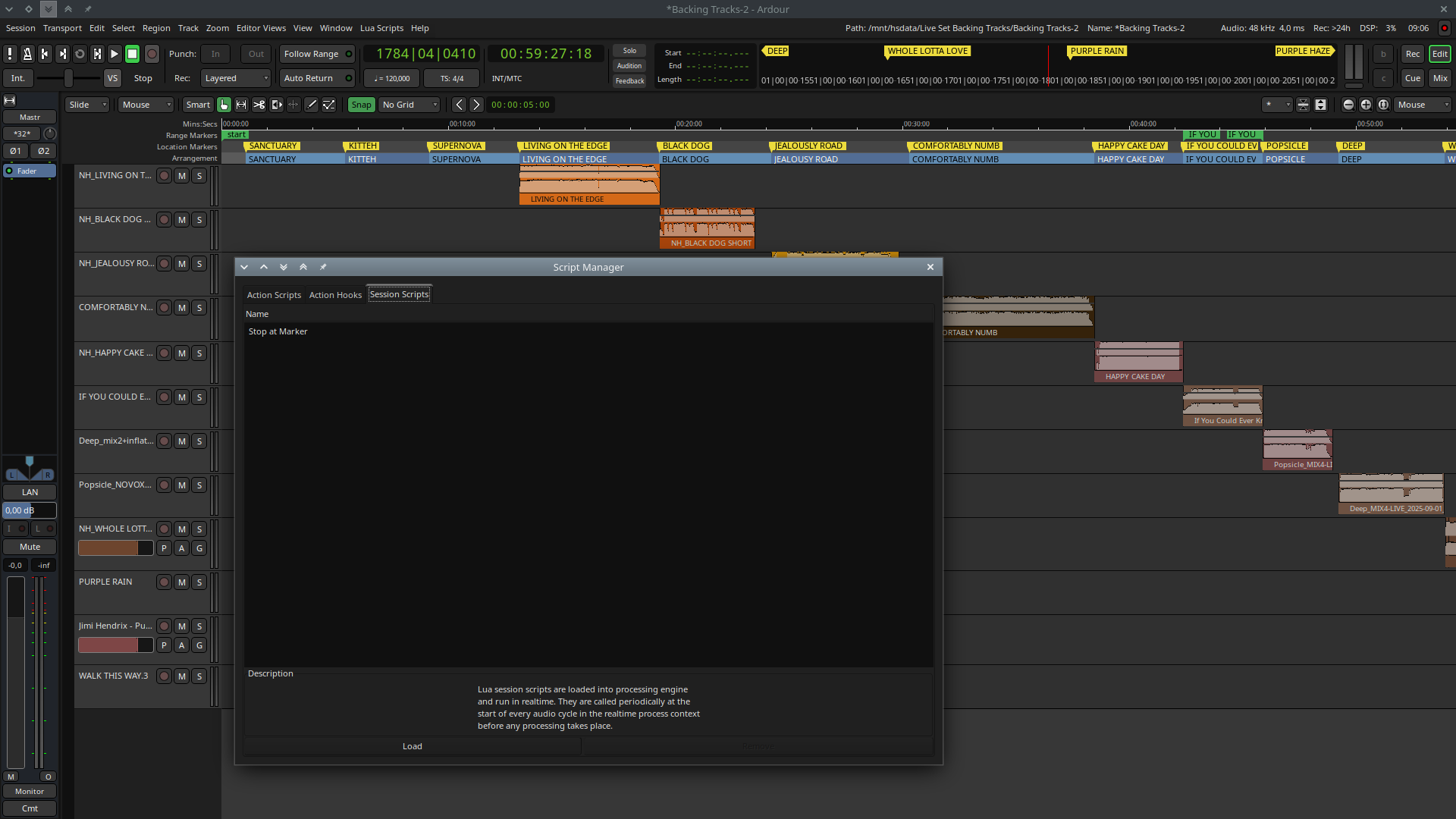
Hi, I’m using Ardour as per the second option you mentioned – one long session with tempo changes and location markers indicating the start of new songs, and MIDI tracks routed to send external MIDI to pedalboards, QLC+ for programmed lights, and now working on triggering videos using OBS.
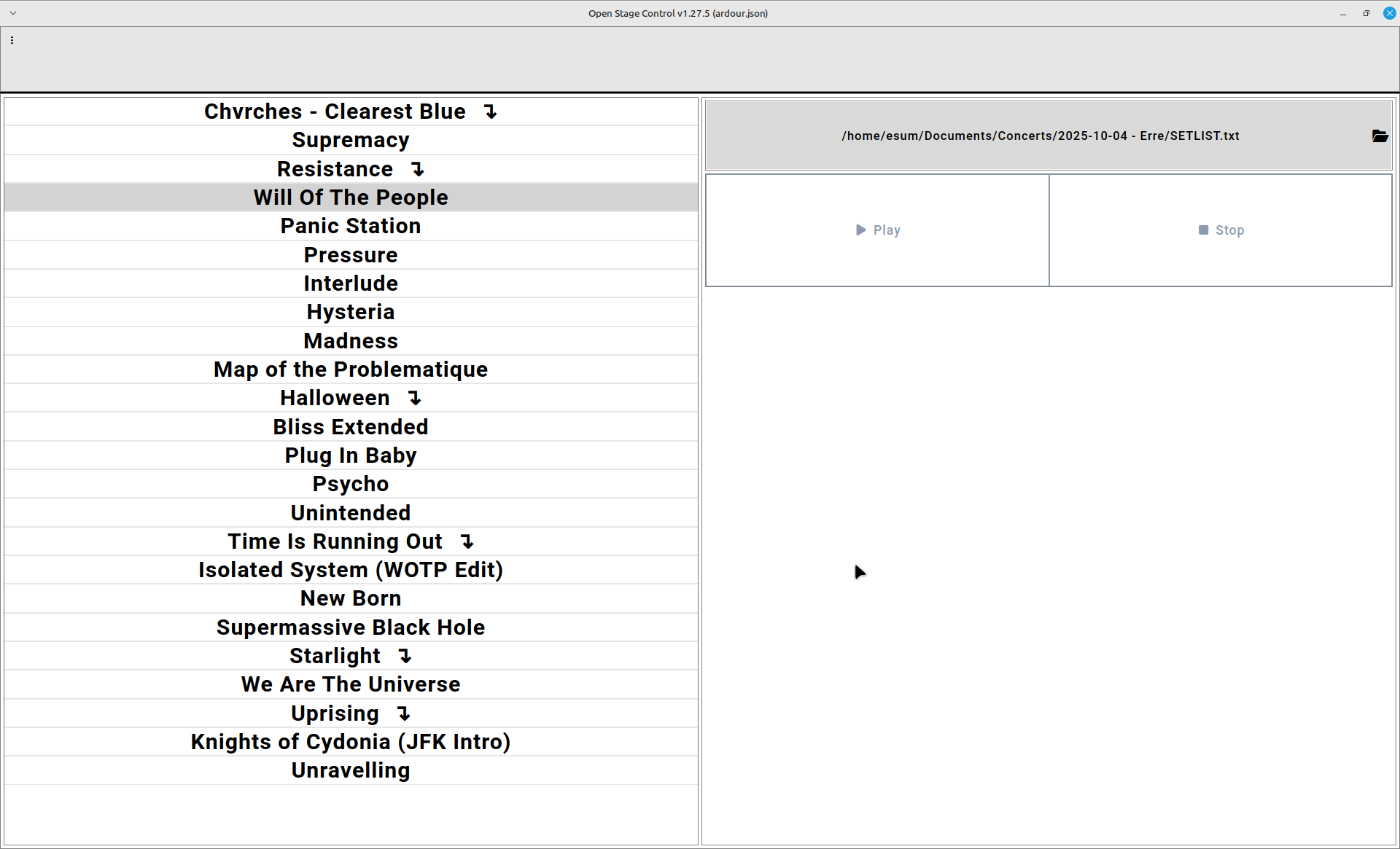
I use Open Stage Control with a custom module to display a UI for my drummer to start songs.
I shared my setup here, I actually redid the OSC UI/module recently to be much more flexible and display a setlist from a TXT file. I’ll share it there soon.
I made a playback session for a client on Ardour following this video showing how to do it on Ableton Live.
The tools have different names, but it’s very simple to convert the tips from one software to another.
Using Markers before each music I can jump from one song to another just using the side panel under Shift + L, then selecting the Marker and hitting play. Unfortunately it’s necessary to create the tempo change markers for every song.
I’ll try to find the session on my HD.
One big session with markers placed at the beginning of every song.
A standard midi patch pedal, that I have mapped to different functions (previous marker, next marker, transport roll/stop and an “emergency stop”. Don’t need to futz with a computer during a show. It’s all at my feet.
A lua script called: “stop_at_marker.lua” that stops the playhead at each marker, that way I can talk to the audience or improvise something without worrying about the next track starting too soon.
Hi @thekoala , would you mind sharing that Lua script and how to use it? I’m embedding this auto-stop logic in my Open Stage Control custom module for now but I’d much rather have it managed by Ardour itself!
Thanks, I didn’t know about this part of Ardour! I was able to tweak it so it stops on every Cue A – this has been the special marker I’m using to indicate the end of songs.
Here it is in case anyone finds it useful
ardour {
 ["type"]    = "session",
 name        = "Stop at Cue A",
 license     = "MIT",
 author      = "Florimond Manca",
 description = [[Stop the transport on every Cue A marker when rolling forward.]]
}
function factory ()
 return function (n_samples)
  if (not Session:transport_rolling ()) then
   -- not rolling, nothing to do.
   return
  end
  local pos = Session:transport_sample () -- current playhead position
  local loc = Session:locations () -- all marker locations
  -- find first marker after the current playhead position, ignore loop + punch ranges
  -- (this only works when rolling forward, to extend this example see
  -- http://manual.ardour.org/lua-scripting/class_reference/#ARDOUR:Locations )
  local t = Temporal.timepos_t (pos)
  local m = loc:first_mark_after (t, false)
  if (m == Temporal.timepos_t.max (t:time_domain())) then
   -- no marker was found
   return
  end
  local mark = loc:mark_at (m, Temporal.timecnt_t(0), 0)
    if (mark:name() ~= "cue A") then
      return
    end
  -- due to `first_mark_after(pos)` "m" is always > "pos":
  -- assert(pos < m)
  --
  -- This callback happens from within the process callback:
  --
  -- this cycle's end = next cycle start = pos + n_samples.
  --
  -- Note that if "m" is exactly at cycle's end, that marker
  -- will be at "pos" in the next cycle. Since we ask for
  -- "first_mark_after pos", the marker would not be found.
  --
  -- So even though "pos + n_samples" is barely reached,
  -- we need to stop at "m" in the cycle that crosses or ends at "m".
  if (pos + n_samples >= m:samples ()) then
   -- asking to locate to "m" ensures that playback continues at "m"
   -- and the same marker will not be taken into account.
   Session:request_locate (m:samples (), false, ARDOUR.LocateTransportDisposition.MustStop, ARDOUR.TransportRequestSource.TRS_Engine)
  end
 end
end
Is there any way to make the text in the list bigger? Like SUPER HUGE so that it can be seen from a few meters away? I would only need to see at most three titles at any one time.
I looked in the source but I am unfamiliar with js.
Hi @thekoala Sure, the song text size is configured via CSS, on this line: Making sure you're not a bot!
Granted it’s frankly hard to read but you can change the part where it says:
.songtext {font-size: 275%; font-weight: bold;}
You can make the text bigger by increasing this 275% to even higher, like 400% or even more.
If you have more songs than would then fit on screen vertically I’m unsure what would happen, I guess the list would become scrollable but not sure.