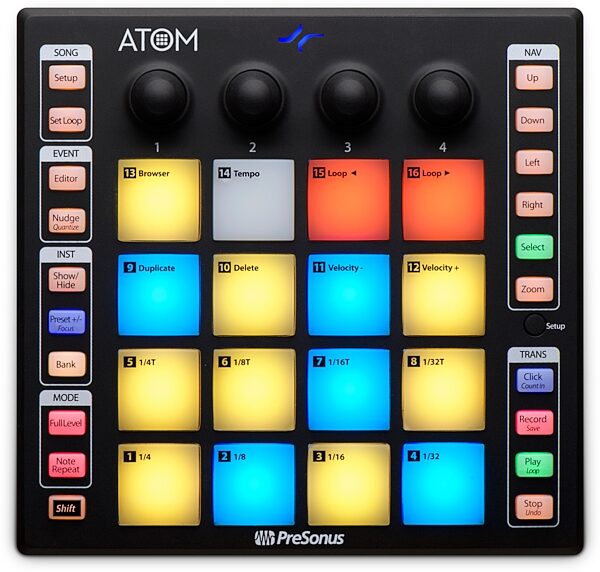
I have a problem, I use the presonus ATOM as a control surface, without problems until version 8.12 of ARDOUR.
Toolsbox does not work with control surface in ARDOUR 9.0.0 or mixbus 11.1.71, but it does in ardour 8.12.0
I am now testing both ARDOUR 9.0.0 and mixbus 11.1.71 before moving my projects from version 8.12.
The problem is that in ARDOUR 9.0.0 and mixbus 11.1.71 the toolsbox with the presonus ATOM has stopped working, the rest of the functions and controls that I have configured do work.
Hello Paul

I use the presonus pads assigned to the toolbox buttons.

Sorry Paul, I had included it but I had inserted it correctly in the text,
I think that now it will be seen.

I have included the part corresponding to the assignment of those pads.

I have been using the same midmap file for several versions of ardour and mixbus,
without major problems, but now in both ARDOUR 9.0.0 and mixbus 11.1.71,
those controls do not obey the control surface that I use, presonus ATOM.

This problem is only related to control from the ATOM PRESONUS midi control surface.

Am I missing something? Should those midmap lines be changed?
Something in the ARDOUR/mixbus configuration?

Thanks in advance, regards.
Yes, this all changed with the introduction of multiple EditingContexts (e.g. the main editor and a pianoroll), each of which has its own toolbars / mouse modes.
Consequently it is necessary to identify which editing context you are trying to change, the main editor, or pianorolls… Because of this, the actions now have names that, for the main editor, look like “editorEditing/set-mouse-mode-object”. The one exception is smart-mode, which doesn’t exist for pianorolls, and is thus “Editor/set-mouse-mode-object-range”.
If you wanted bindings for pianorolls, they would be identical but the action names start “pianorollEditing” rather than “editorEditing”.
The first thing I did when opening ardour 9 (like every time ardour advances in version) is go to the control surfaces menu to be able to use the presonus atom, and that’s when I saw that I couldn’t use the toolbar with the atom, I hadn’t even opened the new pianoroll window.
The truth is that neither in the editor window itself nor in the new pianoroll window do the assignments that I have configured work.
I have taken a look at the reference manual and the list of actions are for ardour 7.1 as indicated
Where can I find those new possible assignments for ardour 9 to configure the control surface?
What I want is to recover the midi control of the toolbar,
(I’m not talking about the new pianoroll window), just as I used it until version 8.12 of ardour, but I’m not able to.
What is the correct order or command to write in -->> action=“???” where can I consult this data for ardour 9? The information about this in the reference manual is for adour 7.1
If you run Ardour from the command line with the -A flag (you will have to load a new throwaway session or an existing one, since some actions are not created until a session is loaded), it will bring up a page in your web browser with a list of every action defined inside the program. Alas, this includes the non-functioning “protoypes” that start with “Editing/” and do not have the context (e.g. “Editor” or “MidiCueEditor” prefixed).
Hello Paul, effectively capitalizing that first letter re-enables the toolbar.
In any case, when I open ardour from the command line with -A it gives me an error, but when searching in /opt/Ardour-9.2.0/etc/ I have found 2 files ardour.menus and ardour .keys that I understand are where the -A command points, looking at it now, well, it hadn’t occurred to me to look there to see the list of actions, silly me.