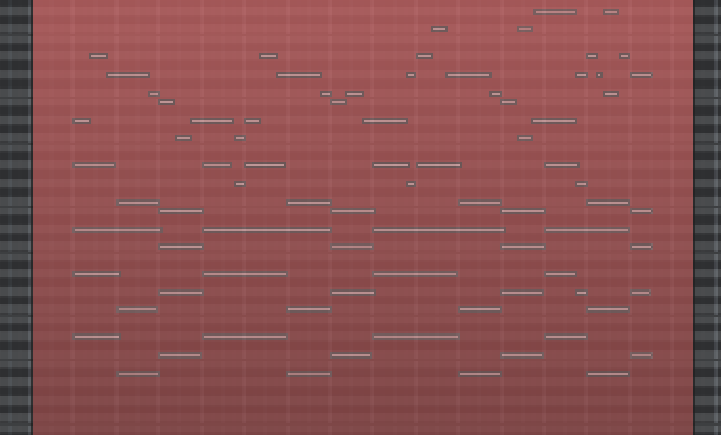
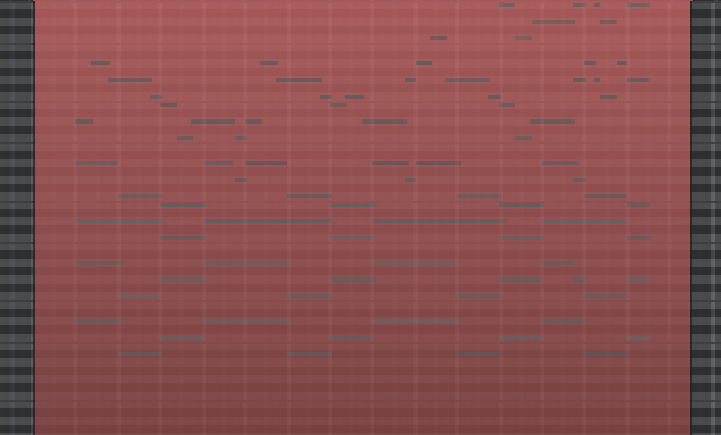
Midi notes stop being readable at a certain point when I zoom out. That’s because the note fill color disappears and only the note outline remains, which has no contrast with the background color.
I’ve been looking for a “midi note outline” option in the color configuration, but can’t find it. Only found the “midi note selected outline”, which is not what I need. An option to just disable the outline would also work. Alternatively, this could also be a feature request for the note outline to disappear depending on the current zoom level.
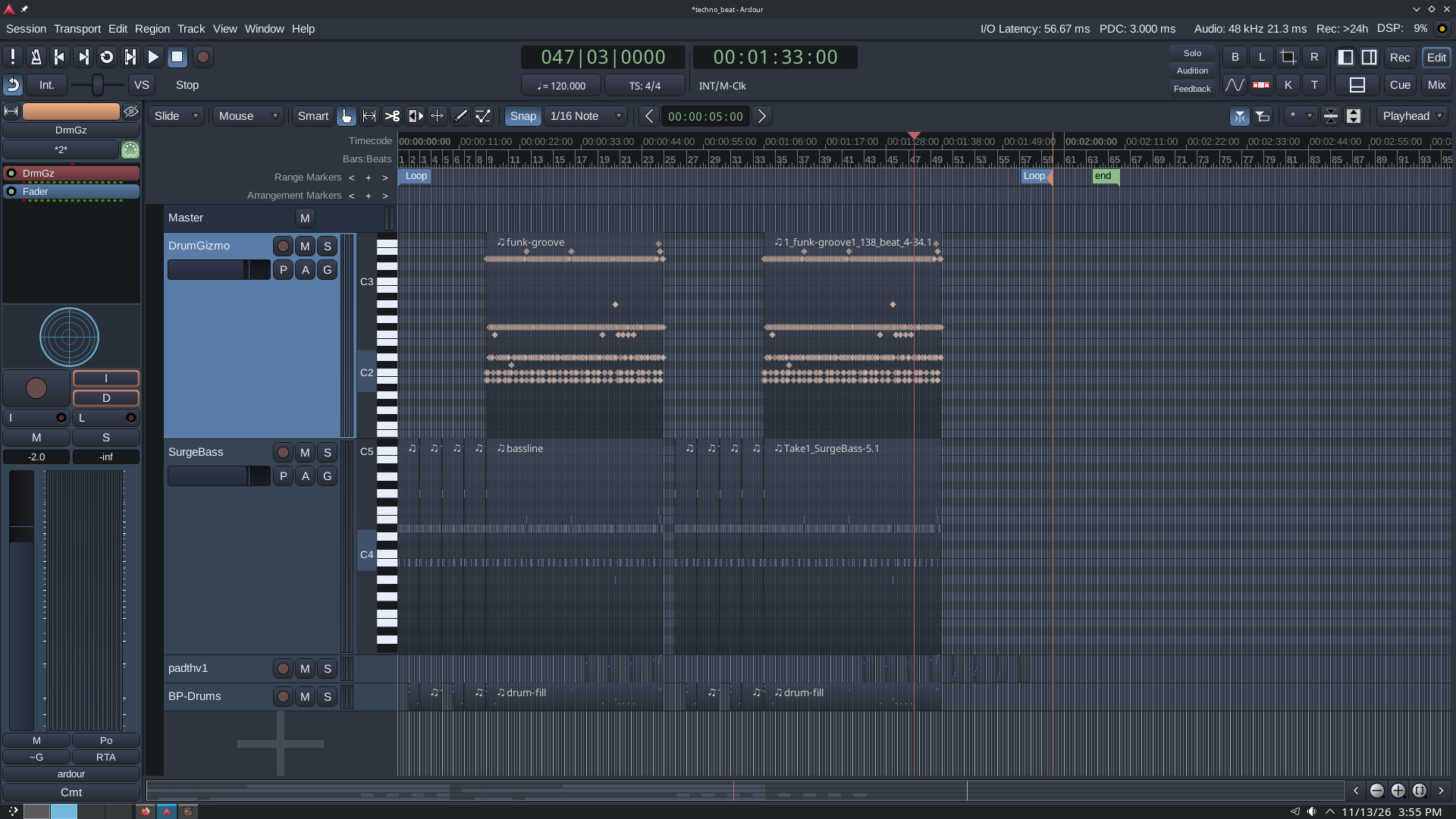
This is bad enough that when my midi tracks are small, I can’t even distinguish between notes or empty space. I’ll attach a couple of screenshots of before/after the zoom threshold where the note fill disappears.
If you haven’t done so already, you could try the “Arc” theme. I mainly do midi and use it for such reasons. (on version 8.12 i found a theme online which works for me, in case you got an an older version of ardour, gruvbox-material-dark; though adwaita-dark seems to do it too. Both not as good as “arc”, imho, but worth a try ).
To remember i switched to the default theme, and yes, i agree.
Finding the according color in “items” or “pallette” can be quite a challenge, hopefully someone knows (in case you prefer the default “dark” them).
Good luck.
I’ll wait a bit and see if there’s any other option, mainly bc I spent months customizing it (with the Adwaita Dark as the starting point). I haven’t found a way to easily save my current color config, so I’m afraid if I try another preset I’ll lose all the changes I’ve made
But if there’s no way to improve the midi note issue, I’ll give the Arc theme a try. Thank you very much for your suggestion
Yeah, i feel you. I avoid fiddling too much with theme settings, as it all is anything but clear to me.
a) i guess it won’t hurt to just backup the complete config folder to backup the theme-configurations too ( ~/.config/ardour9 if you have version 9 for linux, else whatever ardour-version-number you use)
b) i got curios, moved that file to a backup place, edited the theme a bit and after doing so, there is the new file :
~/config/ardour9/my-dark-ardour-9.10.colors
which to me seems to be the file we search for, but i really wouldn’t know. (in my usual config directory there is also my-“name-of-theme-version”.colors.old).
To sum it up: you got me curios