Hello, if I have a region that starts somewhere after the start of the session is it possible to align this region with the start of the session while the existing content of the region stays at the same location? So something like prepending the existing region with silence, beginning at the start of the session? Hope it’s clear enough what I’m trying to achieve. If anybody has an idea, thanks in advance!
Hi Jeremy,
I don’t know of a direct simple way to achieve that, but I don’t know many other possible operations either…
But given that combining two regions with some space between them will create a single region with silence in between, you should be able to work out a way to do that, using a “helper” region with whatever content that you later can cut off again where it originally ended
Bit of a user error, I have a session that contains several takes of songs we recorded. I wanted to do some vocals on one of those takes so I exported the corresponding range and imported it in a new session. Did the overdubs but those recordings do not start at where the imported track starts. Now I want to add those recordings back to the original session. This is is easier if the new recordings start at the same location where the imported track starts, then I can align them with the start of the range of the original session.
Hope it’s a bit clear, trying to explain this hits the limits of my language skills It could also very well be that my approach is wrong. If so, if there’s a better way then let me know! Now that I think of it, I could also export all the tracks I recorded separately using a range that starts at where the imported track starts
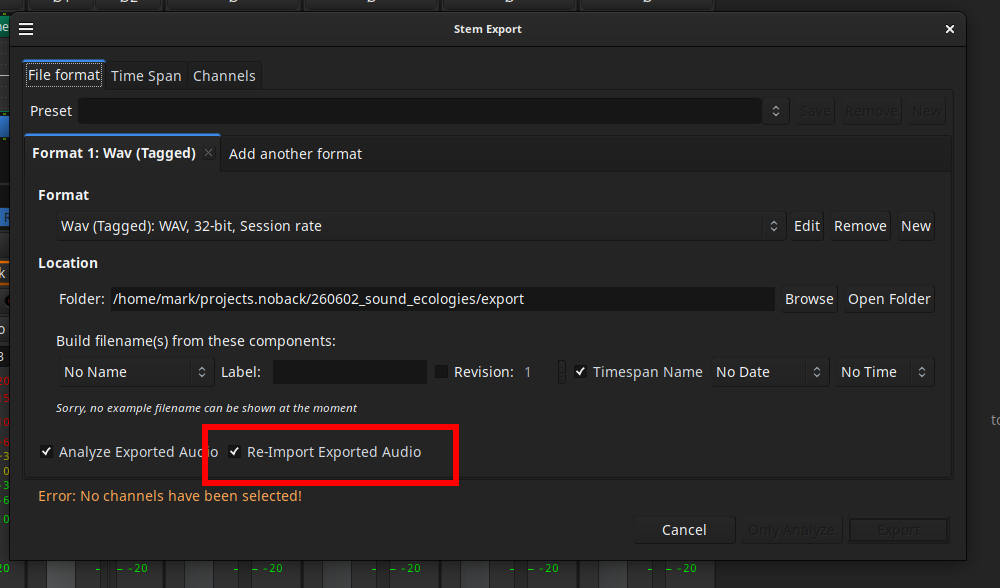
I imported the stems by dragging and dropping them from my file browser into Ardour. I can’t find the “Re-Import Exported Audio” option though or is it related to the “Add Existing Media” window?
 It could also very well be that my approach is wrong. If so, if there’s a better way then let me know! Now that I think of it, I could also export all the tracks I recorded separately using a range that starts at where the imported track starts