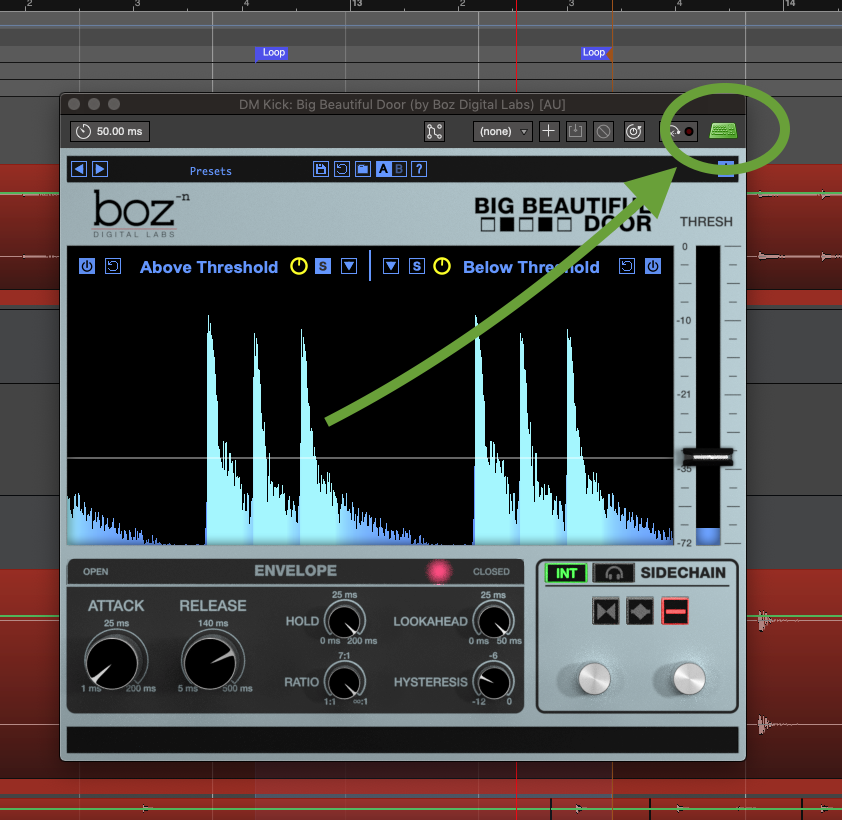
it occurs to me that having the ability to apply a unique key-command shortcut to enable/disable the ‘receive keyboard events for this plugin’ icon/feature would be wonderful in reducing the tediousness of having to click that effing icon every time… This:
But I suppose I should ask…
-Does a key command already exist for this? Because I couldn’t find one, if so…
This hypothetical shortcut could only work and apply to the current plugin that’s ‘in focus’ (or whatever).
Could this be implemented maybe? Please at least consider.
Because when mixing, such a thing might be enormously beneficial for cruising around the plugin landscape in the DAW…
Although you have not always been supported of my ideas, I agree with this suggestion.
So much in fact that I made a request post about this a few days before you made yours
Once you enable forwarding all keyboard events are handled by the plugin, Ardour can no longer not intercept keyboard events (though that is somewhat plugin standard dependent).
I think you missed @x42’s point. A keyboard shortcut to “enable” keyboard event forwarding to the plugin window would be possible, but it could not be used to turn it off (because by definition all keyboard events in that window are supposed to be forwarded to the plugin).
 This:
This: