About track colors

Hello everyone.

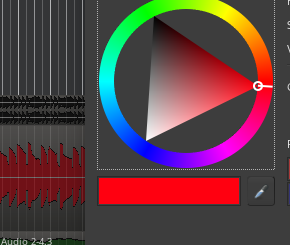
When picking a track color I realize there is some kind of transparency or brightness applied, as shown in the image:

image

Is there a way to get rid of it and have strong solid colors?

Thanks.

By the way: you make a GREAT JOB developing this masterpiece DAW Software.

1 Like

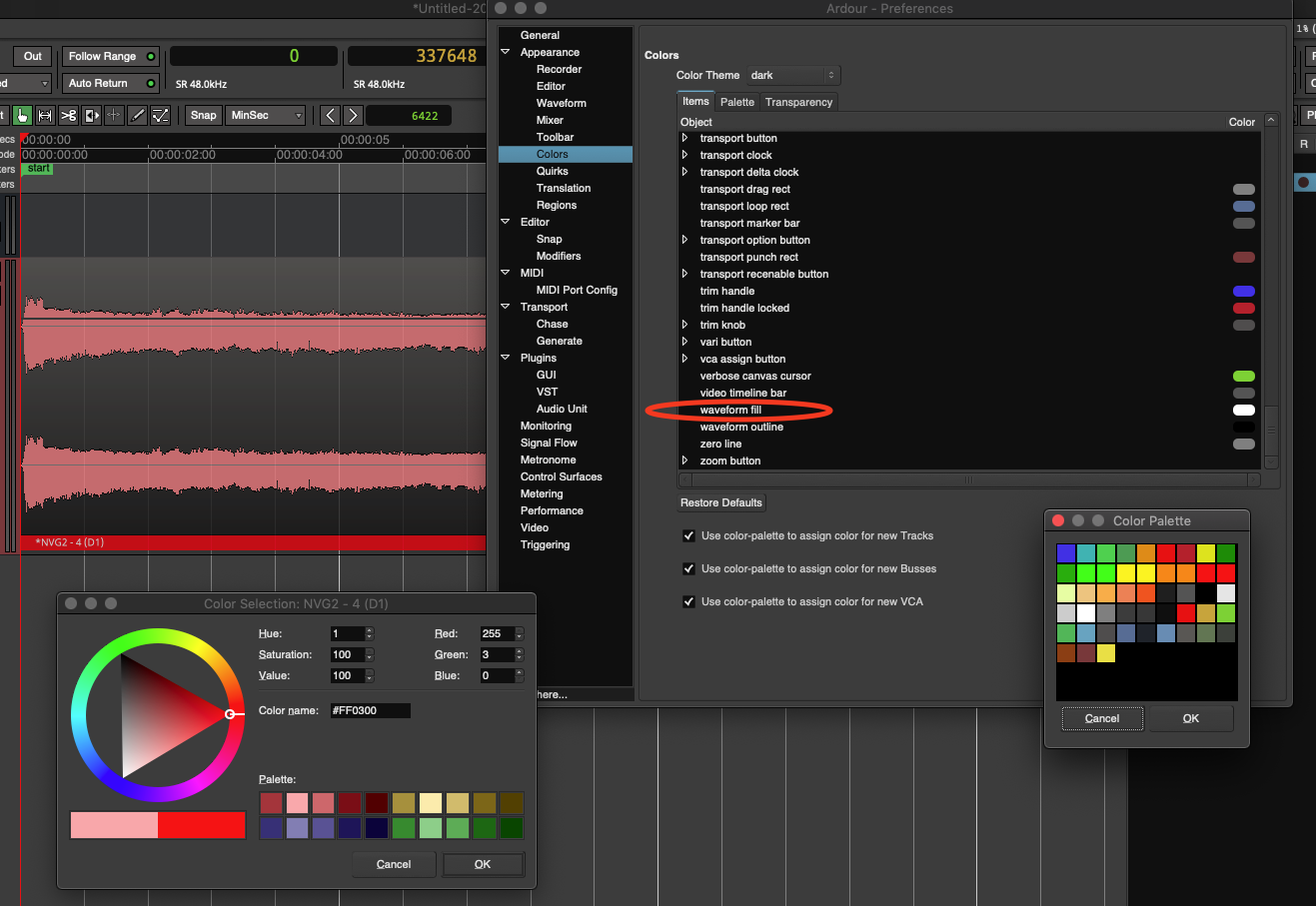
It appears ā€œwaveform fillā€ is responsible for making each color whiter/paler.
You can set it to black to not affect the color itself (so to speak), -just makes each waveform darker…

It definitely would be nice if in the ā€œColor Paletteā€ selector one could pick a transparent ā€˜color’… : /
But I don’t see how to do that for now.

-J

2 Likes

The transparency of the waveform fill is varied to reflect up to 4 different conditions, hence there is no single color+alpha value that you can set.

The alpha during drags, muted, selected and ā€œstackedā€ conditions is different.

1 Like

Oh, I see. :ok_hand:
That makes sense then.

Thanks for the answer, Paul :sunglasses:.

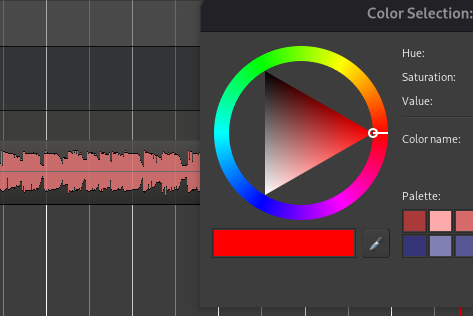
I follow @GhostsonAcid advice and get this result choosing in preferences a dark color for ā€œwaveform fillā€:

image

What I want to modify is the ā€œnormal stateā€ (not matter about selected, drag and so on states) waveform style, if possible without (or with less possible) vertical gradient gray/white.
Thanks in advance.

1 Like