Maybe related to this?
That’s quite interesting, Peter… there was a similar problem recently in Mixbus where it was failing to display waveforms. That also turned out to be because it was trying to read data from beyond the end of peakfiles (i.e. the files on disk):-
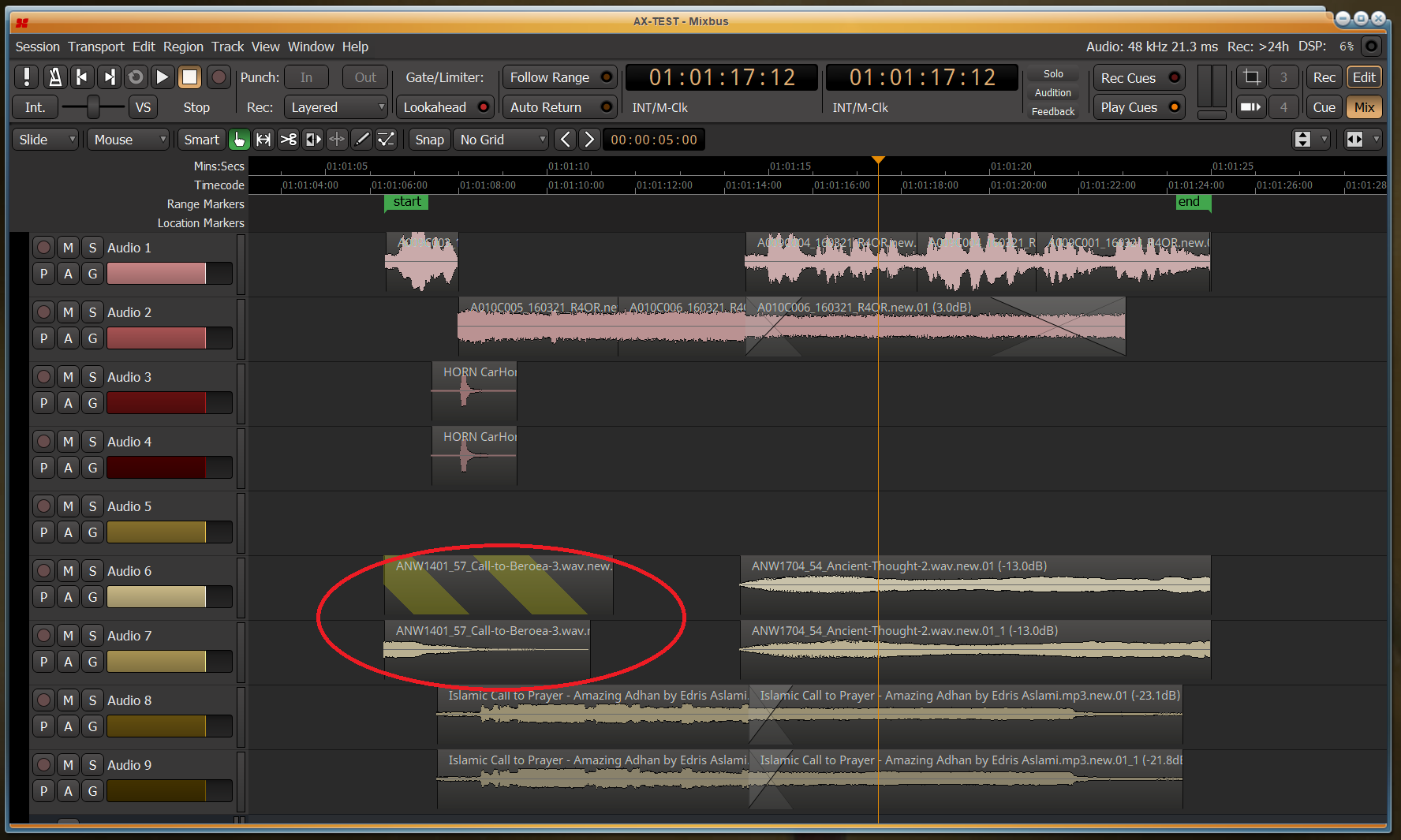
Hi @calimerox, could you please send me your AAF file link so I can download it and dig into that import problem ?
I understand it contains copyrighted material. I already worked on many copyrighted AAF files to make libaaf. Trust me, your file wont end up on the internet 
Hi Agfline - if @calimerox agrees, I could send you his email address so you’ll both be in contact.
1 Like
agreed, you can also send him over the file, whatever works best! 
1 Like
@paul / @x42, back on Oct 15 I posted a screenshot showing an error message I see when loading some session files. @peder posted a link to say it’s probably the same issue reported here.. Did it ever get fixed? I’m still seeing it today when trying to import an AAF session here.
No. That still happens on occasion.
I suspect the issue can be produced by either using Music Time a session time-domain or when time-stretching regions. At least sessions that I have fixed for users always had either of those. - But I have not been able find a reliable recipe to reproduce or explain the issue.
Thanks Robin - in this particular case I’ve two timeline clips whose start time / length (initially) show as start=“a0” length=“a56244787200@a0”. And if the session gets saved with those values it’ll then give me the above error dialog when trying to re-open it.
But if I truncate the clip end times very slightly before saving and then wind each timeline clip out to its full length again, the saved values become start=“a0” length=“a56242682160@a0” which allows the session to be re-opened without any issues. Does shed any light on the problem?
I guess the corresponding source file’s length is a56242682160 (3’19"28)?
Yes Robin, that’s pretty close. Two clips are showing the problem here (albeit that they’re L&R sides of a stereo clip). In the actual AAF file, ‘length’ for them both (in samples) is showing as 0x91f39a, which is just a tiny bit less than your estimate.
And in the working .ardour session (i.e. the one I tweaked) ‘Regions’, shows the two relevant regions as having length=“a56242682160@a4611686018427387903” - and ‘Playlists’ shows both regions with a (seemingly matching) length of “a56242682160@a0”
Yet in the original import (before I tweaked anything) the entries under ‘Regions’ are identical - but under ‘Playlists’ both regions show a slightly larger value of:- length=“a56244787200@a0”. This one produces the above error dialog if I try to open it.
The error itself occurs at this line in SessionPlaylists::load():-
error << _(“Session: cannot create Playlist from XML description.”) << endmsg;
and a corrsponding description gets printed to stdout:-
Region TRAILERMUSIK EPI MORE THAN GENES.wav_L has length a56244787200@a0 which is longer than its (first?) source’s length of a56242682160
Unfortunately, even with all that info I can’t tell why (or where) the length would’ve got miscalculated as being a56244787200 
Maybe there needs to be a check somewhere that when a playlist region’s length is being calculated, it can’t be greater than the corresponding source region?
I’ve tracked this calculation down to 'boost::multiprecision::convert_to()’ which can be found in ‘boost/multiprecision/number.hpp’ and which we call from ‘Temporal::samples_to_superclock()’ (via ‘PBD::muldiv_round()’). It’s a complicated route but I guess it might be libboost that’s getting the calculation wrong…
Either way - isn’t there somewhere where we could add a check to ensure that the calculated length isn’t greater then the length available in the relevant source region?
Please say a lot more about how you’ve determined this.
I placed a breakpoint at this line in ‘ARDOUR_UI::new_session_from_aaf()’ :-
std::shared_ptr region = create_region (source_regions, aafAudioClip, *oneClipSources, sessionStart, samplerate_r);
I then modified the AAF import so it’d only import the 2 problematic clips and once the breakpoint got reached, I traced into the code until I saw where the value 56244787200 got generated - which was in a call to boost::multiprecision::convert_to()
That seems pretty clear but also seems pretty damning … to say that we’ve found an error in a widely used multiprecision arithmetic library is quite something (not unprecedented, of course)
Well I guess another possibility might be rounding. ‘PBD::muldiv_round() is getting called, so maybe it’s rounding something up where it’d be better to round it down?
In 'ardour_ui_aaf.cc’ the function ‘create_region()’ calculates clipLen to be 9565440 which later equates to 56244787200 / 5880. Whereas the correct value should’ve been 9565082 which equates to 56242682160 / 5880. And according to my calculator, 9565440 == 9565082 x 1.000037428 which could easily be a rounding issue.
Still confused though… 
[Edit…[ Interestingly, 48000 * 1.000037428 and then converted to int would give 48001, so maybe this is a rounding error somewhere? I’ve no idea how we’d find it though.
All our builds using gcc have int128, so the boost code is not be used.
Thanks Robin. I’ll check again tomorrow but I’m pretty sure this problem also affected your official builds. And in any case, my original AAF importer was able to import much longer clips without this issue.
So I’m wondering if there’s somewhere in @agfline’s code where he stores the sample rate in floating point format and maybe that’s introducing a rounding issue.
both use PBD_IDIV_ROUNDING and PBD_IDIV_ASR macros. Perhaps the isssue lies there.
So that is the number of samples in the file at 48kHz.
Converting this to superclock ticks:
9565082 [samples] * 282240000 [sc/sec] / 48000 [samples/sec] = 56242682160 [sc]
and there are ` 282240000 [sc/sec] / 48000 samples/sec = 5880 [sc/sample]
In both cases all the values are integers. There should be no need to round.
Also the largest value (282240000 * 9565082) is still < 2^52. int128_t should be able to handle this just fine. What are the actual arguments that are passed to muldiv_round ?
wait… that calls libAAF’s aafi_convertUnit.
Does the session’s sample-rate not match the AAF’s rate, and the conversion goes wrong there?
libaaf stores sample rate / size as unsigned int 32 / 64. However libaaf is applying conversion between AAF’s Edit Unit to sample rate… Maybe that’s where the issue is coming from ?
You can verify the libaaf values (clip position, length and essence offset) in here ardour/gtk2_ardour/ardour_ui_aaf.cc at master · Ardour/ardour · GitHub
[EDIT] Sorry I missed a few messages… I’m almost sure the value produced by aafi_convertUnit() in create_region() are based on the AAF sample rate (samplerate_r), being the most used sample rate across all AAF audio files, which does not mean it is the correct sample rate value for that audio file… Maybe that’s where the conversion is coming from ?
[EDIT 2] I just checked with Kris file using aaftool, and all essences appear to be 48kHz. However, I got the same results as @John_E for file length (9565082 samples) and clip length (9565440 samples) using aaftool. So there is definitly an issue with either libaaf, or the AAF file itself.