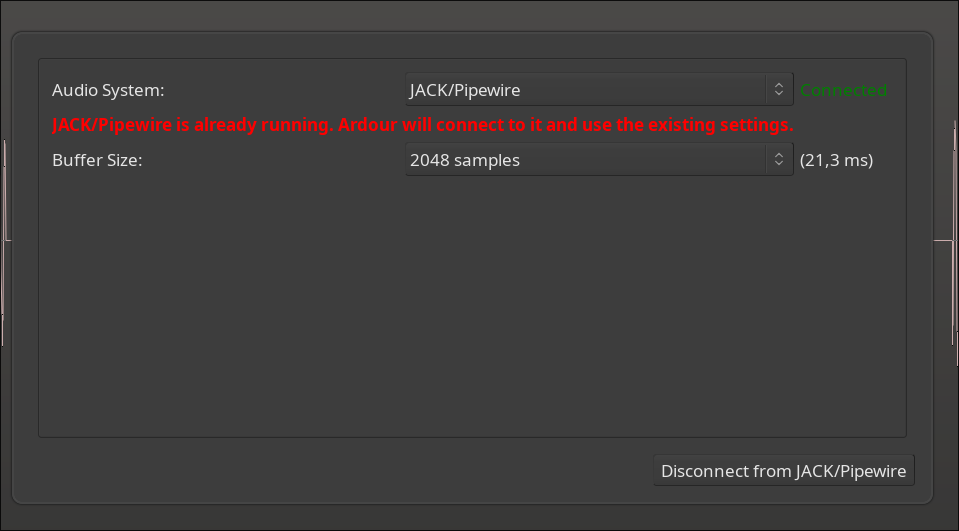
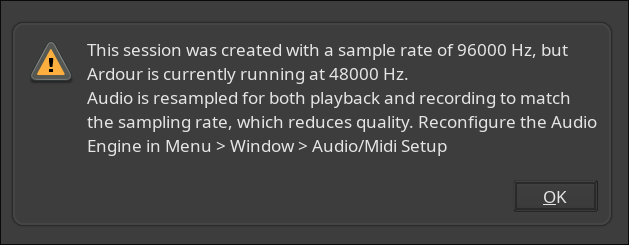
When clicking “OK” in that warning, Ardour starts an endless loop displaying that same message; every time I click “OK” it returns until I manually kill the Ardour process.
Setting the PipeWire sample rate to 96kHz fixed it!
The endless loop displaying that message was annoying though; and maybe Ardour can query PipeWire to see if it is running at the same sample rate as Ardour?
Ardour interacts with Pipewire via the JACK API, which does not include any facilities for changing the sample rate (only for setting it if the JACK server is not yet running). If you load a session that was created at X kHZ but Pipewire is running at Y kHz, Ardour cannot change that. The loop does seem odd - I regularly start Ardour with sessions that use a different SR than Pipewire is currently using, and have never seen this message loop occur.