I use wayland and it worked for me, thanks a lot
1 Like
Thank you for that detailed answer!
I use 16GB of RAM with 3200 MHz. While i run a large project in Ardour ~9GB of RAM are used. Is there really value in upgrading to more RAM or would 16GB of faster RAM improve performance the same as 32GB would?
I did not compare the cache to other CPUs but i think for AM4 my CPU should be on the rather well equipped side.
I will try changing the desktop environment.
Hm, so resolution seems to change the speed. 
I got two screens, one for mixer and one for editor view. This probably adds up.
I will try out xfce when i come back from traveling.
1 Like
Glad it helped. Had the same issue some time ago, and I read somewhere (probably on this forum) that enabling this option can substantially speed up Ardour on Wayland. In my case, the difference was night and day.
I don’t know if this is a general case for every Wayland session, but if so, maybe it should be mentioned somewhere in the docs (for example, in this section)?
~THANK YOU! : O
Not sure about GNU/Linux, but yes, applying this setting here greatly helped my macOS experience, particularly horizontal-scrolling in the editor is now not lagging:
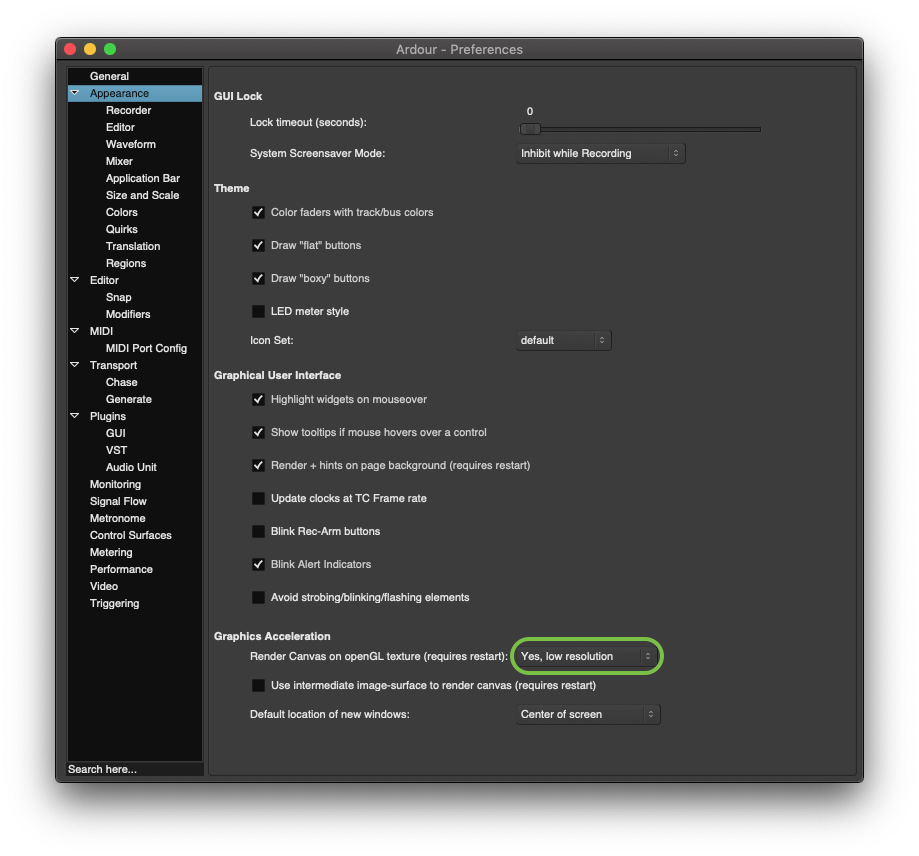
Expanding a track vertically is still considerably slow, and also zooming-in and out can sometimes be a bit slow, but only when more regions are present on screen (-for me, this all seems to do with numbers of individual regions to compute/render). … But at least horizontal-scrolling doesn’t lag anymore! ~A welcome improvement! 


1 Like
I did not know it’s so easy to switch window manager.
I tried xfce but it did not improve the performance.
1 Like
Yeah I haven’t found the desktop environment/manager has not made much difference myself. I think it’s safe to say “use what you like”. In regards to your question of adding more RAM to your current 16GB I would say that you’re going to see any difference at all. You’re using a little over half right now on a fairly big project. The problem is somewhere else.
For some reference; I’ve build a modest machine for my studio with the following specs:
- CPU Intel I5 12400F 12generation. It’s got 17Mb of L1 Cache and 7.5Mb of L2 cache and 12 cores although some secs read 6 cores and 12 threads. It’s running at 2.4 at it’s base “speed” but it will vary between 2.4Ghz clock speed to a stupid 4.40Ghz.
- The Motherboard is an MSI (again nothing crazy) Pro B760P
- Cheesy nVidia dual display port card NVD9 to give me the dual output but this was only because I didn’t buy the model of the mother board with the onboard dual HDMI or DisplayPort. When it comes to pro audio only PCs the graphic is not something you have to think about. Like I said all the machines I’ve build for this purpose for others always have had on-board Intel graphics…if you’re going to be doing video editing…well then you may want something a bit robust in the graphic department.
- My system had 32Ghz of DDR4 RAM but so far I haven’t even used 10Ghz of that. However I’ll be working on some larger projects soon that I’m sure will place a higher RAM load on the PC but I do have something that helps with this. More on this later.
- Keep the “MUSIC” drive separate from the OS drive and/or storage drive. This is something that has always made a difference. Back 30 years we used to use SCSI (pronounced Scuzzy) hard drives because these were quite a bit faster than a “standard” hard drive. If I recall back then they were running at 10K RPM compared to 5400 to 7500RPM for a traditional drive.
Based on my work with this hardware/computers since the 90s I would honestly recommend staying away from laptop computers. I know, I know some are fine for the job and I’m likely to get hell for this but there are two reasons for this opinion. A) Laptop computers are HIGHLY proprietary. With the acception of the hard drive and RAM, every component in a laptop computer is built for that specific model. “Upgrading” is really not possible unless you are talking about RAM or the HD. Where as a desktop computer is going to be one of the desktop standards such as ATX, BTX, ITX, etc. There are plenty of laptops that perform well but a desktop PC usually will perform better at the same hardware spec, runs much cooler and can be fitted with things that make music production a bit easier, Like SATA caddy drive bays which are hot swappable drive bays used for projects and data backup.
Getting off track here. So if you aren’t already doing this, make sure the music data that Ardour is “streaming” is on it’s own SSD drive. Have the OS on a separate drive. Also make sure you are using the fastest type of drive. Of course SATA (there are different data rates of SATA) and if you are using a SSD then there is no “speed” in RPM on these drives.
Make sure the RAM that you do have is in dual channel mode not single. Typically this can be done by installed the RAM stick in the same numbered slots. Some are color coded some are not but check with your motherboard/computer manufacturer to make sure. I would also recommend that the RAM sticks are the same exact model and brand (especially for dual channel configurations)
I’m running my system at 1920X1080 video res. Remember I’m using a super low end nVidia dual DisplayPort card. This card was like $49…low end and it does fine at max resolutions of the monitors I’m using which are HP 24mh in a dual configuration. Oh and I’m not using Ardour’s Graphic Acceleration “reducer” feature.
Let us know if you’re still having a problem after confirming some of the things that have been mentioned here by me and the others. There’s a bottleneck somewhere in your system I think.
Oh. So I’m assuming that you’re using quite a bit of processing? Reverb, compression, FX, etc?
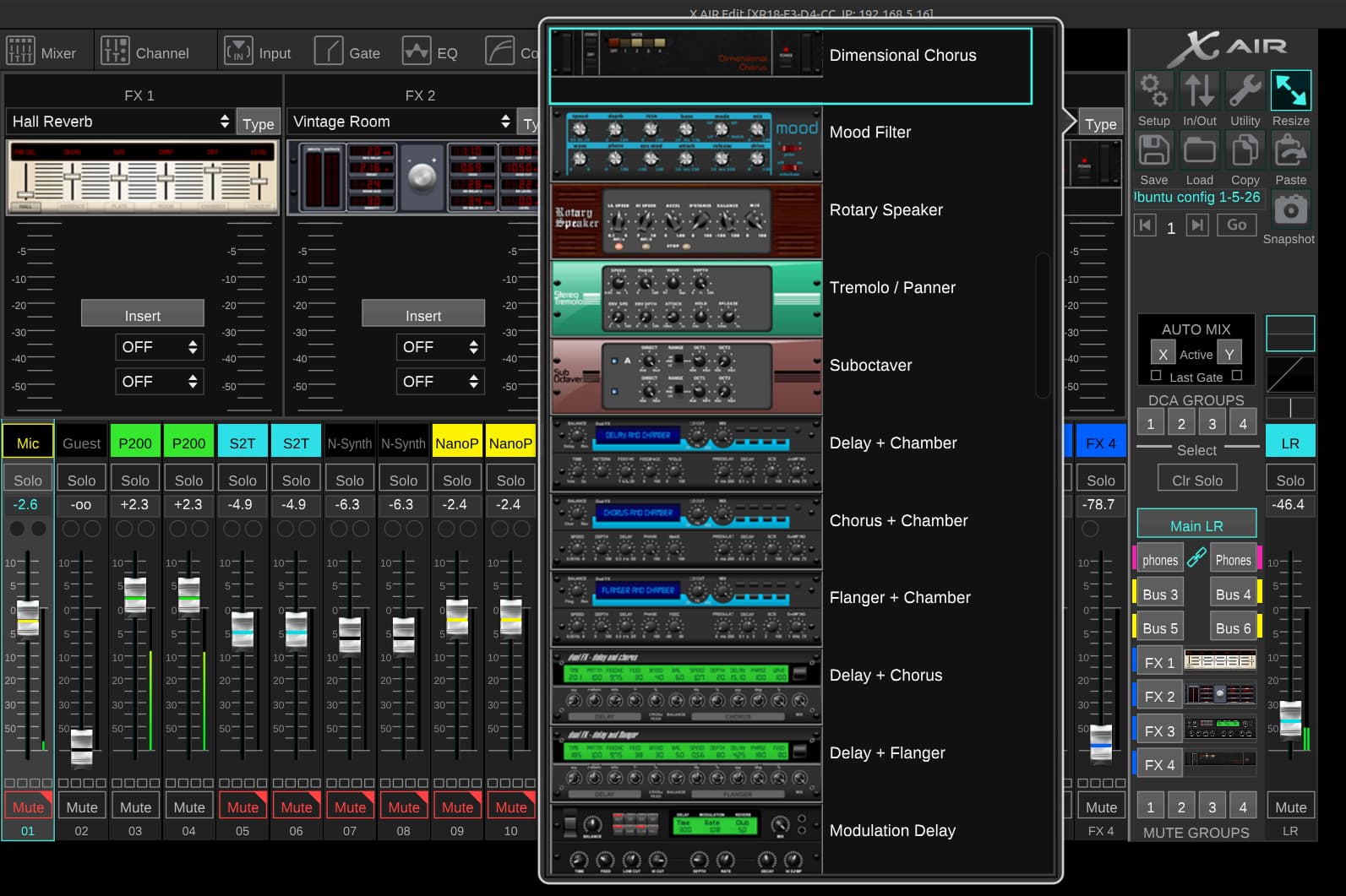
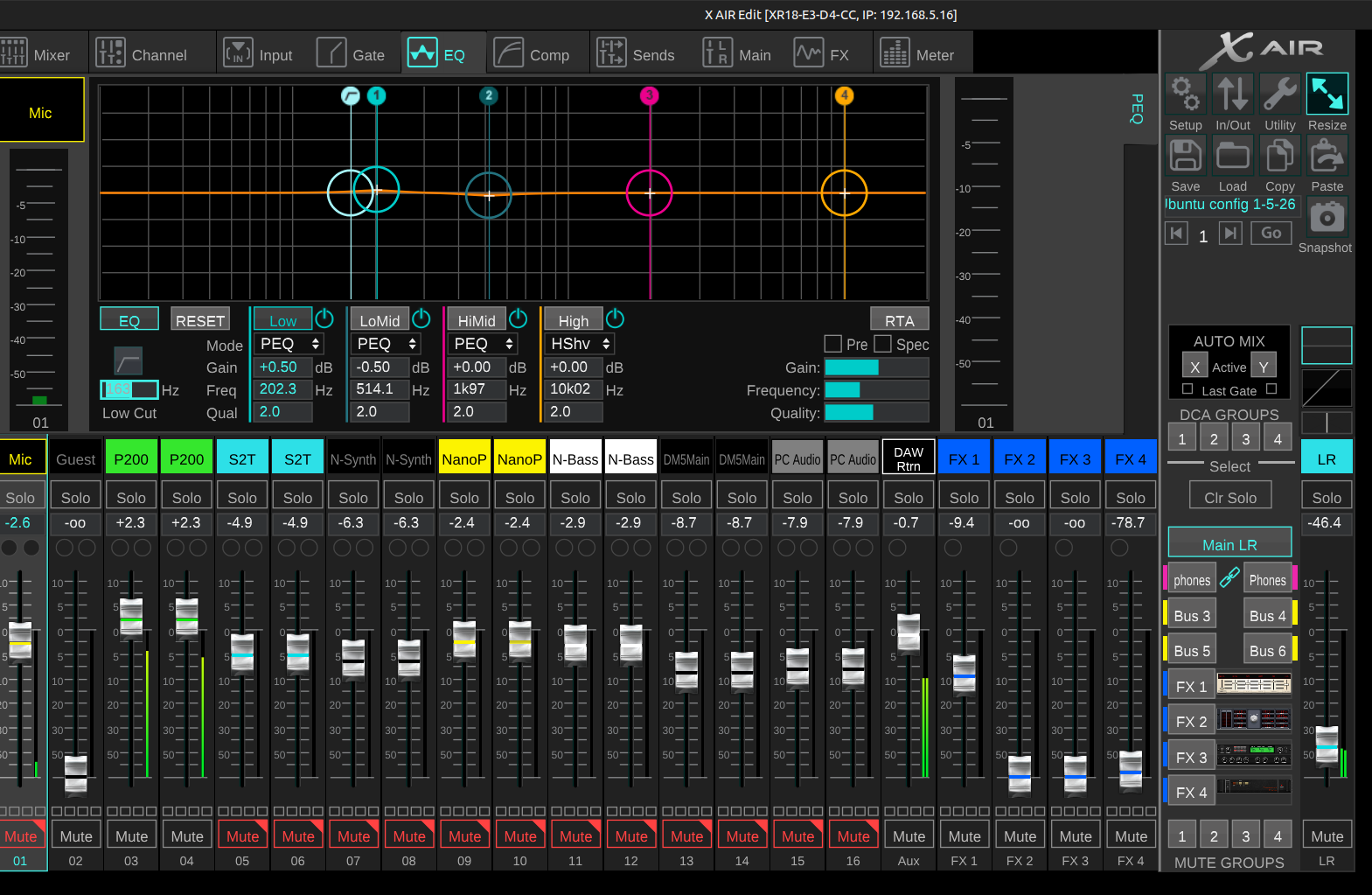
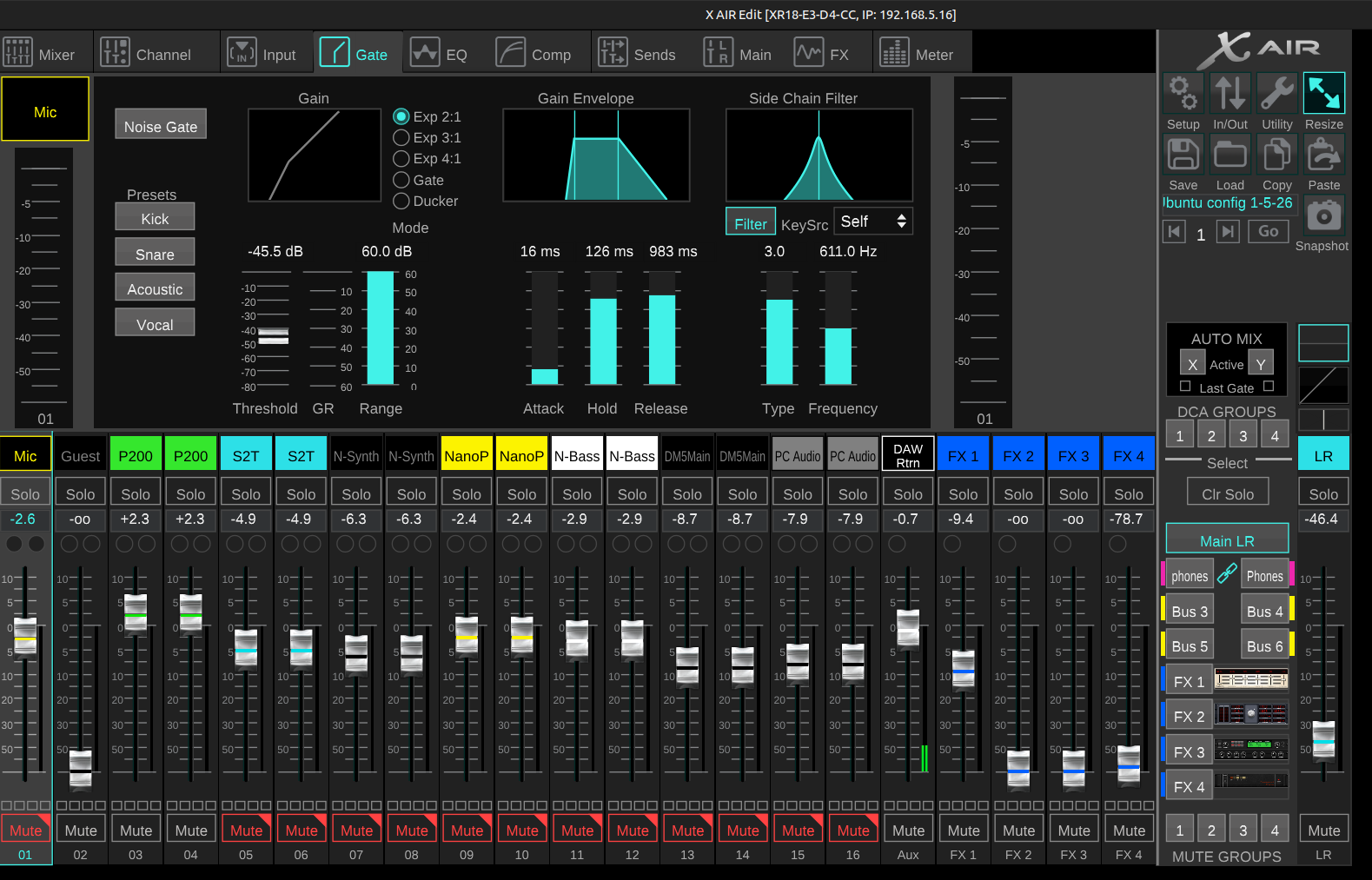
That stuff for sure will require a bit more of a robust systems but now a days it takes quite a bit to bog down a computer with this stuff if you’re using a reasonable amount of it. I think there’s quite a few folks here that use what I use for an “audio interface” and that’s a Behringer XR-18, XR-16 or XR-12. These things when they came out where like $800 but I’ve seen them down for around the $370 to $500. Depending on the model. These digital mixers/audio interfaces have on-board processing.
Which if configured correctly can be use to deal with a lot of the things that you would otherwise use plugins for taking the load off the PC. Reverbs, gates, EQ and compression. I’ll show you some screenshots of what I’m talking about. Also I don’t monitor anything from Ardour. I do all of my monitoring with XR-18, so again I’m not putting the monitoring duties on the PC.
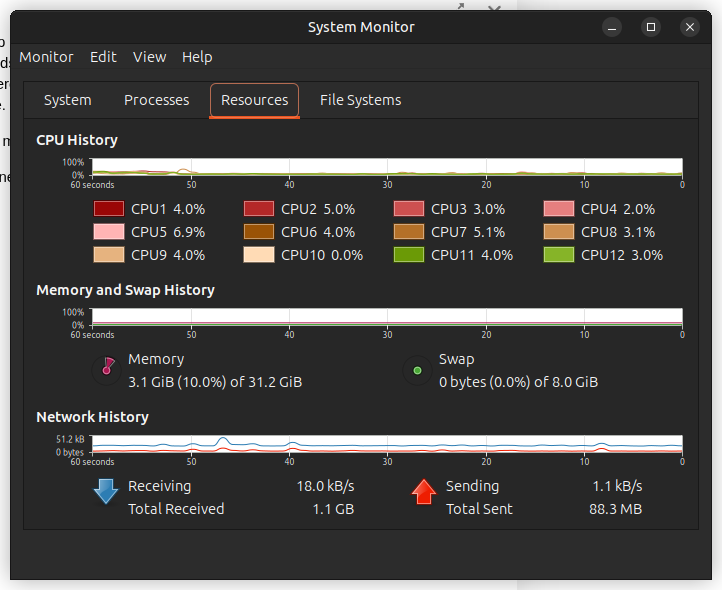
I’ve included a screenshot of the system monitor application that shows a few things you may want to see.
I hope some of this information helps you.
1 Like
So far i tried switching to X11 and deactivating the compositor in Plasma, switching to xfce, upgraded my GPU and CPU. I tried to place the project on another m2 ssd. (Having a SSD only for my OS and programms is not possible right now) I set the RAM speed from 2133 MHz to 3200 MHz in the Motherboardsettings. Also i tried all combinations of the Performance Graphic settings in Ardour. All of this still results in ~500ms delay for each zooming step.
At least i found out, that my RAM was running slower then necessary for the past 8 Years.
2 Likes
hmmm wow I guess you tried a lot of things.
What are you using for a M/B? Brand/model?
I’ve had intermittent issues with RAM before. More than once one of the sticks wasn’t seated properly and two other times I had a bad stick.
Before you boot into the OS (when the boot loader shows up) select the “memory check” or whatever they call it now. It will take some time but let it run, maybe overnight or when you don’t need the machine. Something is going on there.
Oh well yes disabling any compositor (compiz, Plasma, etc) for sure is a good thing to to.
Wow yeah 500ms is a problem.
Is this issue something that shows up as your recording and the latency is driving you nuts or is all the recording done and you’re actually working on processing the tracks?
Although I would highly recommend you at some point getting another SSD for the Music data I really don’t see that being the cause right now. You almost need to do an A/B comparison of the same project with different hardware. This is a desktop computer we are talking about?
Yes it is a desktop computer. It’s an ASRock x570m Pro 4. My workflow is heavily relying on cutting and repositioning recordings. So when editing projects that have reached a certain size and juming to the spot where i want to edit it’s getting annoying to wait for seconds before i can actually cut and move stuff.
When i update to Ardour 9 i will definetly change my file management and then i probably can switch to having an OS SSD.
I will leave home for 3 Weeks on Monday and then i will do the RAM check! Thanks for all the help!
Hmm I gotcha. I’m going to look up that hardware.
Have you considered exporting the project out…actually saving the ardour project out and sending it to someone you trust to see if they have the same issues?
C
Hm, all my musician friends use windows/ableton. But this would be interesting for sure.
FYI, Framework is trying to fix that! I have an OG one and plan on upgrading the motherboard at some point. Still designed for that chassis, of course, but you can obtain replacement parts from them to keep reusing parts that still work, which is a welcome improvement. I tend to think of Framework as more of a laptop ecosystem rather than a specific laptop at this point.
1 Like
This topic was automatically closed 91 days after the last reply. New replies are no longer allowed.