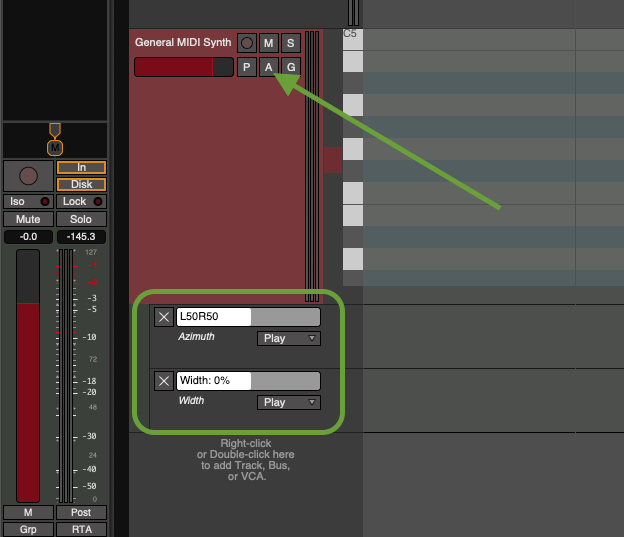
Edit: TL:TR fix: Somehow I had the automation mode set to ‘play’ instead of “manuel” without actually having an active automation lane. That’s why it didn’t show up under ‘active automation lanes.
Original:
Hello Friends
I’ve got a track with a synth and two channels for panning, but I can’t change the panning.
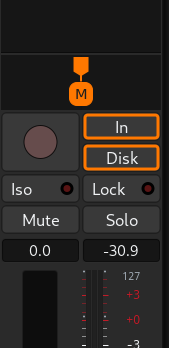
If I drag the “M” with the mouse, nothing happens, especially on this track.
On other tracks with a synth and 2 channels it seems to be working ( working: if i drag the “M” it turns to “R” and “L”) . What am I missing on this one? i think I accidentally disabled something.
I checked, if I had accidentally created a hidden automation line. but no.
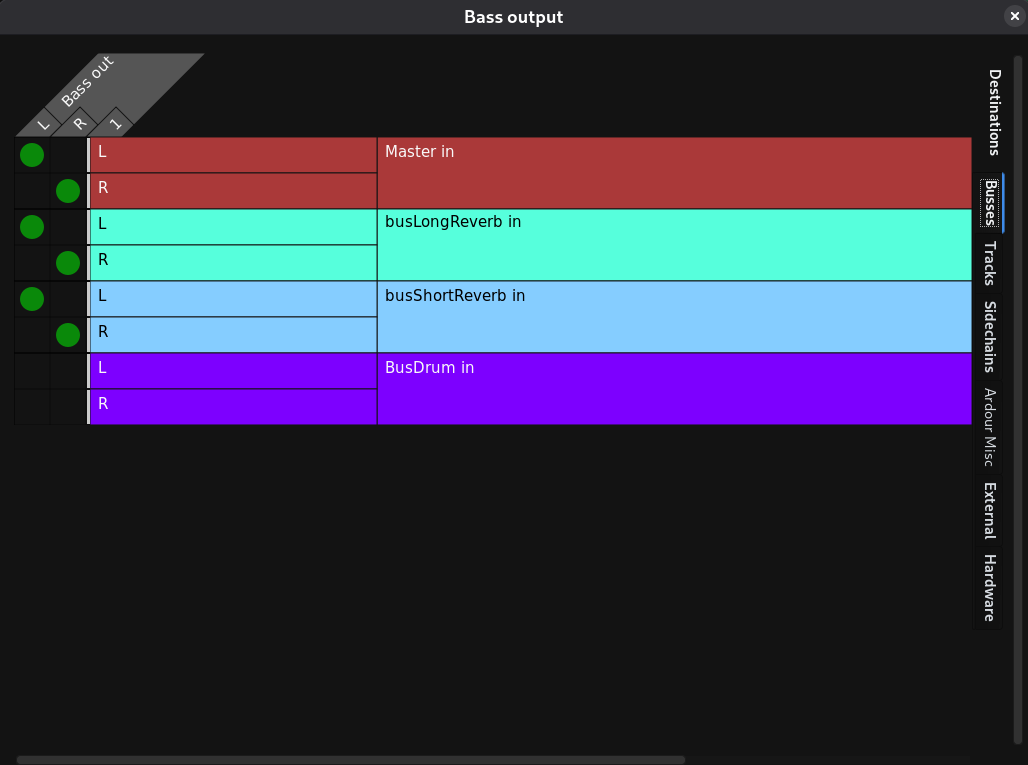
How is the track’s output connected?
Maybe you’ve connect both L and R outputs to master L and master R?
A screenshot of the whole mixer-strip might help.
I also suspect you may prefer a balance control instead of the stereo panner (right-click on the panner to change its type); see also The Ardour Manual - Panning
Thank you for the quick response. First, I created a sub-bass and set it to mono. For the mid-high bass, I right-clicked on my sub-bass, duplicated it, and named it ‘Bass’. After that, I wanted to pan it, but the pan interface isn’t responsive to my mouse. Right-clicking on the pan doesn’t work either. A fix would be to create a fresh new track, but I would like to understand what I accidentally did wrong xD
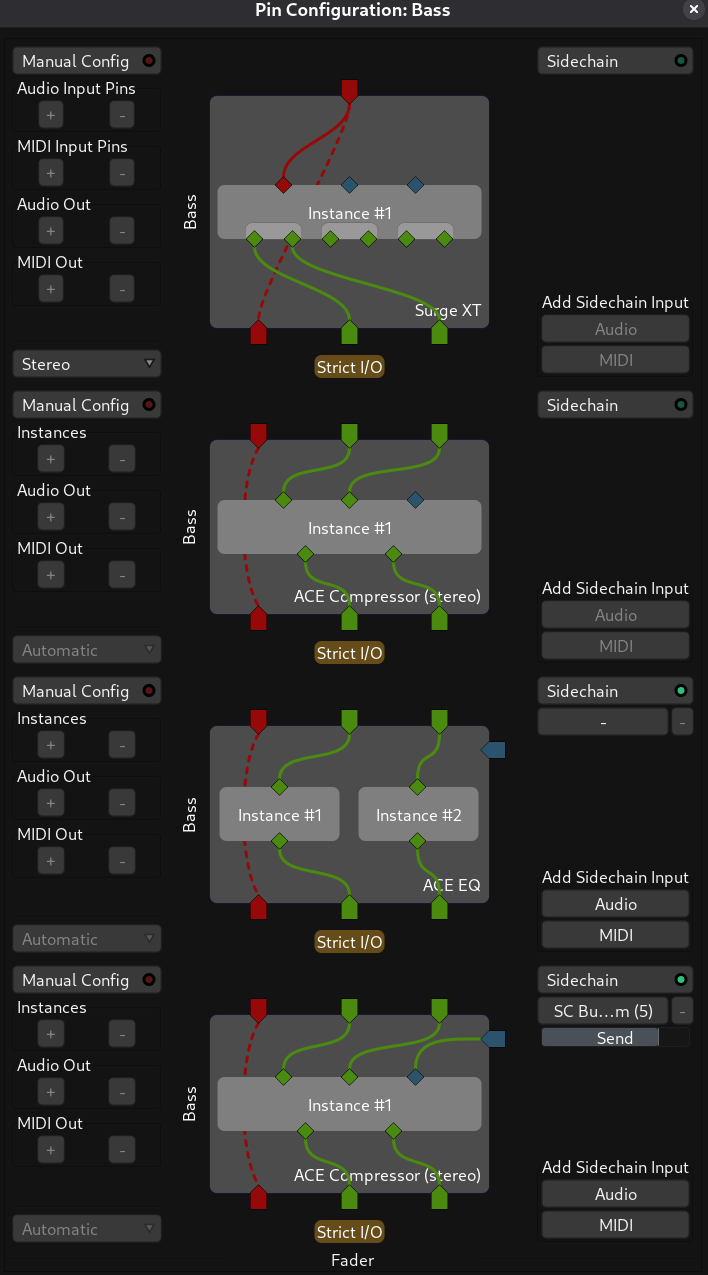
It seems like you have a stereo track, all of the plugins are stereo. For a mono instrument you would typically use a single channel track, with mono plugins, and a panner connecting the output to the stereo master bus.
There are exceptions of course, like if you have a mono in, stereo out effect like chorus that you specifically wanted to use.
I also notice that you have the outputs of the track connected to the input of the reverb busses. The typical way to connect an instrument track to a reverb bus is using sends so that you can control the level sent to each reverb bus independently and independently of the level to the master bus.
Thank you for your response.
In my case, it’s a mid-frequency growl bass. I would like it to sound wide/stereo, but somehow I can’t drag or change the panning in the mixer track.
I don’t know if I accidentally locked something or if it’s a bug. I also can’t reproduce the issue.
Thanks for the tip about using a send for the reverb bus. Yes that makes much more sense
Thank you very much, that was exactly the solution to my problem , how embarrassing. Somehow I had the automation mode set to ‘play’ without actually having an active automation lane. That’s why it didn’t show up under ‘active automation lanes.’ Thanks a million to you and a huge thanks to the community for the help
i did a right click on the panning gui and chose “equal power Stereo”. after the change i dragged the panning to the center. but my problem is fixed now, thanks to the community.



 , how embarrassing. Somehow I had the automation mode set to ‘play’ without actually having an active automation lane. That’s why it didn’t show up under ‘active automation lanes.’ Thanks a million to you and a huge thanks to the community for the help