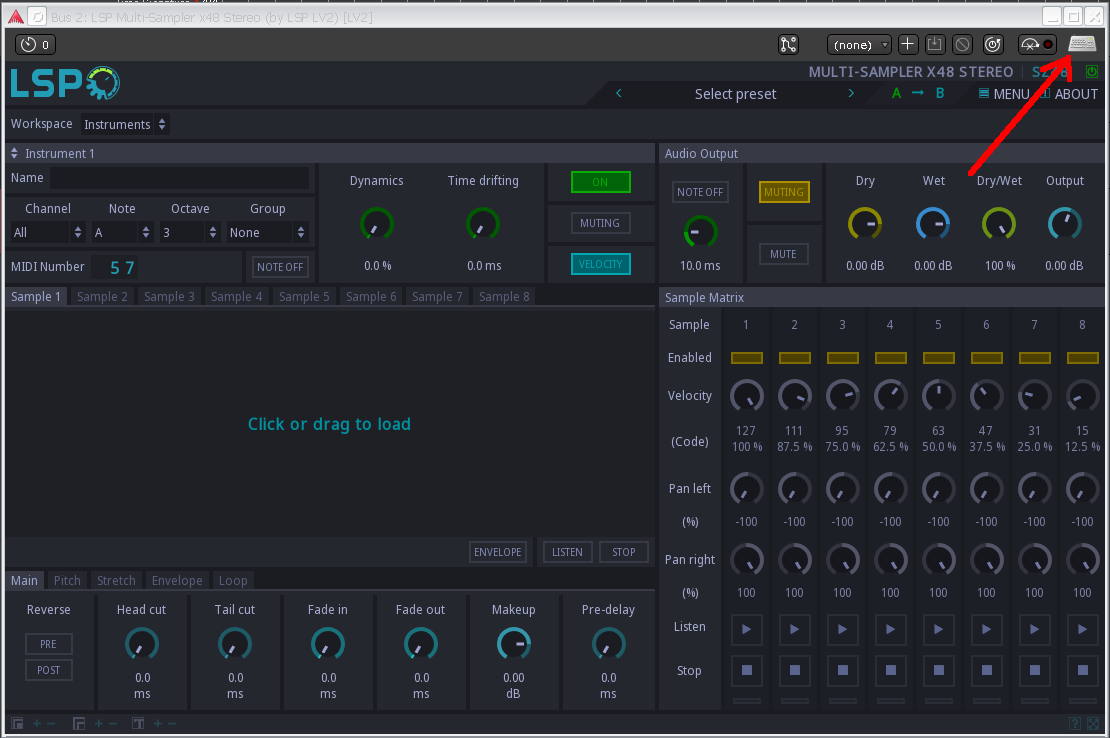
In the 1.2.23 the Sampler Stereo has this side panel that enable to select another sample from the same folder. Now, in the 1.2.24 single or double click on the side panel list does not alternate the sample. The up and down arrows works. Another option is to click over the sample and open the folder again, like the older versions, but it takes more time.
This works for me. Consider enabling Menu → UI Behavior → Automatically load files when navigating file list.
After the update I’m getting a lot of those “Error writing from plugin to UI”. They do not interfere with sound nor cause xruns, but Ardour keeps sending allerts.
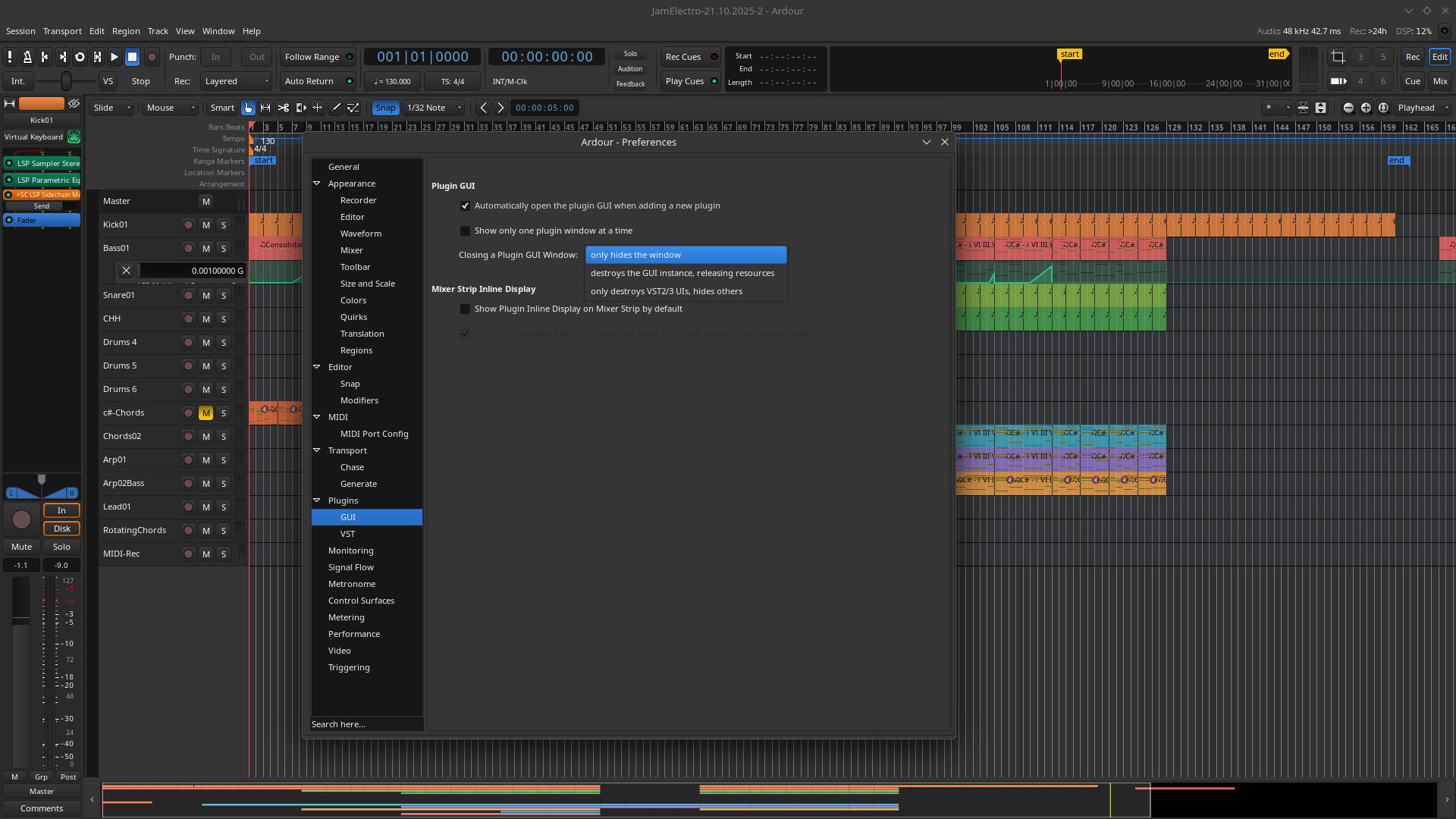
I notice something, those errors are gone after I change the Ardour “Closing plugin UI” setting from “destroys the GUI instance, release resources” to “only hides the window”.
I notice something, those errors are gone after I change the Ardour “Closing plugin UI” setting from “destroys the GUI instance, release resources” to “only hides the window”.
That’s not good, destroying plugin window is preferrable. Anyway, I’ll try to reproduce the problem soon.
Been using 1.2.24 for several days now without any problems, these are fn awesome!!
Small but useful feature request: in the stereo IR loader, have a different EQ setting for each file, and not the same on both - i often use this plugin just before a mix-to-mono to blend two IR’s together, such as close/room mic pairs. This would be really useful for when the IR files are completely different in sound characteristics, or just to tailor them even further.
This release provides several bug fixes for regressions of previous release.
Improved plugin metadata validation tool in plugin framework. VST3 data synchronization between DSP and UI is now performed in the UI thread if possible. Fixed VST3 crash on JUCE-based hosts related to improper IRunLoop handling. Fixed Room Builder plugin that could not render impulse responses for some built-in rooms. Fixed possible SIGFPE crash on LADSPA descriptor generation related to division by zero error. Fixed data transport for LV2 plugins that caused many annoying log messages in Ardour.
Nice!! This new versions seems to be more even more efficient, DSP load is a few % lower than with .24 - or maybe i just used different compiler flags?
At this moment the IR plugins are designed to equalize the overall processed signal. I think it is possible to add individual equalizer for each audio file but it would be nice if you create corresponding ticket in our GitHub issue tracker.
So this means, I will lose my automation data if i update to the new parametric eqs? This happened allready once and i would love to update. But losing my automation is quiet a risk
To be extra sure this doesn’t break anything, maybe the 2nd/right EQ instead of just on/off could have a 3rd state (which is default) “same as 1st/left”?
Is the warning: patch:Set for unknown property issue a possible cause of a crash for Ardour? I just had a few crashes during what should have been a relatively straightforward export and all I got was this T-shirt a ton of these messages in the logs. (Still on lsp-plugins 1.2.24 until it gets updated in kxstudio repos; ardour is 8.12.0)
I suppose no. If you have crashes, it is better to run Ardour in gdb (passing --gdb option directly) and when it crashes get the stack trace for all threads.
I have a weird situation which appears to be a bug, but I’m not sure if it’s in LSP or Ardour:
Ardour 8.12
LSP LV2 1.2.24
I create an audio track, add LSP Multi-sampler (I used x12 DirectOut but it seems to affect others too) and tried to edit the instrument name, but I cannot enter a lower-case “a”. When I type that key, it starts Ardour transport (possibly because it’s linked to “Solo Selection” although the menu suggests it’s upper case “A”).
But it basically means I cannot use instrument names containing a lower case “a”.


 Improved plugin metadata validation tool in plugin framework.
 VST3 data synchronization between DSP and UI is now performed in the UI thread if possible.