Yes I can confirm this issue. I’m on CachyOS. Same issue with ZynAddSubFx LV2. VST working.
https://tracker.ardour.org/view.php?id=10003
But the issue only occurs in Ardour, no issues in Reaper or Qtractor.
@werner.back @axra Is is possible for you to obtain the stack trace of Ardour? It may be very helpful.
How do I do that? I just get the message “segmentation fault (core dumped)”, but where is the dump?
They also say that about VST3 
1 Like
cat /proc/sys/kernel/core_pattern
Usually a file called core in the current working directory, but some distros set a dedicated path or redirect it.
Note that the core file only applies to your system. You then have to load it into gdb to get a backtrace: see Debugging Ardour | Ardour DAW
I find it much easier to directly run Ardour in gdb instead.
Selfcompiled Version of both Ardour(8.12 from git) and LSP (current git). I created 2 Tracks and put a parametric EQ on each of them. Opened the first one and made some adjustment and closed it. Then I opened the second EQ, the window appears, but then the crash happens.
Output fom gdb is here:
File
So …
#0  __strstr_sse2_unaligned () at ../sysdeps/x86_64/multiarch/strstr-sse2-unaligned.S:41
#1  0x00007fff4b102144 in lsp::ws::glx::check_gl_extension(char const*, char const*) () from /home/werner/.lv2/lsp-plugins.lv2/lsp-plugins-lv2ui.so
#2  0x0000000000000000 in ?? ()
@SadKo could it be that unloading the UI (lsp-plugins-lv2ui.so) causes it? Is there static init happening? That would explain why the VST3 is not affected.
The check of OpenGL extensions is performed at the start of UI when we’re creating OpenGL context of the window. The verification routine is the following:
I need the OpenGL string to perform the test.
@werner.back could you please build plugins with make config ... TRACE=1 option and uncomment this line:
In the log of LV2 plugins you will see the output of this command:
Compiling atm…but where do I find the log?
The log is written into /tmp/lsp-lv2ui.log.
Looks like second call of the glXQueryExtensionsString call returns NULL on your system. That’s strange and looks like a driver bug. Do you use XWayland or pure X11?
Please consider applying this patch:
I tried both (at login chose plasma-X11, also tried plasma-Wayland). With the patch applied, everything seems to work fine again, though.
Thank you very, very much!
I also need to ask you to check that plugins do not fall-back to Cairo.
You can see the rendering subsystem used in the About dialog.
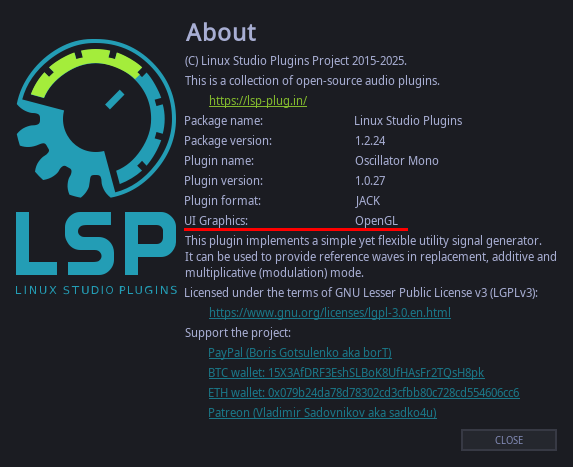
It says openGL Thanks again.
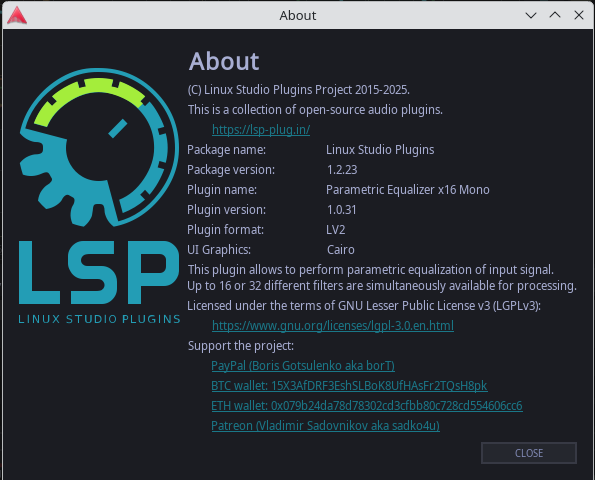
Your screenshot shows Cairo
Aah, ok. I did’t look close when I made the screenshot. At the first call it shows openGL, but at the second call it shows Cairo. I didn’t notice that.
That’s bad. Seems that I need to remember the result of the first call of glXQueryExtensionsString because it badly behaves on your system. An upstream bug of x11?
@werner.back I added some code to cache the result of glXQueryExtensionString here:
Please check that you don’t fall-back to Cairo with this patch.
2 Likes
I’m really confused now. Because I don’t know how to apply those changes to my source tree I simply checked out the whole devel branch and installed it. The good thing is that it stays on openGL now. The bad thing is that I got random crashes all over the place. I could open plugins a few times without an issue, but then suddenly I get segfaults. So I installed master again (the one I compiled yesterday, I just copied the files). Surprisingly now this version ALSO stays in openGL! I don’t know, what I’m supposed to do now…it seems now things are working, but no one knows why 