I am not sure which plugin you are using, but here is one that is a neural model and IR loader:
I am using this plugin:
It seems like I can’t change sampling rate on my Focusrite. I am stuck on 48 kHz and have now tried several times to disable the MSD mode like it says in the manual. Am I doing something wrong?
What other rates have you tried, and in what way (Ardour ALSA backend, changing Pipewire configuration, starting jackd, etc.)?
Is the interface still showing up as a USB mass storage device in your OS? If it does not appear as a USB removable storage device then it is no longer in MSD mode.
No, it no longer shows up as a USB storage device. I’ve tried ALSA, pulse, jackd etc. and in all tries the sampling rate is set to 48 kHZ and is greyed out.
You can see what rates the card advertises.
Look in /proc/asound. I have a USB device and an HDMI card, but the HDMI card is not enabled for audio currently on my system:
$ ls /proc/asound
card0 cards HDMI Lambda pcm timers
card1 devices hwdep modules seq version
$ ls /proc/asound/card0
id midi0 pcm0c pcm0p stream0 usbbus usbid usbmixer
$ cat /proc/asound/card0/stream0
Lexicon Lexicon Lambda at usb-0000:00:1d.3-2, full speed : USB Audio
Playback:
Status: Stop
Interface 1
Altset 1
Format: S16_LE
Channels: 2
Endpoint: 0x01 (1 OUT) (SYNC)
Rates: 44100, 48000
Bits: 16
Channel map: FL FR
Interface 1
Altset 2
Format: S24_3LE
Channels: 2
Endpoint: 0x01 (1 OUT) (SYNC)
Rates: 44100, 48000
Bits: 24
Channel map: FL FR
Capture:
Status: Stop
Interface 2
Altset 1
Format: S16_LE
Channels: 2
Endpoint: 0x82 (2 IN) (SYNC)
Rates: 44100, 48000
Bits: 16
Channel map: FL FR
Interface 2
Altset 2
Format: S24_3LE
Channels: 2
Endpoint: 0x82 (2 IN) (SYNC)
Rates: 44100, 48000
Bits: 24
Channel map: FL FR
You should see something like that for your Focusrite but also showing 96000 and 192000.
ls /proc/asound
card0 card2 card4 devices Generic Headset modules pcm Snowball version
card1 card3 cards Gen HDMI hwdep oss seq timers
ls /proc/asound/card4
device-map.json.zz.b64 id pcm0c pcm0p stream0 usbbus usbid usbmixer
[af@andre-amd ~]$ cat /proc/asound/card4/stream0
Focusrite Scarlett 2i2 4th Gen at usb-0000:06:00.1-3, high speed : USB Audio
Playback:
Status: Stop
Interface 1
Altset 1
Format: S32_LE
Channels: 2
Endpoint: 0x01 (1 OUT) (SYNC)
Rates: 44100, 48000, 88200, 96000, 176400, 192000
Data packet interval: 125 us
Bits: 24
Channel map: FL FR
Capture:
Status: Stop
Interface 2
Altset 1
Format: S32_LE
Channels: 4
Endpoint: 0x81 (1 IN) (SYNC)
Rates: 44100, 48000, 88200, 96000, 176400, 192000
Data packet interval: 125 us
Bits: 24
Channel map: FL FR FC LFE
Try PipeControl. You can force Sample Rates and Buffer Size there.
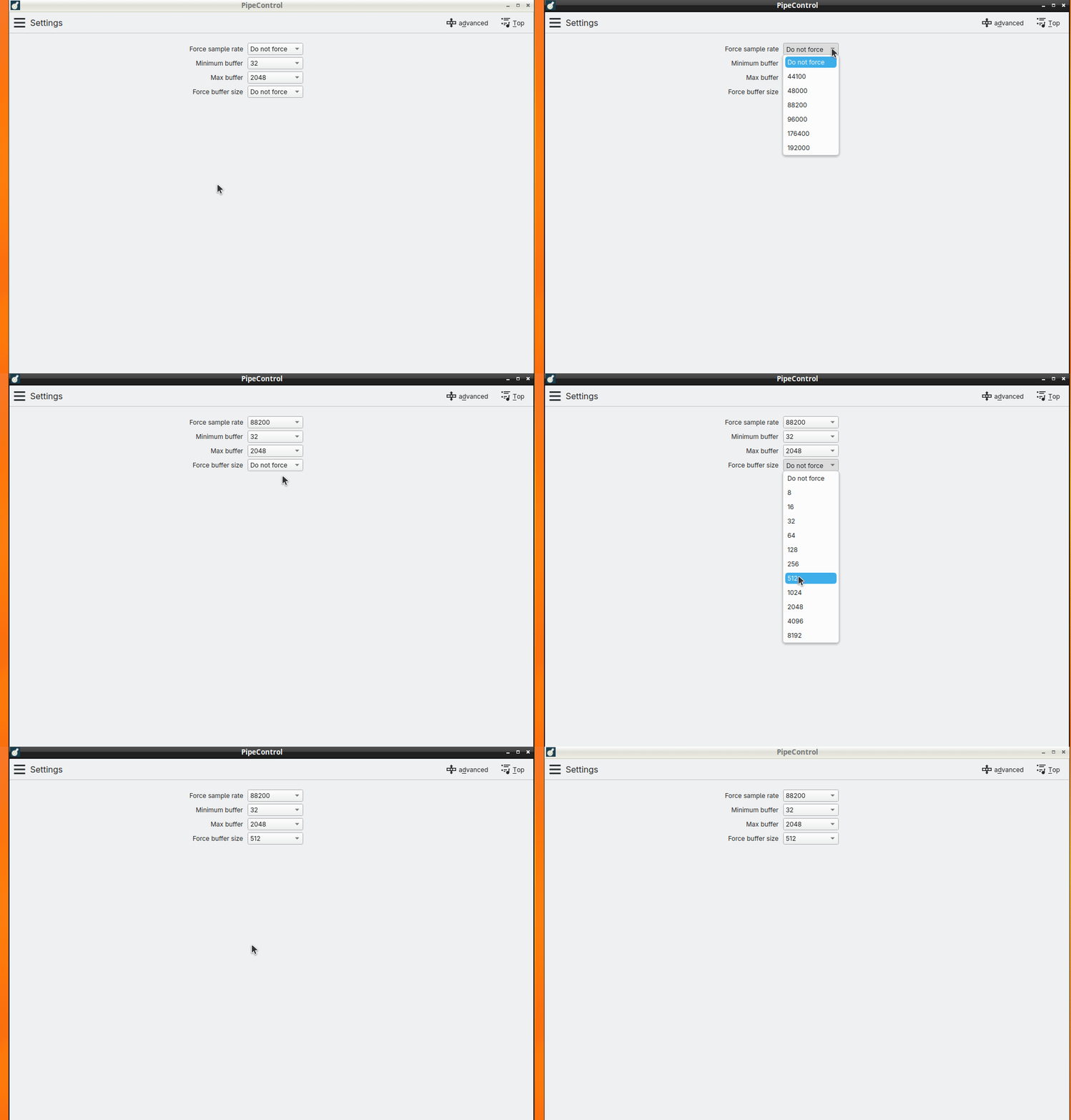
Thanks for the suggestion. Is there a reason why I am locked into 48 kHz even though I have disabled MSD? I ran qjackctl and 48kHz is locked there to.
Change USB Port? Test another Kernel?
Maybe check with another Distro? Live USB/CD…
If it’s still not working you’re definetly still in MSD Mode. Or maybe the interface is damaged…exchange?
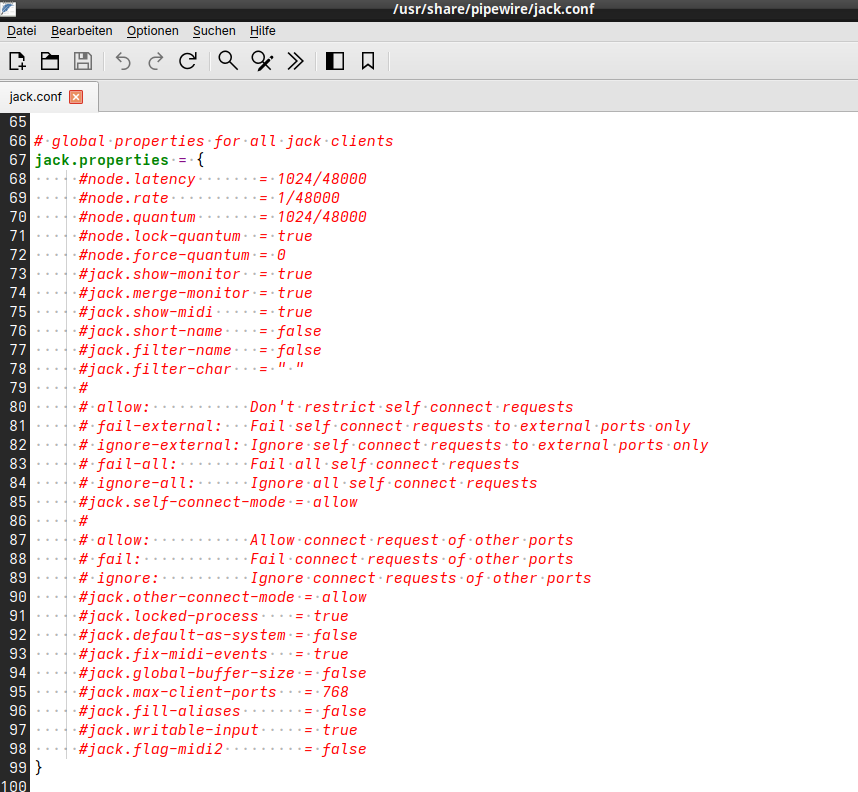
# JACK client config file for PipeWire version "1.4.9" #
#
# Copy and edit this file in /etc/pipewire for system-wide changes
# or in ~/.config/pipewire for local changes.
#
# It is also possible to place a file with an updated section in
# /etc/pipewire/jack.conf.d/ for system-wide changes or in
# ~/.config/pipewire/jack.conf.d/ for local changes.
#

context.properties = {
    ## Configure properties in the system.
    #mem.warn-mlock  = false
    #mem.allow-mlock = true
    #mem.mlock-all   = false
    log.level        = 0

    #default.clock.quantum-limit = 8192
}

context.spa-libs = {
    #<factory-name regex> = <library-name>
    #
    # Used to find spa factory names. It maps an spa factory name
    # regular expression to a library name that should contain
    # that factory.
    #
    support.* = support/libspa-support
}

context.modules = [
    #{ name = <module-name>
    #    ( args  = { <key> = <value> ... } )
    #    ( flags = [ ( ifexists ) ( nofail ) ] )
    #    ( condition = [ { <key> = <value> ... } ... ] )
    #}
    #
    # Loads a module with the given parameters.
    # If ifexists is given, the module is ignored when it is not found.
    # If nofail is given, module initialization failures are ignored.
    #
    #
    # Boost the data thread priority.
    { name = libpipewire-module-rt
        args = {
            #rt.prio      = 83
            #rt.time.soft = -1
            #rt.time.hard = -1
        }
        flags = [ ifexists nofail ]
    }

    # The native communication protocol.
    { name = libpipewire-module-protocol-native }

    # Allows creating nodes that run in the context of the
    # client. Is used by all clients that want to provide
    # data to PipeWire.
    { name = libpipewire-module-client-node }

    # Allows applications to create metadata objects. It creates
    # a factory for Metadata objects.
    { name = libpipewire-module-metadata }
]

# global properties for all jack clients
jack.properties = {
     #node.latency       = 1024/48000
     #node.rate          = 1/48000
     #node.quantum       = 1024/48000
     #node.lock-quantum  = true
     #node.force-quantum = 0
     #jack.show-monitor  = true
     #jack.merge-monitor = true
     #jack.show-midi     = true
     #jack.short-name    = false
     #jack.filter-name   = false
     #jack.filter-char   = " "
     #
     # allow:           Don't restrict self connect requests
     # fail-external:   Fail self connect requests to external ports only
     # ignore-external: Ignore self connect requests to external ports only
     # fail-all:        Fail all self connect requests
     # ignore-all:      Ignore all self connect requests
     #jack.self-connect-mode = allow
     #
     # allow:           Allow connect request of other ports
     # fail:            Fail connect requests of other ports
     # ignore:          Ignore connect requests of other ports
     #jack.other-connect-mode = allow
     #jack.locked-process    = true
     #jack.default-as-system = false
     #jack.fix-midi-events   = true
     #jack.global-buffer-size = false
     #jack.max-client-ports   = 768
     #jack.fill-aliases       = false
     #jack.writable-input     = true
     #jack.flag-midi2         = false
}

# client specific properties
jack.rules = [
    {   matches = [
            {
                # all keys must match the value. ! negates. ~ starts regex.
                #client.name                = "Carla"
                #application.process.binary = "jack_simple_client"
                #application.name           = "~jack_simple_client.*"
            }
        ]
        actions = {
            update-props = {
                #node.latency = 512/48000
            }
        }
    }
    {   matches = [ { application.process.binary = "jack_bufsize" } ]
        actions = {
            update-props = {
                jack.global-buffer-size = true   # quantum set globally using metadata
            }
        }
    }
    {   matches = [ { application.process.binary = "qsynth" } ]
        actions = {
            update-props = {
                node.always-process = false # makes qsynth idle
                node.pause-on-idle = false  # makes audio fade out when idle
                node.passive = out          # makes the sink and qsynth suspend
            }
        }
    }
    {   matches = [ { client.name = "Mixxx" } ]
        actions = {
            update-props = {
                jack.merge-monitor = false
            }
        }
    }
]
Strange thing is that in audacity I can choose sampling rate both in ALSA and JACK and I have access to 192 kHz.
Try PipeControl and check if all samplerates are available and selectable.
And maybe also try Ardour 9.0rc1 or Reaper.
Seems to me it’s a config/setup issue in your system.(but as I wrote - check this with another distro)
Yes, they are all available and selectable in Pipecontrol.
Set your Samplerate and Buffer Size and start Ardour…
I set the sampling to 96 kHz in pipecontrol and started a fresh session in Ardour and it says 96 kHz.
If you have pipewire-jack then it is unlikely your distribution also provides jackd. The QJackCtl program only configures and starts jackd, it cannot control Pipewire settings.
and to clarify something that may not be immediately obvious: if a pipewire client that uses the JACK API is the first user of an otherwise-unusued audio interface, it can set whatever rate it wants (assuming that the device supports it).
However, if there are already other pipewire clients using the device, the JACK client will be restricted to whatever rate is currently being used.
There may be a way to force pipewire to resample in such cases, but you don’t get that out of the box, as far as I can tell.
Arch Linux provides 3 different implementations of the JACK api, jack, jack2 and pipewire-jack. I have on my machine pipewire-jack installed. Do I need to switch to another JACK implementation in order to get control of sampling rate?