Hi this is the same issue I posted earlier, I would like some support from any Windows users as I am not sure what is wrong with this file. Thank you.
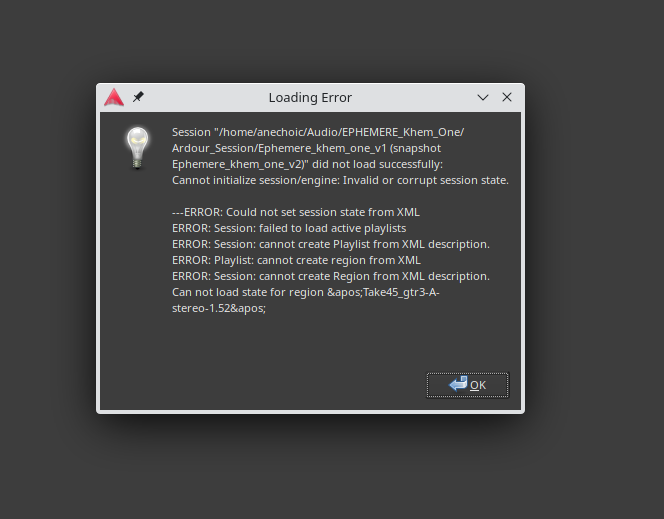
Hi does anyone know what’s going on with my session? I’m sure I saved it as usual as last time though since last time I keep getting this error message:
Session “C:\Users\danuj\Documents\Midsummer’s Night Dream (snapshot Midsummer’s Night Dream)” did not load successfully:
Cannot initialize session/engine: Invalid or corrupt session state.
—ERROR: Could not set session state from XML
ERROR: Session: failed to load active playlists
ERROR: Session: cannot create Playlist from XML description.
ERROR: Playlist: cannot create region from XML
ERROR: Session: XMLNode describing a MidiRegion references an unknown source id =545142
ERROR: Session: cannot create Region from XML description. Can not load state for region ‘Take1_Guitar Loop 1-3.1’
…
I got the same error message working with Ardour 8.10.0 in Ubuntu Studio on Linux. I had created a new snapshot, then made multiple playlists in 3 or 4 tracks, saved my session, shut down for the night.
Upon opening my latest snapshot I got the very same error message indicating a failure to load active playlists. I was going to edit the xml but decided not to go down that rabbit hole in the middle of trying to be creative.
//I am wondering this bug has been squashed in 8.12.0
KC
There was an error which caused a region description to be very slightly longer than the source file, that has been corrected in 8.12.
The problem in this thread is that a large number of MIDI data files are being corrupted in some way.
Since your error calls out a specific region it is more likely you encountered the error which has been addressed in 8.12.
You can find the region description in the .ardour XML file and reduce the size by one or two (bytes?) and it will allow the session to load if that is the problem.