Hello! I’ve managed to build and run Ardour on Windows using MSYS2 MINGW64. Outside of the errors during ./waf for my specific configure, I do have some uncertainties about what’s right. The Ardour folder is 199 MB, and the msys64 folder is 4.22 GB at the end.
Anyways, first download and install MSYS2. I do it to C:/msys64. Once it’s done, click the hyperlink that opens the folder, then click finish without unchecking the box to run MSYS2. Note that Shift + Insert is the shortcut to pasting there.
You can choose between running multiple commands in one go, or going line by line, or a mix of both. I’ve had some failures when trying to do everything in one go (After the first two pacman -Syu’s), but that may just be a formatting issue for what I had copied, or the download of many dependencies having errors. If you get an errors in the pacman -S code such that it doesn’t install everything, run the same thing again, till it does nothing.
First, run the following:
pacman -Syu
You’ll be prompted twice. Press Enter both times. Then it’ll close, and you’ll have to open mingw64.exe from the folder that clicking the hyperlink opened. Again, Do
pacman -Syu
again. Press enter when prompted. Once it’s done, run the following:
pacman -S --noconfirm --needed git unzip make \
mingw-w64-x86_64-{toolchain,boost,glib2,glibmm,libsndfile,curl,libarchive,liblo,taglib,vamp-plugin-sdk,rubberband,aubio,cairomm,pangomm,jack2,serd,sord,sratom,lilv,libwebsockets,cmake,libusb}
This will take several minutes. Then:
git clone https://github.com/Ardour/ardour.git
I don’t think installing PortAudio with ASIO is necessary, but I did it.
git clone https://github.com/PortAudio/portaudio.git
curl -L -o asiosdk.zip https://www.steinberg.net/asiosdk
unzip -q asiosdk.zip
cd portaudio
mv ~/asiosdk_2.3.3_2019-06-14 asiosdk
mkdir build && cd build
cmake .. -DCMAKE_INSTALL_PREFIX=/mingw64 -DPA_USE_ASIO=ON
ninja install
The 2nd last line will take a few minutes. Anyways…
Install FFTW with single precision. I’m not sure if this’ll no longer be required in the future, but it’s needed for now:
cd
curl -LO https://fftw.org/fftw-3.3.10.tar.gz
tar xf fftw-3.3.10.tar.gz && cd fftw-3.3.10
./configure --build=x86_64-pc-msys  --host=x86_64-w64-mingw32  --prefix=/mingw64 --enable-shared --disable-static --enable-float --enable-threads --with-combined-threads --with-our-malloc --enable-sse --enable-sse2 --enable-avx --enable-avx2 --disable-dependency-tracking
make -j$(nproc)
make install
Then go back to the ardour folder.
cd ~/ardour
What’s left is a little patchwork, then configuring, building and installing. The following works for now, but there may be no need for it in the future:
sed -i '31i\#if !GLIB_CHECK_VERSION(2,32,0)' libs/pbd/pbd.cc
sed -i '33a\#endif' libs/pbd/pbd.cc
sed -i '92i\#if !GLIB_CHECK_VERSION(2,32,0)' libs/pbd/pbd.cc
sed -i '96a\#endif' libs/pbd/pbd.cc
sed -i "s/obj.uselib += \['LILV'\]/obj.uselib += ['LILV', 'SERD', 'SORD', 'SRATOM']/" libs/ardour/wscript
sed -i "/obj.uselib/a\ obj.stlib = ['portaudio']\n obj.lib = ['ole32', 'setupapi', 'uuid', 'winmm', 'ksuser', 'jack64']" libs/backends/portaudio/wscript
sed -i '264i#if !GLIB_CHECK_VERSION(2,32,0)' gtk2_ardour/main.cc
sed -i '267a#endif' gtk2_ardour/main.cc
Then, configure. do ./waf --help to see what options are available. You might not want to have the same flags as mine. For example, I don’t even have Pro Tools, but I decided to include --ptformat just in case I have to deal with files from it.
./waf configure --dist-target=mingw --prefix=/c/Ardour --configdir=share --no-execstack --no-dr-mingw --optimize --cxx17 --ptformat
Note: If you have MSVC installed, you’ll have to do the following instead of ./waf configure:
python3 waf configure --check-c-compiler=gcc --check-cxx-compiler=g++ --dist-target=mingw --prefix=/c/Ardour --configdir=share --no-execstack --no-dr-mingw --optimize --cxx17 --ptformat
(Add your own configure options after --check-cxx-compiler=g++)
This took me ~8-20 seconds. Unfortunately, I can’t elaborate on everything there. I failed to get lrdf to work with this, so it ended up as follows:
Checking for ‘lrdf’ >= 0.4.0 : not found
Maybe in the future, someone will have a fix for that.
After this, start the build.
./waf -j$(nproc)
(or ./waf build)
This will likely take a long time. The least time that ./waf -j$(nproc) took me was 37m51.973s. (Actually I was doing ./waf build -v 2>&1 | tee build.log in that attempt, so maybe I can do it even quicker… I wonder if having MSVC installed played a role in the speed.)
After that, run ./waf install.
For some reason opening that using file explorer gives 4 errors, but running the following in MSYS2 worked for me: cmd //c "C:\\Ardour\\lib\\ardour9\\ardour-9.0.pre0.1864.exe"
(The .exe file will likely change, but that’s what I currently have)
I have since then Downloaded and installed ASIO4ALL (Download – ASIO4ALL Official Home), which worked for me. If you want to use it, you’ll have to configure it. (I suggest checking Frequently Asked Questions – ASIO4ALL Official Home).
Note that the MSYS2 terminal stops any running command with Ctrl+C. Doing that, or closing the terminal where you did that cmd command, will close Ardour.
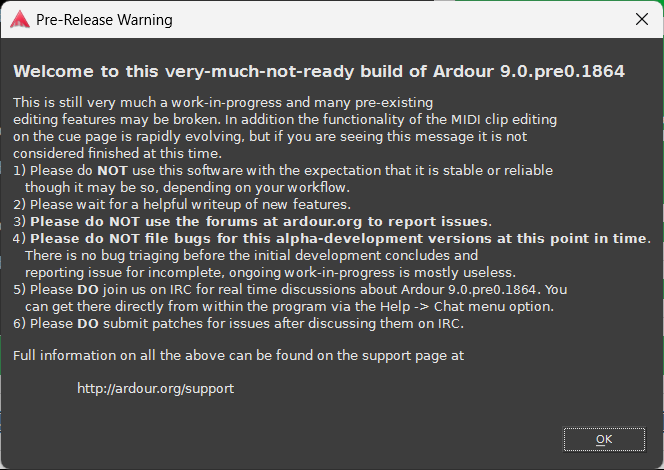
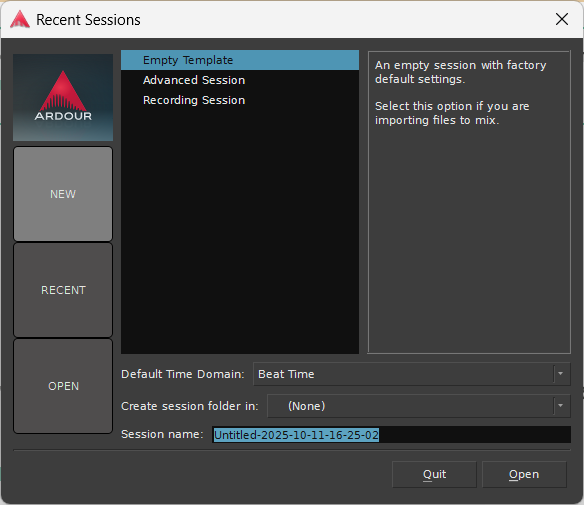
Below are the most common errors that I faced while running ./waf -j$(nproc), with their solutions. Originally I wanted to post this separately, and make a separate post later for how to build Ardour on Windows, but the error I was stuck on got solved. I assume some of these might get patched in the future. Aside from the errors, there are lots of warnings that’ll pop up in the terminal, but don’t worry about them.
-
C:/msys64/mingw64/bin/…/lib/gcc/x86_64-w64-mingw32/15.2.0/…/…/…/…/x86_64-w64-mingw32/bin/ld.exe: libs/pbd/pbd.cc.1.o:pbd.cc:(.text+0xd1): undefined reference to
Glib::thread_supported()' C:/msys64/mingw64/bin/../lib/gcc/x86_64-w64-mingw32/15.2.0/../../../../x86_64-w64-mingw32/bin/ld.exe: libs/pbd/pbd.cc.1.o:pbd.cc:(.text+0x1b3): undefined reference toGlib::thread_init(_GThreadFunctions*)’
collect2.exe: error: ld returned 1 exit status -
C:/msys64/mingw64/bin/…/lib/gcc/x86_64-w64-mingw32/15.2.0/…/…/…/…/x86_64-w64-mingw32/bin/ld.exe: libs/ardour/globals.cc.1.o:globals.cc:(.text+0x8e28): undefined reference to `fftwf_make_planner_thread_safe’
collect2.exe: error: ld returned 1 exit status -
(Would come with 2nd error, if that isn’t fixed)
C:/msys64/mingw64/bin/…/lib/gcc/x86_64-w64-mingw32/15.2.0/…/…/…/…/x86_64-w64-mingw32/bin/ld.exe: libs/ardour/lv2_plugin.cc.1.o:lv2_plugin.cc:(.text+0x922): undefined reference to__imp_serd_env_free' C:/msys64/mingw64/bin/../lib/gcc/x86_64-w64-mingw32/15.2.0/../../../../x86_64-w64-mingw32/bin/ld.exe: libs/ardour/lv2_plugin.cc.1.o:lv2_plugin.cc:(.text+0x827c): undefined reference to__imp_serd_env_new’
C:/msys64/mingw64/bin/…/lib/gcc/x86_64-w64-mingw32/15.2.0/…/…/…/…/x86_64-w64-mingw32/bin/ld.exe: libs/ardour/lv2_plugin.cc.1.o:lv2_plugin.cc:(.text+0x8283): undefined reference to `__imp_serd_env_set_prefix_from_strings’
collect2.exe: error: ld returned 1 exit status -
In file included from …/libs/surfaces/launchpad_pro/interface.cc:26:
…/libs/surfaces/launchpad_pro/lppro.h:28:10: fatal error: libusb.h: No such file or directory
28 | #include <libusb.h>
| ^~~~~~~~~~
compilation terminated. -
C:/msys64/mingw64/bin/…/lib/gcc/x86_64-w64-mingw32/15.2.0/…/…/…/…/x86_64-w64-mingw32/bin/ld.exe: libs/backends/portaudio/portaudio_io.cc.1.o:portaudio_io.c:(.text+0xb8c): undefined reference to
PaAsio_GetAvailableBufferSizes' C:/msys64/mingw64/bin/../lib/gcc/x86_64-w64-mingw32/15.2.0/../../../../x86_64-w64-mingw32/bin/ld.exe: libs/backends/portaudio/portaudio_io.cc.1.o:portaudio_io.c:(.text+0x1e24): undefined reference toPaAsio_GetInputChannelName’
C:/msys64/mingw64/bin/…/lib/gcc/x86_64-w64-mingw32/15.2.0/…/…/…/…/x86_64-w64-mingw32/bin/ld.exe: libs/backends/portaudio/portaudio_io.cc.1.o:portaudio_io.c:(.text+0x1f34): undefined reference toPaAsio_GetOutputChannelName' C:/msys64/mingw64/bin/../lib/gcc/x86_64-w64-mingw32/15.2.0/../../../../x86_64-w64-mingw32/bin/ld.exe: libs/backends/portaudio/portaudio_io.cc.1.o:portaudio_io.c:(.text+0x705): undefined reference toPaAsio_ShowControlPanel’
collect2.exe: error: ld returned 1 exit status -
C:/msys64/mingw64/bin/…/lib/gcc/x86_64-w64-mingw32/15.2.0/…/…/…/…/x86_64-w64-mingw32/bin/ld.exe: gtk2_ardour/main.cc.1.o:main.cc:(.text.startup+0x15d): undefined reference to
Glib::thread_supported()' C:/msys64/mingw64/bin/../lib/gcc/x86_64-w64-mingw32/15.2.0/../../../../x86_64-w64-mingw32/bin/ld.exe: gtk2_ardour/main.cc.1.o:main.cc:(.text.startup+0x805): undefined reference toGlib::thread_init(_GThreadFunctions*)’
collect2.exe: error: ld returned 1 exit status
Solutions:
sed -i '31i\#if !GLIB_CHECK_VERSION(2,32,0)' libs/pbd/pbd.cc
sed -i '33a\#endif' libs/pbd/pbd.cc
sed -i '92i\#if !GLIB_CHECK_VERSION(2,32,0)' libs/pbd/pbd.cc
sed -i '96a\#endif' libs/pbd/pbd.cc
pacman -S --noconfirm make
cd
curl -LO https://fftw.org/fftw-3.3.10.tar.gz
tar xf fftw-3.3.10.tar.gz && cd fftw-3.3.10
./configure --build=x86_64-pc-msys --host=x86_64-w64-mingw32 --prefix=/mingw64 --enable-shared --disable-static --enable-float --enable-threads --with-combined-threads --with-our-malloc --enable-sse --enable-sse2 --enable-avx --enable-avx2 --disable-dependency-tracking
make -j$(nproc)
make install
Then do cd to wherever you have the ardour folder.
I did cd ~/ardour
Note that make -$(nproc) will take a few minutes.
sed -i "s/obj.uselib += \['LILV'\]/obj.uselib += ['LILV', 'SERD', 'SORD', 'SRATOM']/" libs/ardour/wscript
[Rerun the ./waf configure with the tails you used, after this. Then continue with ./waf or ./waf -j$(nproc)]
pacman -S mingw-w64-x86_64-libusb
Then do ./waf configure… again. But, this’ll likely start from the beginning.
sed -i "/obj.uselib/a\ obj.stlib = ['portaudio']\n obj.lib = ['ole32', 'setupapi', 'uuid', 'winmm', 'ksuser', 'jack64']" libs/backends/portaudio/wscript
[Rerun the ./waf configure with the tails you used, after that sed -i.]
sed -i '264i#if !GLIB_CHECK_VERSION(2,32,0)' gtk2_ardour/main.cc
sed -i '267a#endif' gtk2_ardour/main.cc


