Audio Interfaces Under Linux

I should add to this…

I while back I got hold of a Behringer XR18. This is an 18 channel mixer which also has 18 in and 18 out USB and it works beautifully in Linux. It even has a free downloadable Linux app to control the extremely capable, mixing and routing capabilities in the unit itself via the network.

It has 24-bit resolution at 44.1 or 48kHz.

As it’s, fundamentally, a standalone mixer, then this unit has some fantastic routing and mixing capabilities, and also some onboard FX. For each of the 18 inputs you can select whether it is an analogue input or a USB output from the computer. For analogue inputs, every channel has a gate (with sidechain), EQ, and compression, as well as an FX send to each of the 4 onboard FX slots (which can be loaded from a range of FX including guitar amps, vintage style compressors and reverbs, delays,chorus, etc.).

16 of the inputs are “combi” style connectors (Jack or XLR) and two are jack line level inputs. Combi inputs 1& 2 are Hi-Z so you can DI guitars and basses.

There’s 6 output busses in addition to the stereo master bus, and you can also route the output of any channel to the PC over USB. The mono busses and channels can be ganged together to form stereo pairs.

Controlling the unit is done using the free PC, Mac, or Linux (yes!!) app, and there’s also an iPad and Android app. Control is via the network, and the unit can either act as a station on an existing wireless or wired LAN, or can be switched to act as a standalone wifi network for stage use.

This gives a fantastic degree of flexibility. To give some examples of how I’ve used this.

I have this connected up with Jack, so I see an 18-input/output device (you can switch this to 2-channel mode if you want). I have a Mic on one channel (it has phantom power and phase options), and guitar and bass DI’d on channels 1 & 2. I also have a synth and a guitar FX processor plugged into other channels. I often do Google Hangouts, and sometimes I will mess around with my guitar during these. I have configured 2 stereo busses, one outputting to my desktop monitor speakers, and one acting as the mixing point for USB “send”. I have headphones plugged into the monitor jack on the unit which is on the master bus.

So this basically allows me to create separate mixes for:

  • Headphones
  • Monitor speakers
  • PC

So if I’m in the middle of a Hangout, I can listen to my noodling on the guitar/bass and the Hangout audio on my headphones, whilst the hangout hears my Mic audio, but not the guitar/bass. I could also choose to let the hangout hear the guitar/bass if it’s a social hangout.

I can also push Pulseaudio sound out of the PC on a channel, and mix it into any of the busses. Again this allows me to selectively and separately mix the audio from (for instance) Youtube to the speakers, headphones, or back to the PC (e.g. to a Hangout). I’ve used this, for instance, to play a backing track on the PC and play along on the guitar, performing into the Hangout.

Conversely, I can also set the gate on the microphone to duck the mic based on the guitar or bass input, so if I am in a conference call, I can mess around on the guitar and they won’t hear the strings through the mic. Another use for this is so that, when performing to a Hangout, the mic doesn’t pick up any acoustic string noise or fret buzz.

Cheers,

Keith

P.S. I removed the links to the appropriate parts of the Behringer wiki as these seemed to trigger the spam filters.
hi i have a used lexicon alpha,berhinger uca 200,behringer uca 222. All soundcard work good in gnu linux debian stretch 9 with repository kxstudio. No problem with ardour 5.12,Mixbus 4,tracktion 6 and 7 Qtractor and various other programs dedicate audio production. I have a test maudio firewire solo with driver ffado. Are two days it’s work in debian stretch with repositories kx studio
gennaro

I just had a chance to briefly (for 1 hour) try out the Behringer UFX1204 mixer with Linux. The device is a USB Class Compliant device and works out of the box with Linux.

My Linux system:
Manjaro Linux with kernel 4.14.80
Jack 0.125.0
Alsa: Advanced Linux Sound Architecture Driver Version k4.14.80-1-MANJARO

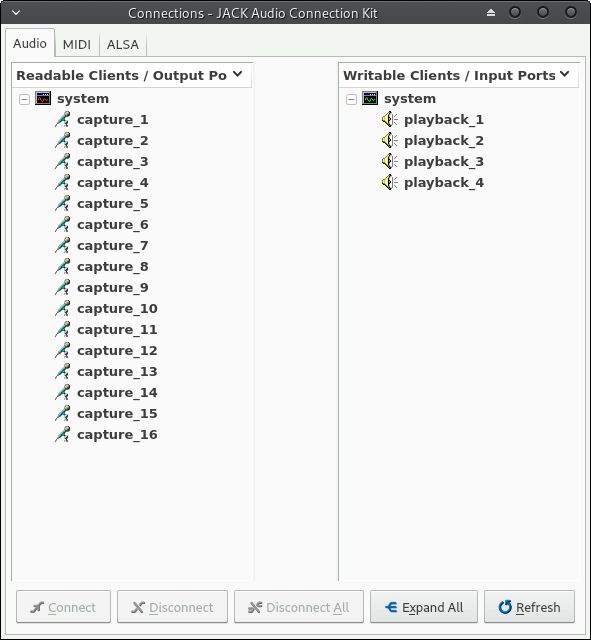
The device lets you record 16 channels which are:

channels 1 - 12 are hardware inputs (Mic, Line, etc)
channel 13 is the Aux channel
channel 14 is the FX channel
channels 15 - 16 seems to carry a mixdown of channels 1 - 14.

I only had one mic (SM58) with me so I could only get signal to one input at a time, but I recorder all the 16 channels simultaneously with no problems while connecting the mic to the inputs 1 - 4.

The test was not very thorough but everything I tested worked fine. Here are some detailed info I grabbed from the device:

cat /proc/asound/UFX1204/stream0

BEHRINGER UFX1204 at usb-0000:00:14.0-1, high speed : USB Audio

Playback:
  Status: Stop
  Interface 2
    Altset 1
    Format: S32_LE
    Channels: 4
    Endpoint: 2 OUT (SYNC)
    Rates: 44100, 48000, 88200, 96000
    Data packet interval: 125 us

Capture:
  Status: Stop
  Interface 1
    Altset 1
    Format: S32_LE
    Channels: 16
    Endpoint: 1 IN (SYNC)
    Rates: 44100, 48000, 88200, 96000
    Data packet interval: 125 us

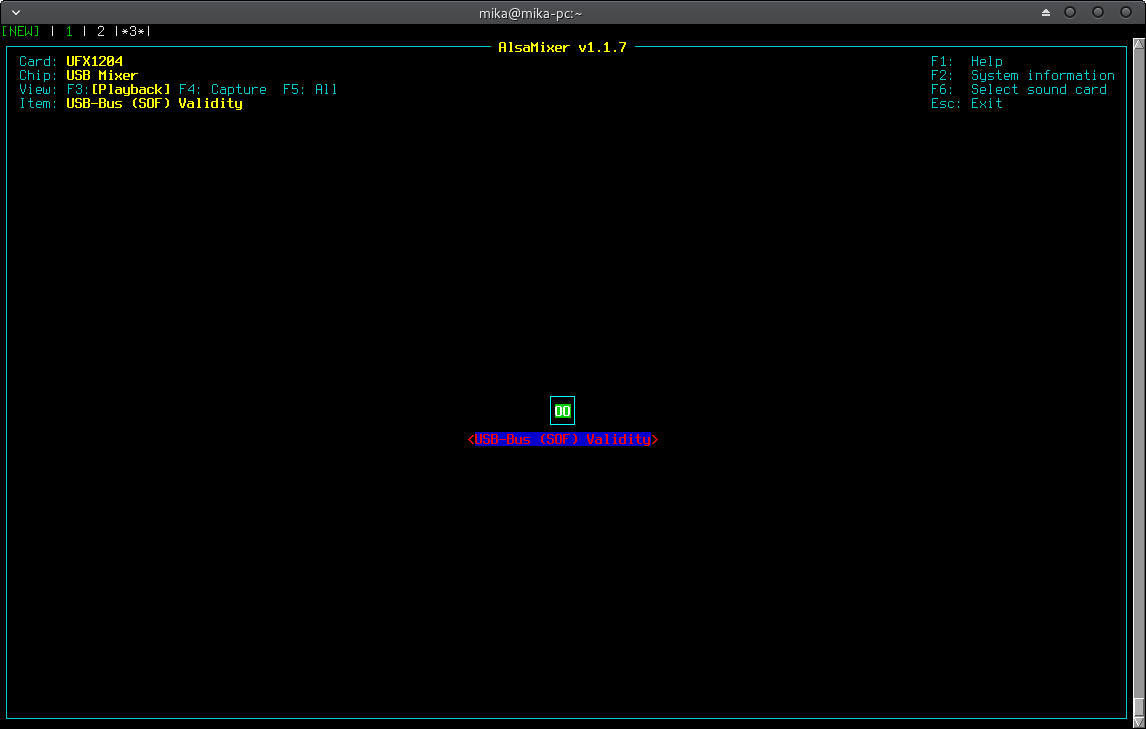
cat /proc/asound/UFX1204/usbmixer

USB Mixer: usb_id=0x13970002, ctrlif=0, ctlerr=0
Card: BEHRINGER UFX1204 at usb-0000:00:14.0-1, high speed
  Unit: 212
    Control: name="USB-Bus (SOF) Validity", index=0
    Info: id=212, control=2, cmask=0x0, channels=1, type="BOOLEAN"
    Volume: min=0, max=1, dBmin=0, dBmax=0

Latencies

Jack started with: Sample Rate 44.1 kHz, Frames / Period: 1024, Periods / Buffer: 3.

jack_iodelay

  3300.665 frames     74.845 ms total roundtrip latency
        extra loopback latency: 228 frames
        use 114 for the backend arguments -I and -O

Jack started with: Sample Rate 48 kHz, Frames / Period: 1024, Periods / Buffer: 3.

jack_iodelay

  3317.689 frames     69.119 ms total roundtrip latency
        extra loopback latency: 245 frames
        use 122 for the backend arguments -I and -O

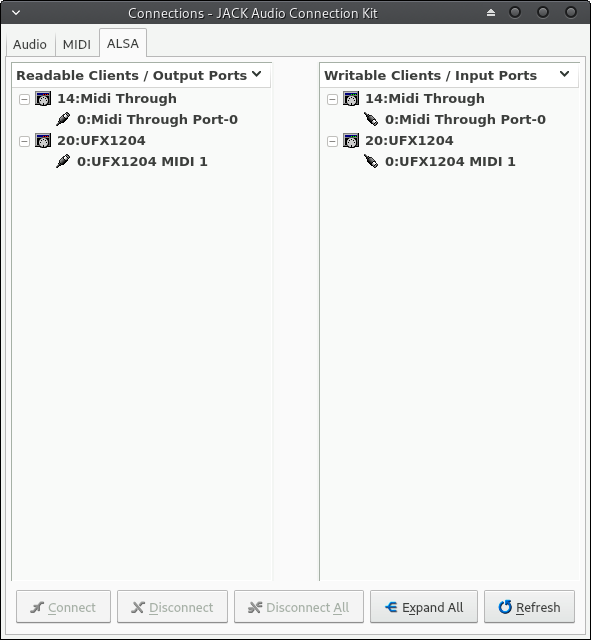
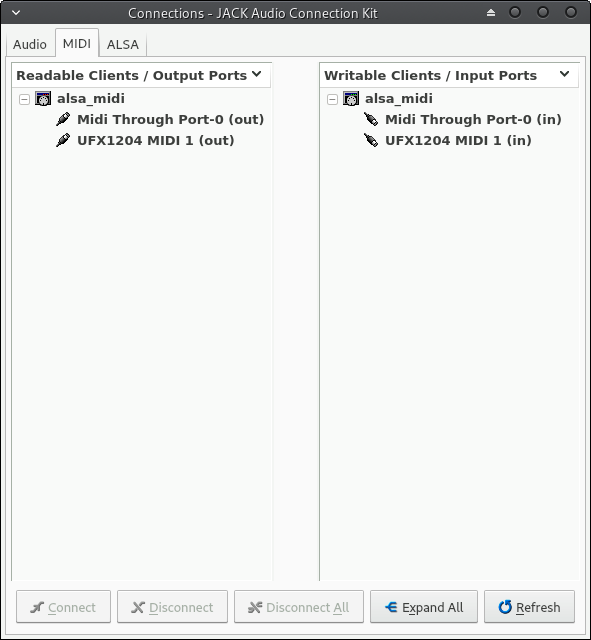
Here are some screenshots of QJackCTR:

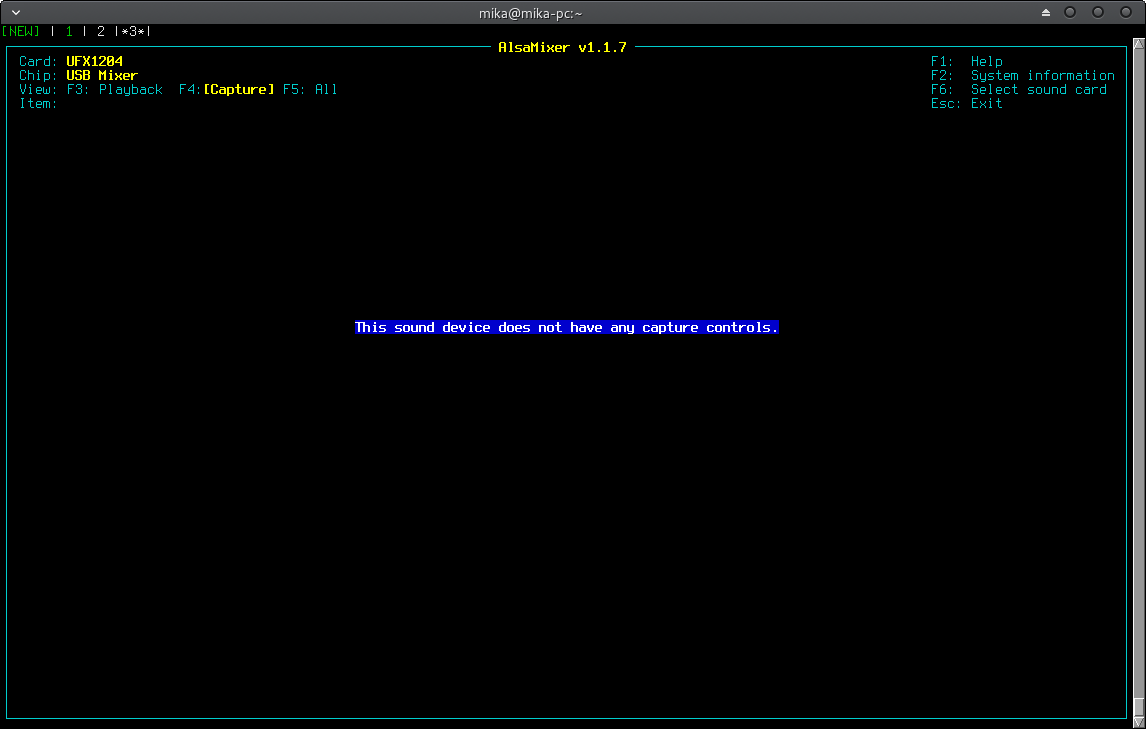
Alsamixer didn’t seem to have any controls for the device:

1 Like

Steinberg CI2+ works fine in Ardour 5 on Ubuntu 18.04 in my experience.

Hi,
I’m just getting the Behringer UMC 1820 to run in Ubuntu Studio 18.04 out of the box!

I was able to have 0.7ms latency with 96kHz.
I was also able to use the 8 optical ADAT I/O without any problems.

The only thing was to get rid of puleaudio:

I did some tests and recordings to show setup, two time monitor-mixing, ADAT and latency demo on youtube: https://www.youtube.com/channel/UCINH_Fh0Ego_IWIVed3RUmA

It’s in German but you’ll get the point.

I like to use an RME 96/8 PAD on my old PC. That PCIe Card was an expensive on!
The UMC 1820 was about 180,- Euro, and now I’m able to use USB an a newer Laptop
for recording.

I’m locking forward to test the Mic-Preamps against the ones build in my old Yamaha O3D.
You will hear that on my YouTube-Channel, next weeks.

Enjoy,
Thilo

I have to add something to all the good things i said about my MOTU Ultralite AVB. It was sold as a cc-compatible device : it is not anymore. Latest firmwares >=1.3 crippled the cc-compatibility and it’s definitively not a good choice anymore if you want to keep up with the updates. You can always downgrade, so there’s that. Sadly, newer non-cc firmwares bring a workable tablet interface to the mixer instead of the microscopic UI, which was something i’ve been waiting since i got the sound card.
There is a thread on Linux Musicians forum about this very issue : https://linuxmusicians.com/viewtopic.php?f=6&t=18046

I’ll add to what baptiste said. The MOTU AVB line (Ultralite, 16A, 828es, 8pre-ES etc.) has a lot of great features but are no longer class compliant. Some models like my 8pre-ES do not even have the older firmware available.

They can be made to work by patching the kernel, described in the thread linked baptiste’s post. Totally worth it if you are drawn to their feature set, otherwise pick a different interface!

I also have the UMC1820, and it was fully functional out of the box with AVLinux. For the price and my purposes, it has been great.

Suppose I wanted to to use a USB device for recording tracks in Ardour with some multichannel interface as discussed in this thread, but then mix those tracks using an external analogue desk? Rather than (or as well as) an interface with multiple inputs, I’d need an interface with multiple physical output connectors - for argument’s sake, say 16 outputs for 16 recorded tracks. However most of the interfaces mentioned here seem to have very few physical outputs. For instance the Behringer XR 18 mentioned by Keith Milner a while back is described as 18in + 18out yet has only 6 bus + L+R physical outputs. All the other multi IO devices seem to have similar restrictions.

How can I have (say) 16 physical outputs, but perhaps even more, available from the computer?

I’m guessing that the limitation on number of outputs in these devices may be due to the bandwidth of the USB2 protocol itself. Therefore, is it possible to use multiple USB IO devices simultaneously e.g. 2x XR18’s? How would Ardour (jack, alsa) deal with that - any problems?

Another possible solution may be to use a PCIe instead of USB2 device . Something like RME’s HDSPe AES card looks great but they’re pretty expensive - especially with the additional cost of breakout boxes for XLR connectors. Also since they’re 8x8 channels per card, I’d need two of them for 16 tracks - 3 of them for 24 track - all of which have implications for the motherboard i.e. having sufficient available PCIe slots and spacing (from the pictures of them, while each “card” uses a single PCIe slot, two card spaces are actually used).

Has this been discussed previously? Has anyone thought about how to do this? Any input would be appreciated.

Thanks,
chris

Any idea how to get ADAT to work with UMC1820

What is the problem with the device ? I have one and Adat works fine.

Edit: I see you opened another thread for this question.

Allegedly MOTU is working to solve the channel hopping bug, but there’s no time frame :
source : https://linuxmusicians.com/viewtopic.php?f=6&t=18046&sid=0a2177ea1fd8dc90446faf5d1beb8c9e&start=240#p109819

Thanks for reaching out. We’re aware of this issue and do apologize. As far as we know, it’s only specific to non-Mac/Windows class compliant mode. For instance, Linux will show this issue almost immediately.
That being said, I hope to see this fixed soon. I just don’t know of an exact time frame. It’s in line. That’s about all I can say.

I haven’t read this entire conversation (!) but I did want to share that today I installed my old M-Audio Audiophile 192 card with breakout cable and noticed a pleasing difference from the UMC204HD I had been using. That’s not to say that Behringer hasn’t produced good products with the UMC range (I also have the 404 and 1820 models) but there is something special about these old PCI cards. I was totally surprised that the latest drivers from the M-Audio legacy downloads page installed in Win 10 Pro without a hitch (I think I had to force Win 7 compatibility a previous time?). It means I don’t have to unplug a USB interface every time I put my computer to sleep (no power buttons on the Behringer 204 and 404 models). Happy as a clam living back in the early 2000s :wink: The sound quality, to my ears at least, is superb even for 2019. Jump in if I should be corrected! I should conclude by saying that this also works flawlessly in Linux!
I would say it’s not so much as a bus bandwidth issue, but that, in a typical environment, most common use is to need a larger number of recording inputs compared to outputs.

Most people use a DAW so they can mix “in the box” whilst there are, arguably, a.lot of benefits to performing the final summing using an analogue system (as analogue summing generally is not the same as performing arithmetic in a digital world), it’s pretty uncommon and, I believe, even more uncommon to use an external analogue mixer at the mixing stage. As such, not many vendors are going to sell audio interfaces to support such a workflow.

You would probably be best looking at studio type equipment from the likes of Motu, RME, etc for this. You are unlikely to find much in the “prosumer” level kit simply because it’s not a “prosumer” type of requirement.

Cheers,

Keith

Thanks for your thoughts on this Keith.

Looking around at the types of equipment available and how they might be used in this kind of workflow, I came to more or less the same conclusion and am now looking at using one or multiple of the MOTU AVB boxes - the Ultralite is the least expensive of the AVB series and has 8x main outputs so good enough to start experimenting with. What makes the AVB enabled systems attractive is that multiple of them can be synced together via a network achieving (hopefully) 16, 24,32 etc., outputs for external mixing.

Thanks again,
chris

No problem. I’m glad you have a solution.
By the way (in case you were wondering), the thing that makes the XR18 an 18x18 is because there’s 18 channels in both directions on the USB bus. As you have ascertained, the device itself doesn’t have all of these physical interfaces. It works mainly because it’s a mixer, so you can do all sorts of clever routing and mixing.

For instance, you can take any of the “output” channels from the PC and mix them into an output bus along with any of the locally captured channels. You could also push channels from the PC to the mixer, mix them with other sources, and take the mixed result and push back to the PC. It also has an effect unit in so you can use it as an outboard FX processor if you want.

Of course, all of this is done in the digital domain and that’s not what you are after, but it is there for people who do want it.

And, of course, the XR18 is primarily positioned as a mixer, and that’s where I have used it a fair bit (mixing live bands and shows). When I’m not doing that I use it as an audio interface for it’s flexibility.

Also, many other devices that aren’t positioned as mixers do have some quite sophisticated mixing and routing capabilities in them. The Focusrite and Apollo devices spring to mind. I’ve not looked at the Motu AVB in depth, but I bet it rivals the XR18 when it comes to internal routing and mixing capabilities.

Cheers,

Keith

Merging Technologies Hapi (Ravenna audio via ethernet cable) comes to mind (very expensive, though). Then there is DiGiCo UB-MADI which is reported to work with Linux (USB connection). This is not cheap, either, and you will need external MADI box for the outputs which adds some thousand(s) or so ($,€) to the price… still more than 50% cheaper than Hapi.
On the affordable side of the spectrum you can try Behringer UMC1820 (USB) connected to Behringer ADA8200 Ultragain via ADAT. I think some people on this forum reported this combination to work well with Linux.

Native Instruments Komplete Audio 6 mk2

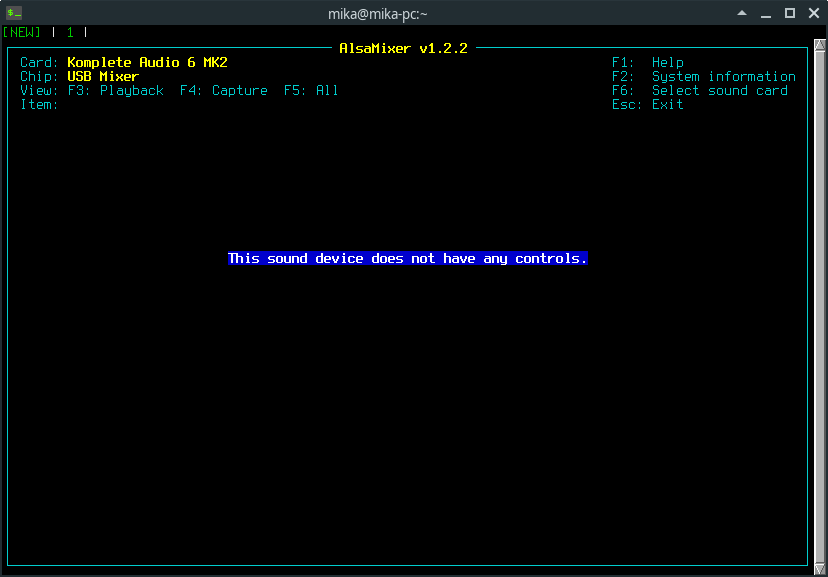
The device is USB 2 Audio Class Compliant and fully functional in Linux. There is no internal mixer or controls in alsamixer since everything is controlled with physical knobs.

The device is well built and sturdy. It is buss powered and does not have a power supply. The device’s six input and six output channels can all be separately recorder and played back.

Inputs
There are two Mic / Line inputs at the front panel (1+2), two line inputs (3+4) and a SPDIF (copper) input at the back (5+6). You have volume control only for inputs 1 and 2 and no way to control volume for inputs 3 + 4 and 5+6 (SPDIF). SPDIF seems to automatically sync to incoming digital signal whenever the signal appears at the input. There are five leds for indicating analog input channel volume. Four green leds are for signal strength and one red for overload.

The mic inputs sound ok and you can get quite a lot of gain from them. I didn’t notice any hiss on the mic channels although my home is never quiet and there is always some noise from air conditioning etc.

Outputs
The device has six outputs. The big master fader controls only line outputs 1+2. Outputs 3+4 are line level and output 5+6 is SPDIF.

Control knobs
The Input / Host knob lets you mix computer playback and live signal from selected analog inputs to the headphones (zero latency monitoring). The 1-2 / 3-4 switch controls which of the two analog input stereo pairs you hear on the headphones.

The mono switch affects either analog inputs 1+2 or 3+4 depending which stereo pair is selected with the physical switch. The switch only affects sound on the headphones.

Headphone amps
You can connect two headphones to the device and control volume on both separately. The gain of the headphone amplifiers is a low compared to other devices. With my 80 Ohm Beyerdynamic DT-770’s the volume left me wanting a bit more. Volume will be higher with headphones with lower impedance. I guess this is a compromise between features and having only 0.5 Amps power from the usb bus. Devices with separate power supply have more gain.

Edit: On second thought this is not true. I have another bus powered device: Alesis IO2 and it has lots of gain, it can drive my 250 Ohm Dt-990’s to volume levels beyond comfort and there is still lots of gain in reserve.

Only computer outputs 1+2 can be heard on the headphones, there is no way to route computer outputs 3+4 and 5+6 to headphones.

Midi
For MIDI I only tested driving midi clock from Ardour to a drum machine and it started playing ok so I guess the midi input and output work ok.

Other things
Some USB bus powered sound devices emits a high pitched noise in headphones when Jack or Ardour is started (for example my Alesis IO4). Komplete Audio 6 didn’t do that.

I was a little surprised by the limitations of the device (no volume control for inputs 3+4, no way of listening inputs 1+2 and 3+4 simultaneously on the headphones). But it’s a nice compact device and has spdif so it has it’s use cases. Also the lack of extra power supply is a bonus if you’re traveling lightly :slight_smile:

Edit:
I’m sending the device back, it does not do what I need. I still think this device is worth the money, but its functionality does not meet my specific needs. Reasons for sending it back are:

  • Not being able to listen to inputs 1 - 4 simultaneously on headphones.
  • The headphone amplifiers are advertised as: “We’ve also doubled their output power – great for stage use or high-impedance headphones”. The output power is insufficient even for my 80 Ohm DT-770’s.
  • No volume controls for inputs 3 + 4, this seriously limits the usability of these inputs.

Jack_iodelay reported latencies ranging from 260 to 287 (tested with 20 starts and stops of jack 1). Tests were done with 44.1 kHz sample rate, Frames 1024, Buffers 3. The average of the measurements is 283 or 284. Here is a measurement close to that.

3640.672 frames 82.555 ms total roundtrip latency
extra loopback latency: 568 frames
use 284 for the backend arguments -I and -O

cat /proc/asound/MK2/stream0:
Native Instruments Komplete Audio 6 MK2 at usb-0000:00:1d.0-1.1, high speed : USB Audio

Playback:
Status: Running
Interface = 1
Altset = 1
Packet Size = 216
Momentary freq = 44100 Hz (0x5.8333)
Feedback Format = 16.16
Interface 1
Altset 1
Format: S32_LE
Channels: 6
Endpoint: 6 OUT (ASYNC)
Rates: 44100, 48000, 88200, 96000, 176400, 192000
Data packet interval: 125 us
Bits: 24

Capture:
Status: Stop
Interface 2
Altset 1
Format: S32_LE
Channels: 6
Endpoint: 7 IN (ASYNC)
Rates: 44100, 48000, 88200, 96000, 176400, 192000
Data packet interval: 125 us
Bits: 24

cat /proc/asound/MK2/midi0:
Komplete Audio 6 MK2

Output 0
Tx bytes : 0
Input 0
Rx bytes : 0

cat /proc/asound/MK2/usbmixer:
USB Mixer: usb_id=0x17cc1870, ctrlif=0, ctlerr=0
Card: Native Instruments Komplete Audio 6 MK2 at usb-0000:00:1d.0-1.1, high speed
USB Mixer: usb_id=0x17cc1870, ctrlif=0, ctlerr=0
Card: Native Instruments Komplete Audio 6 MK2 at usb-0000:00:1d.0-1.1, high speed
Unit: 17
Control: name=“Clock Source 17 Validity”, index=0
Info: id=17, control=2, cmask=0x0, channels=1, type=“BOOLEAN”
Volume: min=0, max=1, dBmin=0, dBmax=0
proc_asound_MK2_usbmixer (END)

Some time ago I bought a Soundcraft Signature 12 MTK mixer, because it claimed to have a class compliant 14 in/12 out USB2.0 interface. While testing, the interface turned out to be as promised. Qjackctl found said number of channels in my Debian10 system with an RT-kernel that I had compiled from official Debian packaged kernel sources.
Soundcraft 12 MTK is mixer+interface I can recommend. I recorded a few tracks and got no xruns -and the price is too bad, around 350 - 400 euros.
I also find it refreshing to use actual knobs to tweak EQ and the effects channel is quite useful, with its own level slider.
As it is with USB, make sure your mobo connectors are up to the task that this mixer can do. I use a PCI-e connected 4 connector USB3.0 card (cheap).

1 Like

@mhartzel - Thanks for your deep review of the Native Instruments Komplete Audio 6 mk2.

TL;DR: Based on your detailed review I bought one and I’m very happy with it running on a Ubuntu Linux 20.04 LTS with low-latency kernel. It works like a charm (and driver less!) with Ardour 6.

Short before I bought a Focusrite Scarlet 6i6 - also USB Class Audio compliant. Worked driverless under Linux also. Just to find out after delivery that it had no hardware switches to switch inputs from “Line” to “Inst / Hi-Z” level. WTF(?) - you have to register on their site to get a stand-alone Software(!) called “Controller” that switches the line input via USB command. Of course that software is not available for Linux. And even if available: noone can say if that software will be available / maintained in - let’s say - 5 years from now. So this feels like programmed hardware obsoletion. I returned it to the store.

So: Good bye Focusrite & Hello Native Instruments!