The record window is very nice. Just wanted to mention it and thank the devs for it. @GMaq you should try to get used to it, you’ll see.
1 Like
Only now i caught some time, but i had to try @GMaq 's AVL 25.3 xfce version first  , and it’s already 1:30am Monday morning. However, aldo i didn’t compare it to Zrythm directly, i did catch one thing that i find annoying in Ardour 9.8 when editing midi in piano roll window.
This throws me out of “the zone” every time i’m trying to quickly add & rearrange midi notes - unnecessary different behaviors of draw and edit mode in this particular case (and i mean strictly in piano roll window), if you take into consideration that you already have a combined tool with either one of them.
Here’s the problem - in draw mode, when trying to extend or shrink the note duration, you don’t get this kind of change in cursor appearance:
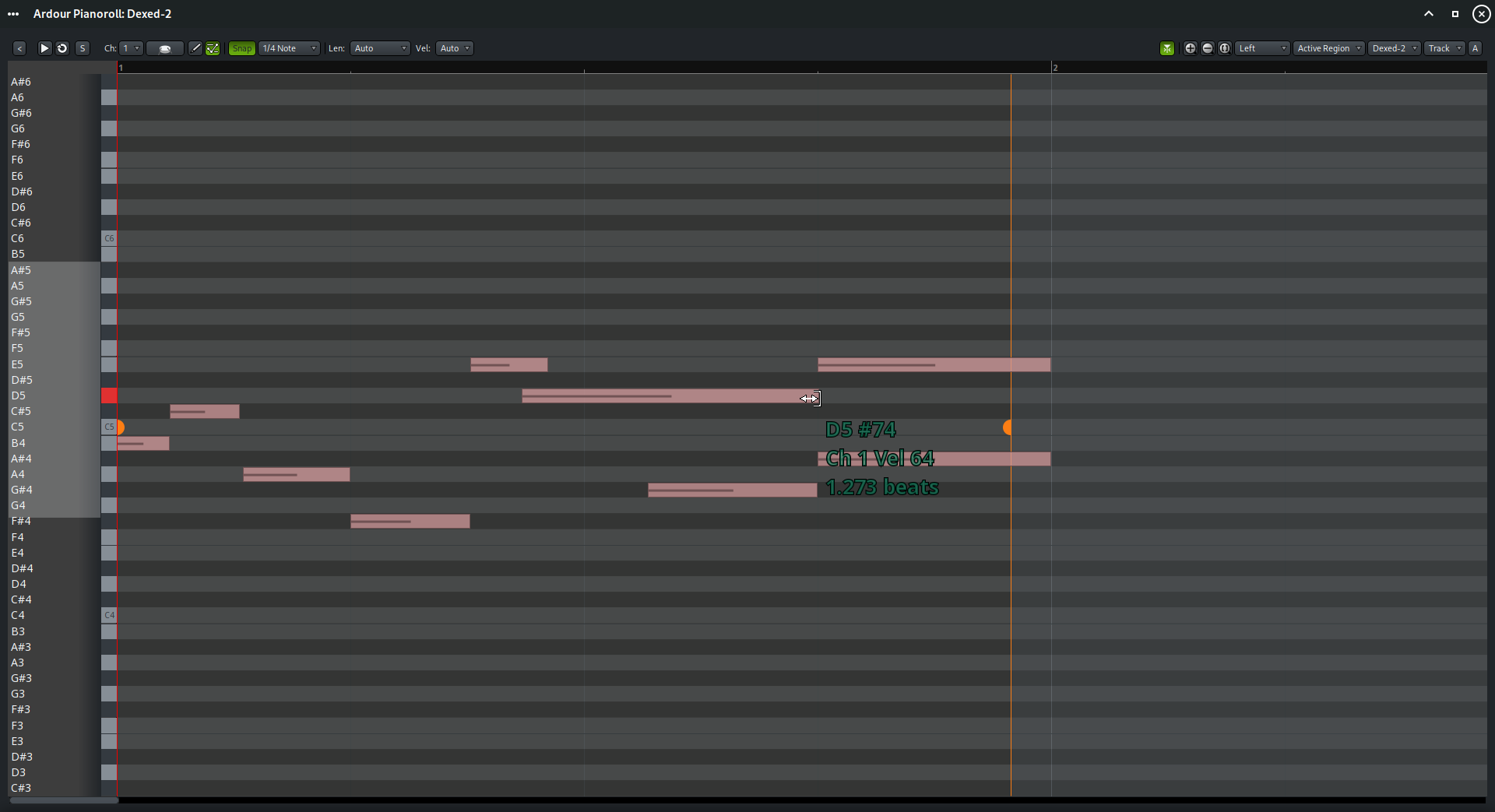
…aldo you can do the exact same operation as when you use internal edit mode.
So when using draw mode, you can’t tell if you are on the note edge or not, so i’ll oftenly try to pull and extend/shrink the note and nothing will happen, cause i didn’t hit the exact edge of the note. It’s a little thing that i find very distracting.
In my opinion, the cursor should, in this case, behave the same in draw mode as in edit mode, considering you can do the same operation with both.
That’s clearly a bug, I can reproduce it in the pianoroll window / bottom panel, but not in the editor where the cursor updates as it should.
1 Like
Good to hear it’s a bug…i was afraid that’s the intended behaviour .
I didn’t investigate everything thoroughly, but i clearly remember a feeling of being surprised with ZRythm’s midi editing fluidity during my first ever try of using it.
My guess is that this exact bug is reason why i thought Ardour’s midi editing in 9.7 feels “stiff”.
Another small thing why Ardour’s interface feels blocky, rigid, like something out of early nineties, is jumpy vertical ruler in editor window (i’m aware of Robin’s reasoning and that it is not really meant to be a slider). Maybe it shouldn’t be the default setting, but i think an option to slide the vertical view smoothly and leave parts of the tracks visible/parts out of visible area should exist. It’s kind of strange to have vertical view that doesn’t mimic the horizontal one…I can’t remember the last time i saw that in desktop app.
Thank you, Paul. Thank you, Ardour team. <3
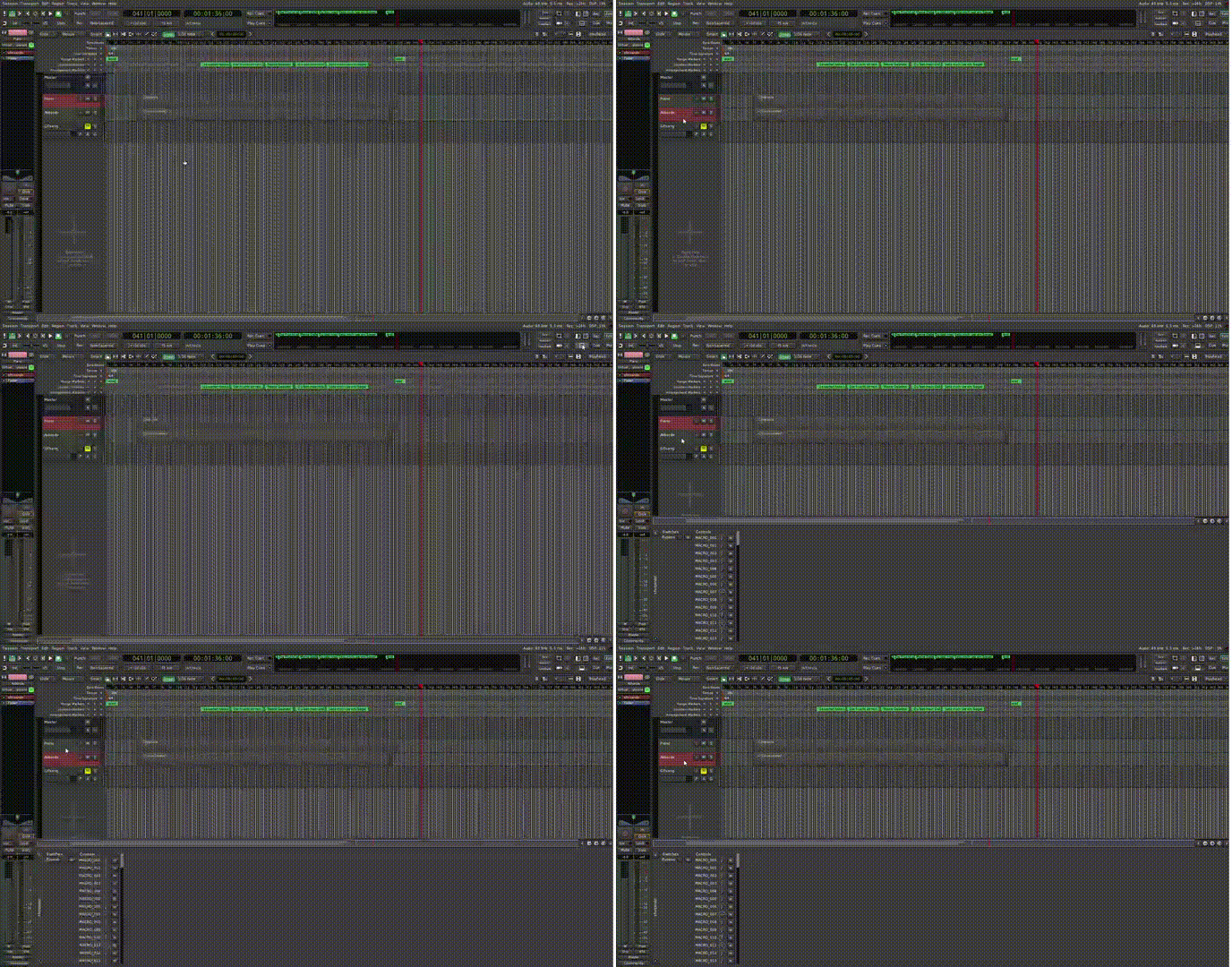
Is it normal for switching between tracks to take this long and feel so laggy when the Piano Roll is open? When the window is closed, everything runs smoothly.
Does this process simply require that much processing power? My laptop doesn’t even come close to reaching its performance limits.
Thank you!
Hi stapac,
I did notice this laggy track switching also.
For me thats the reason I keep the “Editor Properties Box” ( shift P ) closed.
It seems related to the amount of parameters the plugins have on that track.
When I have a track with ACE Reasonable Synth or a midi effect it switches fast, but with a complex synth like SurgeXT it takes more time to switch to that track.
( you can collapse the parameters in the Editor Properties Box to speed up switching tracks a little bit ).
Hoping the Ardour team can do something about speeding up this workflow.
Been using Ardour 9.8 since it was released, it’s working great!!
One feature that i’d really appreciate and that’s clearly missing but intended to be there, is the lua hook for RouteProcessorChanged (when plugins are added/removed) …i use this to pin all realtime threads to p-cores, but it’s kind of cumbersome to apply my patch before each build…
From the last time i built Ardour, it was someting like:
diff --git a/gtk2_ardour/luasignal_syms.inc.h b/gtk2_ardour/luasignal_syms.inc.h
index bfdf0c07b0..4810ccbea0 100644
--- a/gtk2_ardour/luasignal_syms.inc.h
+++ b/gtk2_ardour/luasignal_syms.inc.h
@@ -73,6 +73,7 @@ SESSION(StepEditStatusChange, StepEditStatusChange)
 SESSION(RouteGroupAdded, route_group_added)
 SESSION(RouteGroupRemoved, route_group_removed)
 SESSION(RouteGroupsReordered, route_groups_reordered)
+SESSION(RouteProcessorsChanged, RouteProcessorsChanged)

 // plugin manager instance
 STATIC(PluginListChanged, &(PluginManager::instance().PluginListChanged))
diff --git a/libs/ardour/ardour/session.h b/libs/ardour/ardour/session.h
index e8563cc890..6bcf4a679f 100644
--- a/libs/ardour/ardour/session.h
+++ b/libs/ardour/ardour/session.h
@@ -667,6 +667,8 @@ public:
 	 * extra XML, to the session state
 	 */
 	PBD::Signal<void()> SessionSaveUnderway;
+
+  PBD::Signal<void(RouteProcessorChange)> RouteProcessorsChanged;

 	std::vector<std::string> possible_states() const;
 	static std::vector<std::string> possible_states (std::string path);
diff --git a/libs/ardour/luabindings.cc b/libs/ardour/luabindings.cc
index 5ebcf38caf..97829c8edd 100644
--- a/libs/ardour/luabindings.cc
+++ b/libs/ardour/luabindings.cc
@@ -258,7 +258,7 @@ CLASSINFO(TrackViewList);
 CLASSINFO(UIConfiguration);

 /* this needs to match gtk2_ardour/luasignal.h */
-CLASSKEYS(std::bitset<52ul>); // LuaSignal::LAST_SIGNAL
+CLASSKEYS(std::bitset<53ul>); // LuaSignal::LAST_SIGNAL

 CLASSKEYS(void);
 CLASSKEYS(float);
diff --git a/libs/ardour/session_transport.cc b/libs/ardour/session_transport.cc
index 0790d3045b..becad9c2d2 100644
--- a/libs/ardour/session_transport.cc
+++ b/libs/ardour/session_transport.cc
@@ -2004,6 +2004,8 @@ Session::route_processors_changed (RouteProcessorChange c)
 	if (c.type == RouteProcessorChange::NoProcessorChange) {
 		return;
 	}
+
+  RouteProcessorsChanged (c);

 	if (c.type & RouteProcessorChange::MeterPointChange) {
 		/* sort rec-armed routes to be processed first */
There should be no need for that, and in most cases it is even counter productive to do that.
–
PS. If you really need to you could either use EngineRunning signal, after which all arodur rt-threads are present. Or if you want to work around plugins that ill-conceivably use custom threads SuccessfulGraphSort should do the trick. That is triggered after a RouteProcessorsChange.
Definitely not counter productive here, i’m getting pretty much flawless performance with no xruns at 64x3 sampe buffers. If i don’t pin Ardour’s rt threads to p-cores, then sessions with many plugins start getting a lot more xruns at the same jack settings.
Besides, it’s pretty clear from the code that the RouteProcessorChange hook is supposed to be there, but someone just forgot to wire it.
Can you elaborate?
To do so properly, there would also need to be support for bitset, and then RouteProcessorChange:Type bits to test. The signal mainly exists for internal reasons. And ye eventually it is reasonable to have a Lua binding for it.
It’s quite simple, really. My CPU is Intel core ultra 7 155H which has 6 p-cores that are about twice faster than the other cores. I have a script which pins all ardour threads marked “RT-*” to these cores using taskset, while my other stuff that doesn’t require a fast CPU (ardour’s GUI threads, window manager/desktop, browser etc) is limited to the e-cores. This gives me stable xrun-free performance at 64 sample buffers / 3 periods, whereas with no thread pinning this CPU can’t pull off this kind of performance without getting xruns.
And if i need full CPU for something else (compiling stuff, etc) then i just run it on all cores myself.
I guess i could squeeze even more out of it by sorting plugins by how much CPU they actually need, but for my usage this is good enough.
Similar here I have a i5-14500, 6 p-cores with hyper-threading (so 12 threads) plus 8 efficiency cores for a total of 20. Without me doing any system tweaks [1], and by setting Ardour to use 6 cores (or 12 with HT) [2], the Linux scheduler only uses those for rt processing.
–
[1] ardour/tools/udev at master · Ardour/ardour · GitHub 99-cpu-dma-latency.rules and Ardour Prefs > Performance > Power Management, CPU DMA latency is pretty much mandatory for very low latency.
[2] Also Ardour Preferences > Performance
This sounds like something the system scheduler should handle automatically. Are you using an old kernel?